| Plan Name | Space | CPU | RAM | OS | Price | Score | |
|---|---|---|---|---|---|---|---|
| Build #1 Cloud | 50 GB | 2 cores | 4 MB | $29.95 | 4.9 | View Plan |

Best Windows Dedicated Server Feature Overview
| Provider | STARTING
PRICE | CPU(Cores) | RAM(GB) | Storage(GB) | |
|---|---|---|---|---|---|
![]() | $110.00 | 12-64 | 128-192 | 2,000 | Visit Contabo |
![]() | $65.50 | 4-64 | 16-1000 | 480-8,000 | Visit Ultahost |
![]() | $19.00 | 1-32 | 1-128 | 20-4,000 | Visit Kamatera |
![]() | $247.00 | 12-128 | 32-1024 | 480-32,000 | Visit Atlantic.Net |
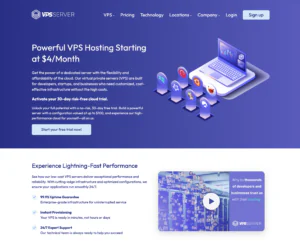
![]() | $4.00 | 1-2 | 2-4 | 30-50 | Visit VPSServer.com |
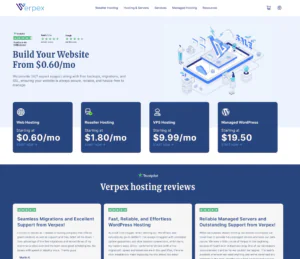
![]() | $19.50 | 2-8 | 4-16 | 80-320 | Visit Verpex Hosting |
![]() | $60.00 | 6-32 | 12-128 | 32-128 | Visit IONOS |
![]() | $49.00 | 12-128 | 32-1024 | 480-3200 | Visit InterServer |
What Is Windows Dedicated Server Hosting?
Windows dedicated server hosting provides an entire physical server that runs on a licensed Windows Server OS. It’s ideal for applications that depend on Windows technologies like ASP.NET, MSSQL, and Remote Desktop Protocol (RDP).
These servers offer complete control, enterprise-grade hardware, and pre-installed Windows environments—making them perfect for hosting desktop apps, corporate intranets, or resource-heavy software.
When to Use and When to Avoid Windows Dedicated Servers
| When to Use | When to Avoid |
| You need full admin control and Windows Server features | You only need to host a static website or blog |
| You’re running .NET, MSSQL, or RDP-based applications | You have limited technical experience managing servers |
| You require high availability and resource isolation | You’re looking for a low-cost hosting plan |
| You need software that only runs on Windows OS | You want a lightweight or Linux-based tech stack |
If a Best Windows Dedicated Server Isn’t Right for You, Consider These Alternatives
- Shared Hosting: A budget-friendly option for small websites and personal blogs that don’t require Microsoft technologies
- VPS Hosting: Gives developers more control and customization for frameworks like Node.js, Laravel, or Django
- Linux Hosting: If you’re building with PHP or WordPress, Linux hosting is cheaper and more optimized for those technologies.
- ASP.NET Hosting: For scalable, container-based Windows deployments.
- Reseller Hosting: Ideal if you’re managing client websites and want billing control over each Windows instance.
Windows vs Linux Dedicated Servers: Key Differences
| Feature | Windows Dedicated Server | Linux Dedicated Server |
| OS Licensing | Requires paid Windows Server license | Usually free and open-source |
| App Compatibility | Ideal for ASP.NET, MSSQL, and Windows-based software | Best for PHP, MySQL, Python, and open-source apps |
| Control Panel | Often comes with Plesk | Often comes with cPanel or Webmin |
| Cost | Higher due to licensing and RDP features | Lower overall cost |
| Use Case | Enterprise apps, remote desktop access | Web hosting, open-source development |
Conclusion: Choose a Windows dedicated server if your stack depends on Microsoft technologies or requires full GUI access. Go with Linux if you’re running standard web applications or want to reduce software licensing costs.
Use Cases for Windows Dedicated Servers
- Remote Desktops: Centralized work environments for teams using RDP.
- Enterprise Applications: Hosting legacy ERP, CRM, or custom .NET software.
- Database Servers: Optimized for Microsoft SQL Server deployments.
- Windows Game Servers: Hosts requiring DirectX or Windows runtime support.
- Software Testing Labs: Ideal for staging environments using Windows-based stacks.
How to Choose the Best Windows Dedicated Server
- RDP and GUI Access: Ensure support for secure remote desktop control.
- Windows Licensing Included: Avoid surprise costs—some hosts bundle the OS license.
- Enterprise Hardware: Look for Intel/AMD CPUs, ECC RAM, and SSD/NVMe storage.
- 24/7 Technical Support: Crucial for resolving Windows-specific server issues.
- Firewall and DDoS Protection: Windows servers are often targeted—built-in security helps.
- Data Center Location: Choose servers near your users to reduce latency.
The Best Windows Dedicated Server Hosting Services of 2026 (Bought and Tested):
-
Top 5 Germany Web Hosting 2026
-
Top 10 VPS Hosting 2026
-
Top 10 Cloud Hosting 2026
-
Top 10 Dedicated Hosting 2026
-
Excellent Service 2026

Contabo Dedicated Server Hosting offers robust hardware and cost-effective plans for businesses, developers, and enterprises seeking reliable performance and full server control. Known for delivering exceptional value, Contabo provides flexible configurations suitable for everything from small business hosting to demanding enterprise workloads.
Rating Based on Expert Review:
- Overall Score: 4.6
- Features: 4.7
- Reliability: 4.7
- User-Friendly: 4.5
- Support: 4.5
- Pricing: 4.8
Detailed Analysis
Features:
Contabo’s dedicated servers come equipped with high-core-count CPUs such as Intel Xeon or AMD EPYC, generous RAM configurations, and a choice of SSD or NVMe storage for fast data processing. Users benefit from full root access, customizable RAID options, multiple IPv4 addresses, and optional DDoS protection. A wide selection of operating systems is available, including numerous Linux distributions and Windows Server editions. Servers can be tailored for specific use cases like web hosting, virtualization, game servers, and big data applications.
Reliability:
Contabo operates modern data centers in Germany and the United States, featuring redundant power supplies, advanced cooling systems, and multiple connectivity providers. Their infrastructure ensures stable performance and a strong uptime track record, making Contabo suitable for hosting critical workloads and high-traffic websites.
User-Friendly:
While Contabo’s services cater primarily to experienced users and system administrators, their custom control panel simplifies essential tasks like reboots, OS reinstalls, and resource monitoring. Beginners might face a learning curve, as Contabo’s offerings lean toward unmanaged servers without extensive support for hands-on configurations. However, clear documentation is available to help users get started.
Support:
Contabo provides 24/7 support through ticketing and email. Their technical team is knowledgeable and assists with hardware diagnostics, initial server provisioning, and basic troubleshooting. Live chat and phone support are not standard, and comprehensive managed services are not included by default, making Contabo better suited for users comfortable with self-management or those hiring external server administrators.
Pricing:
Contabo is widely recognized for offering some of the most competitive dedicated server pricing in the market. Even high-spec servers remain cost-effective compared to many competitors, delivering excellent price-to-performance ratios. Users can add features like additional storage drives, premium networking, or DDoS protection, but the base costs remain highly affordable for enterprise-grade hardware.
Pros and Cons
-
Best Dedicated Hosting Provider 2026
-
Best Windows Hosting Provider 2026
-
Top 5 France Web Hosting 2026
-
Top 10 Website Builder 2026
-
Top 10 Web Hosting 2026

UltaHost enjoys popularity and patronage due to its ultra-modern state-of-the-art data centers, network hardware, and technology.
- Overall Score – 4.3
- Features – 4.1
- Support – 4.4
- User Friendly – 4.6
- Pricing – 4.1
- Reliability – 4.7

Overall Score – 4.3: UltaHost provides enough features and performance to rival some of the biggest names in the web host industry. Here is a rundown of what makes them one of the best Windows dedicated server hosting providers.
Features – 4.1: UltaHost offers 7 data center locations, SSD-only servers, anti-malware protection, and many free features. These features include free daily backups, free SSL certification, free domain transfer, 30-Day Money-Back Guarantee on each plan. Other great features include the RocketBooster high-performance php7 hosting environment and Cloudflare CDN Caching.
Support – 4.4: UltaHost offers a great customer support system. You can reach the support team via live chat, email, phone, and ticketing system. You can also get assistance from its knowledge base and FAQs.
User Friendly – 4.6: UltaHost uses a user-friendly and straightforward panel interface. With it, you can manage your servers, maintain your websites and perform other server-related tasks. The panel provides relevant information on your domains, IP addresses, and further details.
Pricing – 4.1: UltaHost offers managed dedicated server solutions. The cheapest plan costs $129.90/month and offers 2x 960 GB SSD, 64 GB RAM, and 1 IPv4 IP address. All plans come with BitNinja Security, SSH and SFTP Access, Unlimited Bandwidth, and 24/7 Real-time Monitoring.
Reliability – 4.7: UltaHost promises a 100% uptime guarantee on its dedicated server hosting plans. This guarantee is no surprise as the provider uses Tier-3 and Tier-4 data centers to provide you with their web hosting solutions. Their data centers have the latest SSD technology and redundant RAID 10 configuration.
Additional Parameter: Security and Backups: UltaHost takes server security very seriously. It provides in-house server monitoring to prevent any issue from appearing under its Complete Server Management plan. It offers other security solutions like its Web Application Firewall (WAF), malware scans and reports, and free daily backups. Users can quickly restore these backups using the 1-click Restore Manager. If that fails or you run into an issue, the support team will help you restore your data at no extra cost.
Pros & Cons
- Free SSL certification for life
- 100% uptime guarantee
- Transparent pricing
- 30-day money-back guarantee
- State-of-the-art infrastructure
- Customer support is not round the clock
- Steep learning curve

-
Best VPS Hosting 2026
-
Top 5 Europe Web Hosting 2026
-
Top 5 Australia Web Hosting 2026
-
Top 10 Best Gaming Hosting Provider 2026
-
Top 10 Reseller Hosting 2026

Kamatera offers Windows Dedicated Server Hosting, providing high-performance, scalable, and secure hosting solutions tailored for applications that leverage Microsoft technologies. This service is ideal for businesses looking to host enterprise-level applications such as MS SQL databases, Active Directory environments, or scalable ASP.NET sites.
Rating Based on Expert Review:
- Overall Score: 4.9
- Features: 5.0
- Reliability: 5.0
- User-Friendly: 4.8
- Support: 4.9
- Pricing: 4.8
Detailed Analysis:
Features: Kamatera’s Windows dedicated servers come equipped with the latest and most powerful Intel Xeon processors, high-speed SSDs, and extensive RAM options. Full administrative access allows for deep customization, enabling optimal server configuration for specific Windows applications. Enhanced security features, including advanced firewall settings and DDoS protection, are standard.
Reliability: With a robust network infrastructure and top-tier data centers, Kamatera guarantees high availability and exceptional performance. The company offers a 99.95% uptime SLA, ensuring that your server and applications are always operational.
User-Friendly: Kamatera provides a user-friendly management interface that simplifies the configuration and maintenance of Windows servers. This includes automated system updates and an easy-to-navigate dashboard for monitoring server health and resource usage.
Support: Kamatera offers 24/7 expert support, with a team that specializes in Windows environments. This dedicated support ensures quick resolution of any issues and ongoing assistance with server management, security, and optimization.
Pricing: Pricing for Kamatera’s Windows Dedicated Server Hosting is competitive, offering a variety of plans that cater to different sizes and types of business needs. The pricing model is flexible, allowing businesses to scale resources up or down based on demand, which ensures cost efficiency.
Pros and Cons:
- High-end hardware optimized for Windows server applications ensures top performance
- Scalable resource allocation allows businesses to adjust as their needs evolve
- Expert, around-the-clock support tailored for Windows server management
- While the service offers high scalability, the initial cost might be higher than other providers due to the premium hardware and features
- The specialized nature of Windows dedicated hosting might require businesses to have or develop specific technical expertise to fully utilize the server capabilities
-
Top 10 Dedicated Hosting 2026

Atlantic.Net is a trusted provider in business for 31 years, offering powerful Windows dedicated servers designed for businesses and developers that need a Windows-based environment with full control, flawless performance, and enterprise-grade infrastructure.
Ideal for applications relying on Windows server features, these servers deliver reliable uptime, fast connectivity, and scalable resources.
Rating Overview
Take a quick look at the rating based on expert analysis and user feedback:
- Overall Score: 4.7
- Pricing: 4.5
- Features: 4.7
- Performance: 4.8
- Support: 4.6
- User Friendliness: 4.6
Detailed Analysis
If you need more details, here are the key areas outlined below:
- Pricing: Transparent monthly plans offer competitive pricing for Windows dedicated servers, which makes them accessible to businesses of different sizes.
- Features: Pre-installed Windows Server, SSD storage, full administrator access, private networking, snapshots, and scalable CPU/RAM configurations.
- Performance: Enterprise-grade hardware ensures fast response times, low latency, and high uptime, ideal for Windows-based applications and workloads.
- Support: Always available support via chat, phone, and ticketing helps with setup, configuration, and troubleshooting of Windows servers.
- User Friendliness: Intuitive control panel simplifies server management, while advanced users can leverage full administrative access for complete customization.
Pros & Cons
Before deciding, review the pros and cons of Altantic.Net Windows dedicated hosting.
- Pre-installed Windows Server with full admin access
- SSD-powered high-performance infrastructure
- Scalable CPU, RAM, and storage options
- 24/7 expert support
- Premium pricing compared to Linux servers
- Advanced configurations need technical expertise

VPSServer.com’s Windows Dedicated Server offering is geared toward organizations that need dedicated hardware while running Microsoft-centric stacks. It’s a practical choice for hosting Windows Server applications, IIS-based websites, MSSQL databases, remote desktop environments, and line-of-business software that benefits from predictable resources and stronger isolation than shared hosting. This category is especially suitable for teams that require consistent performance for always-on services, as well as developers migrating from VPS plans that have become limiting under load. The overall value is solid when you can utilize the dedicated CPU and RAM efficiently, but it’s worth factoring in Windows licensing considerations and the added operational overhead of maintaining a secure, patched Windows environment.
Rating Overview
- Overall Score: 4.4
- Performance: 4.6
- Support: 4.4
- Security: 4.4
- Pricing: 4.2
- Ease of Use: 4.3
Detailed Analysis
Performance: Dedicated hardware delivers stable CPU and memory availability, which is important for Windows workloads like IIS and MSSQL that can spike under concurrency. With no noisy-neighbor contention, performance remains more predictable during backups, updates, and peak usage. Storage choice still matters—fast SSD/NVMe is a major benefit for database-heavy deployments.
Support: Support is generally effective for provisioning, access, and infrastructure-level issues such as network connectivity or hardware faults. Windows-specific troubleshooting can be smooth when requests are clear and include Event Viewer logs or relevant error messages. Complex application optimization (SQL tuning, IIS performance profiling) may still require specialist expertise on your side.
Security: Dedicated isolation reduces cross-tenant risk, but Windows servers require consistent patching and careful access controls. Strong RDP hygiene—restricted access, MFA where possible, and IP allowlisting—can significantly reduce exposure. Regular backups and monitoring are essential to recover quickly from misconfigurations or unexpected issues.
Pricing: Pricing can be competitive for dedicated compute, though Windows licensing and higher resource tiers can raise costs. It’s most cost-effective for stable workloads that run continuously and benefit from predictable monthly billing. If your usage is intermittent, a smaller VPS or cloud instance may provide better cost flexibility.
Ease of Use: Windows management is generally friendly for admins accustomed to GUI workflows, remote desktop access, and familiar tooling. Initial provisioning is straightforward, but best practices still require configuration effort around updates, security baselines, and roles. Teams with standard images and automation will maintain consistency more easily over time.
Pros and Cons
Dedicated resources for stable Windows Server performance
Suitable for IIS, MSSQL, RDP, and enterprise app hosting
Better isolation than shared Windows hosting environments
Predictable monthly costs for always-on workloads
Familiar management experience for Windows administrators
Windows licensing can increase total cost
Requires disciplined patching and RDP hardening
Hardware scaling is less instant than cloud instances
-
Best Reseller Hosting Provider 2026
-
Top 5 Australia Web Hosting 2026
-
Top 5 UK Web Hosting 2026
-
Top 10 Windows Hosting 2026
-
Top 10 VPS Hosting 2026

Verpex offers Windows Dedicated Server Hosting that provides robust and reliable solutions tailored to businesses requiring dedicated resources for high-performance Windows applications. This hosting is ideal for enterprises running complex databases, large-scale ERP systems, and resource-intensive web applications.
Rating Based on Expert Review:
- Overall Score: 4.8
- Features: 4.9
- Reliability: 4.9
- User-Friendly: 4.8
- Support: 4.9
- Pricing: 4.7
Detailed Analysis:
Features: Verpex’s Windows dedicated servers are equipped with cutting-edge technology, including powerful Intel Xeon processors, high-speed SSD storage, and comprehensive bandwidth options. These servers offer full administrative access, allowing extensive customization and optimization for specific business needs.
Reliability: Positioned in state-of-the-art data centers, Verpex ensures excellent uptime and stability with redundant power and networking infrastructures designed to support continuous operation. This setup is crucial for businesses that rely on their applications being available around the clock.
User-Friendly: Despite the advanced technology, Verpex maintains a user-friendly management platform. This platform simplifies the deployment and management of Windows servers, making it accessible for users with varying levels of technical expertise.
Support: Verpex is known for its exceptional customer service, providing 24/7 support from a team of Windows server experts. This team offers quick and efficient solutions to any issues, ensuring minimal downtime and optimal server performance.
Pricing: The pricing for Verpex’s Windows Dedicated Server Hosting is structured to offer flexibility, accommodating a range of business sizes and requirements. Each pricing tier provides detailed information on the resources included, making it easy for businesses to select a plan that matches their needs.
Pros and Cons:
- High-end server configurations optimized for Windows applications ensure top performance
- Reliable infrastructure with excellent uptime guarantees business continuity
- Dedicated support team skilled in managing and troubleshooting Windows environments
- The cost of premium dedicated server features might be higher than standard hosting options
- The need for significant customization and management may require businesses to have IT expertise
-
Best Value for Money 2026
-
Editor's Choice 2026
-
Most Recommened PHP Hosting 2026
-
Top 5 UK Web Hosting 2026
-
Top 5 Europe Web Hosting 2026

IONOS offers a strong lineup of Windows-based dedicated servers tailored for businesses that rely on Microsoft technologies like ASP.NET, MSSQL, or Windows-based application stacks. With global datacenter presence and scalable hardware options, it provides a reliable foundation for enterprise web hosting, remote desktop environments, and custom software deployments. Admins benefit from full remote access, dedicated resources, and seamless Windows Server licensing integration.
Rating Overview
- Overall Score: 4.5
- Performance: 4.6
- Support: 4.5
- Security: 4.5
- Pricing: 4.4
- Ease of Use: 4.6
Detailed Analysis
- Performance
Equipped with Intel Xeon or AMD processors and SSD/NVMe storage options, IONOS servers offer stable throughput and fast read/write speeds. - Support
24/7 phone and ticket support is available, with a dedicated personal consultant feature that helps guide users unfamiliar with Windows server setups. - Security
Each server includes DDoS protection, SSL certificates, and optional site backup solutions. Admins have full control over Windows Firewall and update policies. - Pricing
Windows licensing adds to the cost, but overall pricing remains competitive considering enterprise-grade infrastructure and global reach.
Pros and Cons
Native support for Windows Server environments
Full administrator access with remote desktop capability
Global datacenters ensure low-latency deployment
Personal consultant support option available
Flexible hardware configurations
Windows Server license cost increases base pricing
Advanced setup may be complex for non-technical users
Some plans lack instant provisioning
-
Best Linux Hosting Provider 2026
-
Top 5 USA Web Hosting 2026
-
Top 10 Reseller Hosting 2026
-
Top 10 Windows Hosting 2026
-
Great Support 2026

Interserver is famous for its suite of security features, enterprise-grade performance and reliability, and robust dedicated server hosting features.
- Overall Score – 4.4
- Features – 4.4
- Support – 4.3
- User Friendly – 4.4
- Pricing – 4.5
- Reliability – 4.4

Overall Score – 4.4: InterServer is one of the world’s best windows dedicated hosting server solutions. With their 99.99% uptime guarantee, unlimited resources, and a simple but functional cPanel, it is hard to recommend a better alternative.
Features – 4.4: InterSever offers limitless bandwidths, emails, storage space, databases, and blogs. All hosting plans also come with Cloudflare CDN and a Plesk management panel.
Support – 4.3: The customer service team from InterSever offers fast expert support. However, they are not always available, and some of their responses didn’t seem too accurate during our tests. Overall, the support is good, but it might take a while for you to resolve any issues you encounter on your windows-based dedicated server.
User Friendly – 4.4: The cPanel interface doesn’t come with whistles and bells, but it provides enough functionality to allow users to manage and upgrade their servers. However, developers might find the control options somewhat limited.
Pricing – 4.5: Pricing starts at $67.00/mo and goes up to $500.00/mo. The basic plan includes 6 Cores Single CPU, 64GB Memory, 150TB Transfer, IPMI Console, and DDoS Protection. You can save money by going for plans lasting a year or more.
Reliability – 4.4: InterSever offers a top-tier 99.99% uptime guarantee, impressive website loading speed, and an above-average server speed.
Additional parameter – Security: Security is a significant issue when running dedicated servers. InterServer comes top of the line with its weekly backup on remote servers, DDoS attack protection, and its native security suite, InterShield. InterShield comes equipped with an antivirus scanner, web attack blocking, a machine-learning firewall, and an in-house malware database. Another security study is the Inter-Insurance package. This package promises to investigate and restore hacked or infected websites for free.
Pros & Cons
- Comprehensive security solutions
- Free weekly backups on remote servers
- 99.99% uptime guarantee
- Affordable hosting plans
- Enterprise-grade infrastructure
- Manual backups
- Cluttered cPanel

Why Trust Our Recommendations?
We deployed Windows Server environments across multiple hosting providers and tested them with real use cases—remote desktops, MSSQL integration, and ASP.NET deployments.
Our team assessed server responsiveness, OS provisioning times, panel usability (like Plesk), and licensing transparency. Support teams were evaluated based on their ability to resolve Windows-specific errors, configuration requests, and firewall setups.
How We Test and Rank
We evaluated each Windows dedicated server provider by deploying real environments and measuring RDP performance and latency through active remote desktop sessions. We also assessed server provisioning times, uptime stability, and the ease of reboot and resource control through each host’s management panel.
Licensing transparency was another key factor—only providers offering clear support for Windows Server 2019/2022 and optional MSSQL were considered. We tested storage speed and resource consistency using benchmarking tools and reviewed built-in security measures like DDoS protection and IP whitelisting. Our rankings reflect a blend of performance, reliability, and value for Microsoft-driven workloads.
Best Windows Dedicated Servers: Final Recommendations
Windows dedicated hosting offers powerful, isolated environments for developers, enterprises, and teams relying on Microsoft technologies.
The best providers combine enterprise-grade hardware, full root access, and easy RDP setup with included licensing and around-the-clock support. Whether you’re building a secure remote desktop setup or managing high-traffic apps, choose a host that balances cost, control, and scalability.