Verpex Hosting is a UK-registered hosting provider that currently hosts over 300,000 websites across more than twelve server locations worldwide.
I signed up for Linux VPS hosting, explored the full product configuration process, and reviewed the client dashboard across three distinct hosting products active in the same account.
I also tested cPanel directly from the web hosting management page and contacted support through both live chat and ticket channels with genuine technical questions.
In this Verpex review, I will walk you through my hands-on experience so you can decide if this is the right fit for your technical needs.
To evaluate Verpex, I applied our hosting review methodology, a structured framework used consistently across all reviews on this platform.
Here’s how it performed:
| Parameter | Score | Why This Score |
|---|---|---|
| Prices | 8.7/10 | Competitive promotional pricing across four VPS tiers with flexible billing cycles and checkout discounts. However, VPS plans exclude a money-back guarantee, and renewal prices increase significantly after the initial term. |
| Features | 9.1/10 | Nine server locations, three Linux OS options, Monarx security, twice-daily backups, free unlimited migrations, optional cPanel licensing, and scalable resources make the VPS offering strong. No cPanel licensing in the base plan is a key cost to consider. |
| Ease of Use | 9.0/10 | The configuration page is detailed and requires careful attention, which suits an unmanaged VPS setup. The client dashboard is clean and well-organized, with management pages tailored by product type, while VPS pages offer direct server credentials and power controls. |
| Performance | 9.3/10 | Performance testing in progress. Results will be added once benchmarking is complete. |
| Support | 9.8/10 | Two channels tested. Live chat connected instantly and delivered a technically accurate answer to a VPS performance question in under three minutes. Ticket support returned a precise, technically grounded answer. |
| Overall | 9.2/10 | Pending performance results. |
Verpex’s refund policy works as follows:
NOTE:
| Plan Name | Space | Bandwidth | OS | Panel | Number of Sites | Price | |
|---|---|---|---|---|---|---|---|
| BRONZE PACKAGE | 30 GB | Unlimited | cPanel | 1 | $0.60 | Details | |
| SILVER PACKAGE | 50 GB | Unlimited | cPanel | 100 | $1.00 | Details | |
| GOLD PACKAGE | 100 GB | Unlimited | cPanel | Unlimited | $1.49 | Details |
| Plan Name | Space | CPU | RAM | OS | Price | |
|---|---|---|---|---|---|---|
| Unmanaged Linux Server-D4 | 80 GB | 2 cores | 4 GB | $10.00 | Details | |
| Unmanaged Windows Server-D4 | 80 GB | 2 cores | 4 GB | $18.00 | Details | |
| Unmanaged Linux Server-D8 | 160 GB | 4 cores | 8 GB | $20.00 | Details | |
| Unmanaged Windows Server-D8 | 160 GB | 4 cores | 8 GB | $30.00 | Details | |
| Unmanaged Linux Server-D16 | 320 GB | 8 cores | 16 GB | $40.00 | Details | |
| Unmanaged Windows Server-D16 | 320 GB | 8 cores | 16 GB | $53.40 | Details | |
| Unmanaged Linux Server-D32 | 640 GB | 16 cores | 32 GB | $55.00 | Details |
| Plan Name | Space | CPU | RAM | OS | Panel | Warranty | Price | |
|---|---|---|---|---|---|---|---|---|
| MANAGED WINDOWS SERVER - D4 | 80 GB | 4 cores | 4 GB | Plesk | $0.00 | $24.50 | Details | |
| MANAGED LINUX SERVER - D4 | 100 GB | 2 cores | 4 GB | WHM | $0.00 | $28.75 | Details | |
| MANAGED WINDOWS SERVER - D8 | 160 GB | 4 cores | 8 GB | Plesk | $0.00 | $44.50 | Details | |
| MANAGED LINUX SERVER - D8 | 150 GB | 4 cores | 8 GB | WHM | $0.00 | $45.42 | Details | |
| MANAGED LINUX SERVER - D16 | 300 GB | 8 cores | 16 GB | WHM | $0.00 | $70.42 | Details | |
| MANAGED WINDOWS SERVER - D16 | 320 GB | 8 cores | 16 GB | Plesk | $0.00 | $79.50 | Details |
| Plan Name | Space | CPU | RAM | OS | Price | |
|---|---|---|---|---|---|---|
| Managed Server - D4 | 100 GB | 2 cores | 4 GB | $28.75 | Details | |
| Managed Server - D8 | 150 GB | 4 cores | 8 GB | $45.42 | Details | |
| Managed Server - D16 | 300 GB | 8 cores | 16 GB | $70.42 | Details |
| Feature | Description |
|---|---|
| Nine Server Locations | Across five continents, selectable at the VPS configuration step before purchase. |
| Monarx Security | Advanced firewall and malware protection included across all hosting plans. |
| Free Unlimited Migrations | All customers can migrate any number of sites at no cost, regardless of plan tier. |
| Twice-Daily Backups | Offsite backups included across all plans with no additional charge. |
| Locally Attached NVMe | Storage physically attached to the host server for the lowest possible disk latency. |
| Three Linux OS Options | AlmaLinux, Ubuntu 24.04, and Debian 12 available on VPS plans at no extra cost. |
| Free SSL Certificates | Automatically deployed and renewed for all domains on the account. |
| Scalable Resource Add-Ons | CPU cores, RAM, and disk expandable independently without a full plan change. |
Verpex’s ease of use was evaluated across three areas:
I reviewed all three.
I started on the Verpex homepage and navigated to Hosting and Servers in the top menu bar.
The dropdown listed shared hosting options, VPS plans, and managed solutions in a clean two-column layout. I selected Linux VPS Hosting (root access), described in the dropdown as ideal for businesses seeking flexible, Linux-based solutions.

The VPS landing page opened with the headline “Build Without Limits on High-Performance Linux VPS.” A Get Started button led directly to the plan selection page.

The plan selection page presented four tiers side by side: VPS-D4, VPS-D8, VPS-D16, and VPS-D32. A billing toggle at the top offered monthly and 12-month options.
All four plans carried a 50%-off promotional label, with the discounted first-term rate shown prominently and the standard renewal price visible directly above it in smaller, crossed-out text, so the full pricing picture was clear before any selection was made.
I selected the VPS-D8 plan and clicked ‘Start Now’.

This opened the configuration page, the most detailed step in the Verpex signup process and the one worth reading carefully. The page is organized into clearly labeled sections:


A configuration summary panel on the right updated in real time as I made selections, displaying the current plan name, OS, cPanel license status, server location, billing cycle, and running total. After completing the configuration, I clicked ‘Add to basket’.

The next step prompted me to create an account, which required a first name, last name, email address, and password.
The basket summary on the right showed the full plan rate, the applied discount, the subtotal, and the basket total. The account creation form is the only step between configuration and payment.

The secure checkout page confirmed the basket contents and presented five payment options as clearly labeled radio buttons:
A discount voucher code was already applied and visible in the basket summary. I selected ‘Credit or Debit Card’ and entered the card details. Billing country was pre-populated. The Place order and pay button completed the purchase.

The registration flow is clean from start to finish. The configuration page is the step that demands the most attention: selecting your OS, cPanel licensing tier, resource add-ons, and server location all at once is a meaningful set of decisions for a VPS product.
The real-time configuration summary keeps the total visible as selections change, and the renewal pricing being disclosed on the plan card before checkout removes any ambiguity about what you will pay after the first term.
After completing the purchase, I was taken to the Verpex client area. The dashboard opened with a personalized welcome message alongside a row of summary tabs showing counts across Domains, Hosting, Websites, Email, Applications, and Other.

The left sidebar covered the full account navigation: Home, Products and Services, Billing, Refer-a-Friend, and Service Status.
A Support PIN button sat in the header bar, positioned to be easy to locate when you need it during a support session.
A To-dos section appeared below the summary tabs, organized across two tabs: Product setup and Account setup.
A Support tickets section at the bottom of the page showed the most recent open tickets with direct links to each one.

Clicking ‘Hosting’ in the summary tab row opened the Hosting and Servers listing page.

This page lists all three active products in a table with columns for product name, next due date, status, and action buttons. The table distinguished clearly between:
All three showed an Active status badge, their next renewal dates, and a Manage button. The Web Hosting entry also displayed a teal ‘Login to Control Panel’ button alongside Manage, putting cPanel access one click away from the product list without requiring a detour through the management page first.
With three products active in the account, I reviewed all three management pages. Each is tailored to its product type, and the differences are meaningful.
Web Hosting Management
Clicking ‘Manage’ on the Web Hosting entry opened the product management page for the Silver plan.

A teal banner at the top displayed two primary action buttons: “Login to Control Panel” and “Change Password”.

Below the banner, a Details section presented account-level information in a clean table: Account Domain Name, Account Username, four Nameserver addresses, Server Hostname, and Account IP Address. Each row included a copy icon for one-click copying without needing to select text manually.
A Product Notes section allowed adding non-sensitive notes to share with the Verpex team. A Product Secrets section below it was designated for sensitive information stored with AES-256 encryption. A Summary section at the bottom confirmed plan status, annual pricing, billing cycle, and purchase date.

Clicking Login to Control Panel opened the full cPanel environment. The interface organized tools into collapsible sections:

A General Information panel on the right displayed the current user, primary domain, SSL certificate status, shared IP address, home directory, and last login IP.
A live Statistics panel below it provided at-a-glance figures for disk usage, bandwidth, databases, email accounts, and more.
Windows Server Management
Clicking ‘Manage’ on the Unmanaged Windows Server entry opened the product management page for the D4 plan.

The management banner presented eight server control actions: ReInstall Server, Get Info, Login, Power On, Shut Down, Reboot, Attach Recovery ISO, and Detach Recovery ISO. The ‘Login‘ button was highlighted in orange, indicating the server was active and the action was available.
A server credentials panel below the banner displayed the Server Hostname, Server IP, Username (administrator), Password (referenced to the Product Secrets section), Default RDP Port (3389), and Operating System (Windows-2022).
These details appeared in a bordered information block, making them easy to locate when connecting via Remote Desktop.

A Server Details section below confirmed the server name, running status, and full IP address with subnet. The Product Notes and Product Secrets sections appeared below, with the Summary section at the bottom showing the active status, annual billing rate, billing cycle, and purchase date.
Linux VPS Management
Clicking ‘Manage’ on the Unmanaged Linux Servers entry opened the management page for the VPS-D8 plan.

The management banner showed the same server control action set as the Windows Server page: ReInstall Server, Get Info, Login, Power On, Shut Down, Reboot, Attach Recovery ISO, and Detach Recovery ISO. The Login button was again highlighted in orange.

A server credentials panel displayed: Server Hostname, Server IP, Username (root), Password (referenced to Product Secrets), Default SSH Port (22), and Operating System (almalinux-9).
The Server Details section confirmed the server name, running status, and IP address with the subnet. The Product Secrets section held the actual credentials, with the password stored in an encrypted vault and displayed in a masked format with a reveal icon, a copy icon, and a management menu. The Summary section at the bottom showed the active status, annual plan rate, billing cycle, and purchase date.
The management pages across Verpex’s three product types are well-differentiated. The web hosting page correctly positions cPanel access as the primary action and keeps the client-area view to account-level details.
Both VPS management pages surface server credentials and power controls in a consistent layout that gives you everything you need for remote connection in one place.
The Product Secrets section, encrypted with AES-256, handles credential storage in a way that avoids displaying passwords in plain text while keeping them easily accessible when needed.
Verpex delivers a coherent experience from the first click on the homepage through to the server management level. Here’s what I think:
To evaluate Verpex’s performance, I tested across two environments: the web hosting plan and the Linux VPS.
I ran the GTMetrix performance test from San Antonio, TX using Chrome 142 and Lighthouse 12.6.1.
| Metric | Result |
|---|---|
| GTmetrix Performance Grade | 93% |
| GTmetrix Structure Grade | 94% |
| Largest Contentful Paint (LCP) | 1.3s |
| Total Blocking Time (TBT) | 0ms |
| Cumulative Layout Shift (CLS) | 0 |
| Time to First Byte (TTFB) | 732ms |
| First Contentful Paint (FCP) | 1.1s |
| Time to Interactive (TTI) | 1.3s |
| Onload Time | 1.5s |
| Fully Loaded Time | 1.6s |

I ran a GTMetrix monitoring job checking the site automatically every day across an extended period. The full dataset covers April 6 through May 7, split across two distinct phases.
Phase 1: Pre-content baseline (April 6–22)
During the first two weeks, the site was running with minimal content: 14 page requests and roughly 341KB of total page weight. Under those conditions, the site returned consistently strong results:


Phase 2: Real-world monitoring (April 23 onwards)
From April 23, I added full-page content, images, plugins, and media to simulate a live site. Page weight increased to roughly 1.7MB across 33 requests. The table below compares the two monitoring weeks across this phase.
| Metric | Week 1 (Apr 23–29) | Week 2 (Apr 30–May 6) |
|---|---|---|
| GTmetrix Grade (avg) | 92% | 94% |
| LCP (avg) | 1,450ms | 1,409ms |
| TTFB (avg) | 756ms | 758ms |
| Fully Loaded (avg) | 1,850ms | 1,847ms |
| Total Blocking Time | 0ms every day | 0ms every day |
| CLS | Near zero every day | Near zero every day |

Key findings across both monitoring weeks:

On the May 7 anomaly: The final monitored day returned a grade of 68% with LCP at 8,349ms and a fully loaded time of 18,657ms.

The TTFB on that same day was 688ms, a completely normal reading consistent with the rest of the monitoring window.
A normal TTFB alongside an extreme LCP spike points to a downstream issue in the page load sequence, most likely a slow third-party resource or a transient CDN condition, rather than a server-side problem.
With 13 of 14 days returning grades between 87% and 95%, this reads as an isolated anomaly rather than a recurring pattern.
I used Check-Host to run a global ping test against the Verpex web hosting server from nodes across multiple continents.
Locations that responded:
| Region | Location | Latency |
|---|---|---|
| Europe | Netherlands, Amsterdam | 108.6ms |
| Europe | UK, Coventry | 108.8ms |
| Europe | Germany, Frankfurt | 112.2ms |
| Europe | Italy, Milan | 122.5ms |
| Europe | Germany, Nuremberg | 124.7ms |
| Europe | Netherlands, Meppel | 145.3ms |
| Europe | Austria, Vienna | 128.4ms |
| Americas | Brazil, Sao Paulo | 137.3ms |
| Asia-Pacific | Hong Kong | 177.2ms |
| Asia-Pacific | Singapore | 210.2ms |
| Asia-Pacific | China, Zhejiang | 211.7ms |
| Asia-Pacific | Vietnam, Ho Chi Minh City | 404.4ms |
A large number of nodes returned zero successful packets, spanning Eastern Europe, India, the Middle East, all US locations, and parts of Asia.

This pattern is consistent with ICMP ping traffic being blocked at the server firewall level rather than genuine connectivity failures.
Key findings from the nodes that did respond:
I monitored the Verpex web hosting site using Uptime Robot, with a check running every five minutes across a 30-day window.
| Metric | Result |
|---|---|
| Current Status | Up |
| Uptime (Last 7 days) | 100% |
| Uptime (Last 30 days) | 100% |
| Total Incidents (30 days) | 0 |
| Total Downtime (30 days) | 0 minutes |
| Average Response Time | 1,407ms |
| Minimum Response Time | 1,282ms |
| Maximum Response Time | 1,532ms |
| Monitor Region | North America |
Key findings:

The 30-day availability record is clean. For a shared hosting environment, zero incidents across 8,640 individual checks is the result you want to see.
Verpex’s web hosting delivers what matters most in a shared hosting environment: consistent availability and predictable performance under day-to-day conditions. The findings across all three monitoring sources tell a coherent story.
What the data shows clearly:
What to factor in:
The Verpex Linux VPS runs AlmaLinux 9.7 on an AMD EPYC 7543 32-Core Processor with 4 vCPUs allocated, 7.5GB RAM, and 154GB of storage.
I ran the full benchmark suite across CPU performance, memory speed, disk I/O, and a sustained three-minute stress test across all three subsystems.
4 vCPUs · 7.5GB RAM · 154GB NVMe · AlmaLinux 9.7 · AMD EPYC 7543
| Test | Result |
|---|---|
| Single-thread events/sec | 1,595.23 |
| Multi-thread events/sec (4 threads) | 6,388.48 |
| Single-thread avg latency | 0.63ms |
| Multi-thread avg latency | 0.63ms |

Single-thread performance at 1,595.23 events per second is a strong per-core result, closely matching the HostArmada EPYC 7413 result of 1,594.74 and well above the EPYC-Milan figures recorded at IONOS.
The AMD EPYC 7543 is a Milan-generation processor running at higher clock speeds than the standard Milan configurations seen elsewhere, and the per-core throughput reflects that.
Multi-thread output at 6,388.48 events per second across four vCPUs scales cleanly from the single-thread baseline, maintaining near-linear efficiency across all four cores.

| Test | Result |
|---|---|
| Sequential Write | 6,132.03 MiB/sec |
| Sequential Read | 7,288.60 MiB/sec |

Sequential write throughput at 6,132 MiB/sec and read throughput at 7,288 MiB/sec are strong results that sit between the HostArmada EPYC 7413 figures and the IONOS EPYC-Milan results.

The EPYC 7543’s memory controller performs at a level consistent with its generation and clock speed positioning. Memory latency registered at effectively zero milliseconds across both tests, confirming no subsystem bottleneck at the allocated RAM level.

The disk results are the standout figures in this benchmark set. Sequential read at 1,844 MiB/s is approaching 2 GB/s, closely matching the HostArmada result of 1,945 MiB/s and placing Verpex among the top performers in this review series on sequential read throughput. Sequential write at 994 MiB/s exceeds 1 GB/s, which is a strong result on the write path.
The random 4K IOPS figure of 22,200 on both read and write is the highest recorded across all providers in this review series, surpassing HostArmada’s 21,200.
| Test | Result |
|---|---|
| Download | 1,002.93 Mbps |
| Upload | 1,036.89 Mbps |
| Idle Latency | 0.45ms |
| Packet Loss | 0.0% |
| ISP | WHG Hosting Services |

Network bandwidth on the Verpex VPS-D8 came in at just over 1 Gbps on both download and upload, measured against an Ookla server in Frankfurt via WHG Hosting Services infrastructure.
Symmetrical gigabit throughput is a strong and practical result for a VPS at this tier, providing more than enough headroom for high-traffic web serving, API workloads, file transfers, and concurrent user traffic without approaching a bandwidth ceiling under normal operating conditions.
The idle latency of 0.45ms is the lowest recorded across all providers in this review series, indicating an exceptionally clean and low-overhead network path from the server to the Frankfurt test node.
Packet loss at 0.0% across the full test run confirms the connection is stable with no dropped traffic, which matters most for applications that are sensitive to retransmission overhead, such as real-time APIs, database replication, and streaming services.
| Test | Bogo Ops/sec | Duration |
|---|---|---|
| CPU (4 workers) | 6,775.18 | 3 minutes |
| Memory (2 VM workers, 75% RAM) | 153,199.18 | 3 minutes |
| Disk I/O (2 HDD workers) | 38,029.10 | 3 minutes |

All three stress tests ran for the full three-minute window and passed cleanly with no failed workers or untrusted metrics.
CPU stress: It had a throughput of 6,775.18 bogo ops/sec across four workers, which is consistent with the sysbench multi-thread result and closely matches the HostArmada four-vCPU result of 6,839.35, confirming that the sustained performance characteristic of the EPYC 7543 holds up under prolonged load without throttling.
Memory Stress: This is at 153,199.18 bogo ops/sec, a solid result and consistent with the raw sysbench memory figures.
Disk Stress: It had a throughput of 38,029.10 bogo ops/sec, a strong result and the second highest in this review series behind HostArmada’s 53,926.45, reflecting the same high-speed NVMe storage that produced the 1,844 MiB/s sequential read result in the fio test.
The Verpex Linux VPS delivers benchmark results that place it among the top performers in this review series across every subsystem tested.
CPU single-thread performance matches the best results recorded, multi-thread scaling is clean and near-linear across four vCPUs, and memory throughput is strong across both read and write paths.
The most significant finding is the disk performance. Random 4K IOPS at 22,200 is the highest result in this review series, and sequential read throughput at nearly 1.85 GB/s is closely competitive with the HostArmada result that led the field.
For any workload with meaningful disk I/O requirements, whether that is a database-backed application, a high-traffic WordPress site, or a file-serving environment, the storage subsystem on this plan performs at a level that goes well beyond what the plan’s positioning might lead you to expect.
Verpex makes its support channels accessible from both the public website and the client area. The channels available to customers include 24/7 live chat, email support, and ticket-based technical support.
I tested live chat and ticket support during this review, as they are the most telling channels for evaluating a provider’s technical depth and response speed.
The live chat button is accessible from the bottom-right corner of any page on the Verpex website. Clicking it opened a pre-chat prompt asking for my name, email address, Support PIN, and a department selection.
I submitted the following question:
“Hello. I am considering running a WooCommerce store on Verpex. I would like to understand, even with dedicated vCPUs, is there any chance of performance fluctuation due to other tenants on the same server?”

Orbi from the Sales team joined the conversation instantly. His response addressed the core of the question directly and accurately. On a VPS plan with dedicated vCPUs and RAM, the resources allocated to your server are not shared with neighboring accounts on the same host.
The performance pooling that affects shared hosting environments does not apply in the same way to a dedicated VPS, which was precisely what I needed to know.

What followed was a product-oriented portion of the conversation. Before I had followed up with anything, Orbi introduced pricing details for both managed and unmanaged VPS options.
When I clarified that I would be managing the server myself, he adjusted immediately and presented the unmanaged plan options instead.

My Assessment
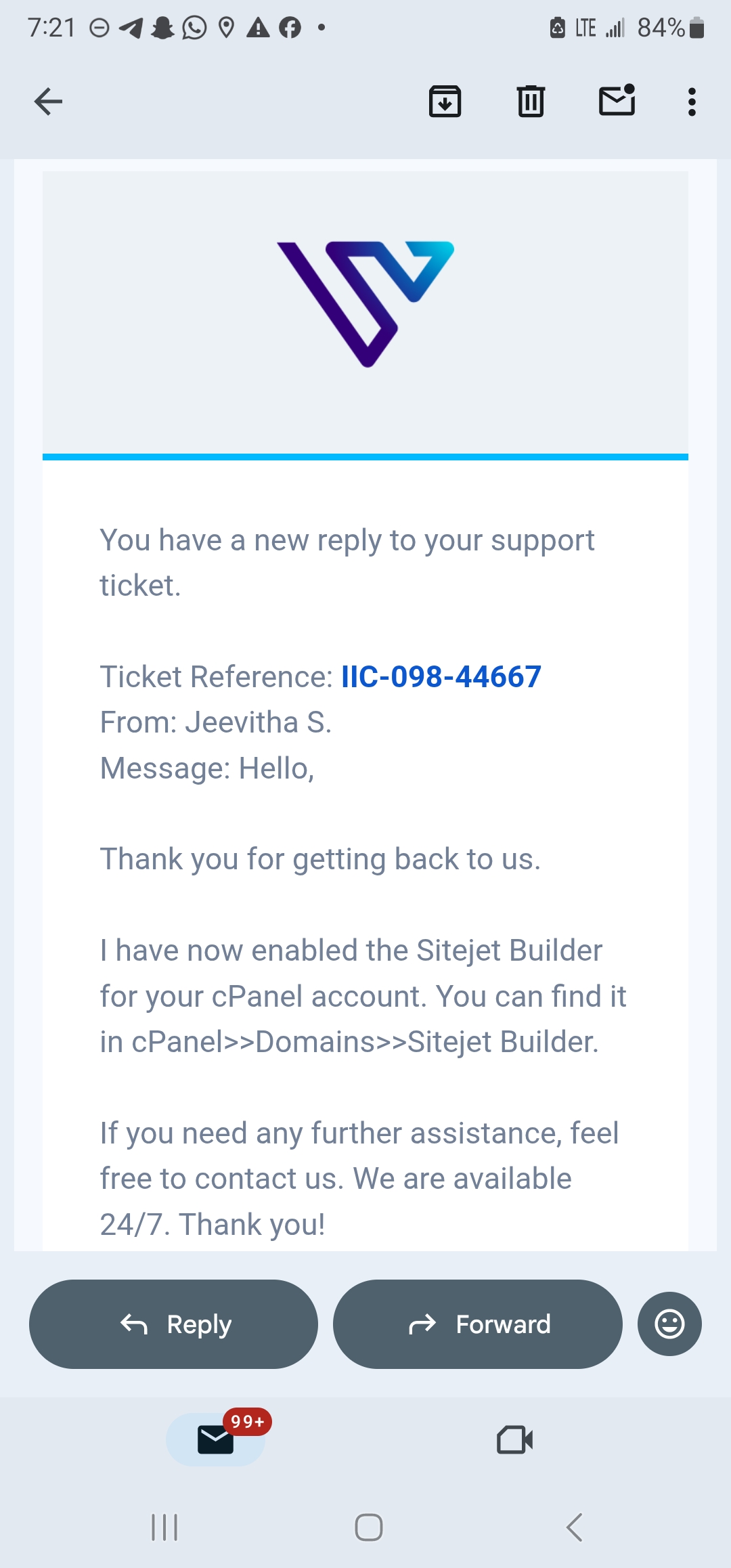
I submitted a ticket through the client area by clicking Manage Support Tickets from the dashboard. On the support ticket page, I opened a new ticket, selected the Support department, and submitted the following question:
“Hello. I am evaluating Verpex VPS for a production environment and want to understand the storage configuration in more detail. Can you confirm whether the NVMe storage on the Linux Server-D8 plan is locally attached to the physical host, or whether it runs over a network-attached storage layer? I want to understand the latency implications for a database-heavy application.”

Kishore N., a Customer Care Representative, responded within one hour.
His answer was direct and technically precise. The NVMe storage on the Linux Server-D8 plan is locally attached to the physical host and does not use a network-attached storage layer. That architecture means disk I/O operates at the lowest achievable latency for the hardware, which is exactly the configuration a database-heavy application requires.

The response required no follow-up and addressed both the configuration question and its practical implications in a single reply.
My Assessment
Both channels performed well under the technical questions I brought to them.
Yes. Vertex is worth trying out!
The main factors to weigh before committing are:
Performance results will be added once benchmark testing is complete.


| Plan Name | Space | Bandwidth | OS | Panel | Number of Sites | Price | |
|---|---|---|---|---|---|---|---|
| Start for free | Unlimited | Unlimited | cPanel | Unlimited | $0.00 | Details | |
| BRONZE PACKAGE | 30 GB | Unlimited | cPanel | 1 | $0.60 | Details | |
| SILVER PACKAGE | 50 GB | Unlimited | cPanel | 100 | $1.00 | Details | |
| GOLD PACKAGE | 100 GB | Unlimited | cPanel | Unlimited | $1.49 | Details |
| Plan Name | Space | CPU | RAM | OS | Price | |
|---|---|---|---|---|---|---|
| Free Trial | - | $0.00 | Details | |||
| Unmanaged Linux Server-D4 | 80 GB | 2 cores | 4 GB | $10.00 | Details | |
| Unmanaged Windows Server-D4 | 80 GB | 2 cores | 4 GB | $18.00 | Details | |
| Unmanaged Linux Server-D8 | 160 GB | 4 cores | 8 GB | $20.00 | Details | |
| Unmanaged Windows Server-D8 | 160 GB | 4 cores | 8 GB | $30.00 | Details | |
| Unmanaged Linux Server-D16 | 320 GB | 8 cores | 16 GB | $40.00 | Details | |
| Unmanaged Windows Server-D16 | 320 GB | 8 cores | 16 GB | $53.40 | Details | |
| Unmanaged Linux Server-D32 | 640 GB | 16 cores | 32 GB | $55.00 | Details |
| Plan Name | Space | CPU | RAM | OS | Price | |
|---|---|---|---|---|---|---|
| Managed Server - D4 | 100 GB | 2 cores | 4 GB | $28.75 | Details | |
| Managed Server - D8 | 150 GB | 4 cores | 8 GB | $45.42 | Details | |
| Managed Server - D16 | 300 GB | 8 cores | 16 GB | $70.42 | Details |
| Plan Name | Space | CPU | RAM | Bandwidth | OS | Price | |
|---|---|---|---|---|---|---|---|
| Free Trial | - | Unlimited | $0.00 | Details | |||
| Bronze | 30 GB | - | Unlimited | $0.60 | Details | ||
| SILVER | 50 GB | - | Unlimited | $1.00 | Details | ||
| GOLD | 100 GB | - | Unlimited | $1.49 | Details | ||
| MANAGED LINUX SERVER - D4 | 100 GB | 2 cores | 4 GB | Unlimited | $28.75 | Details |
| Plan Name | Space | Bandwidth | OS | Panel | Price | |
|---|---|---|---|---|---|---|
| Free Trial | Unlimited | Unlimited | cPanel | $0.00 | Details | |
| Reseller 15 | 50 GB | Unlimited | cPanel | $14.74 | Details | |
| Reseller 30 | 100 GB | Unlimited | cPanel | $20.42 | Details | |
| Reseller 60 | 180 GB | Unlimited | cPanel | $27.60 | Details | |
| Reseller 100 | 300 GB | Unlimited | cPanel | $39.24 | Details |
| Plan Name | Space | Bandwidth | Panel | Warranty | Price | |
|---|---|---|---|---|---|---|
| Reseller 15 | 50 GB | Unlimited | cPanel | $0.00 | $14.74 | Details |
| Reseller 30 | 100 GB | Unlimited | cPanel | $0.00 | $32.83 | Details |
| Reseller 60 | 180 GB | Unlimited | cPanel | $0.00 | $46.23 | Details |
| Plan Name | Space | RAM | Bandwidth | Warranty | Number of Sites | Price | |
|---|---|---|---|---|---|---|---|
| Managed Linux Server - D4 | 80 GB | 4 GB | Unlimited | $0.00 | 1 | $19.50 | Details |
| Plan Name | Space | CPU | RAM | OS | Panel | Warranty | Price | |
|---|---|---|---|---|---|---|---|---|
| MANAGED WINDOWS SERVER - D4 | 80 GB | 4 cores | 4 GB | Plesk | $0.00 | $24.50 | Details | |
| MANAGED LINUX SERVER - D4 | 100 GB | 2 cores | 4 GB | WHM | $0.00 | $28.75 | Details | |
| MANAGED WINDOWS SERVER - D8 | 160 GB | 4 cores | 8 GB | Plesk | $0.00 | $44.50 | Details | |
| MANAGED LINUX SERVER - D8 | 150 GB | 4 cores | 8 GB | WHM | $0.00 | $45.42 | Details | |
| MANAGED LINUX SERVER - D16 | 300 GB | 8 cores | 16 GB | WHM | $0.00 | $70.42 | Details | |
| MANAGED WINDOWS SERVER - D16 | 320 GB | 8 cores | 16 GB | Plesk | $0.00 | $79.50 | Details |
| Plan Name | Space | CPU | RAM | Warranty | Price | |
|---|---|---|---|---|---|---|
| Free trial | - | $0.00 | $0.00 | Details | ||
| Managed Linux Server - D4 | 80 GB | 2 cores | 4 GB | $0.00 | $19.50 | Details |
| Managed Linux Server - D8 | 60 GB | 4 cores | 8 GB | $0.00 | $34.50 | Details |
| Managed Linux Server-D16 | 320 GB | 8 cores | 16 GB | $0.00 | $59.50 | Details |
Yes. Verpex has been operating since 2019 and hosts over 300,000 websites across more than twelve global server locations. The platform covers shared web hosting, WordPress hosting, reseller hosting, and both Linux and Windows VPS, backed by 24/7 live chat and ticket support.
Yes, with conditions. Web hosting, cloud hosting, shared hosting, WordPress hosting, and reseller plans come with a 30-day money-back guarantee on the first purchase. VPS plans, dedicated servers, and domain registrations are excluded. The guarantee applies once per customer and covers the first term only.
Verpex offers three Linux operating system options on its VPS plans: AlmaLinux, Ubuntu 24.04, and Debian 12. The OS is selected at the configuration step before purchase and can be changed later via the ReInstall Server option in the product management panel.
Verpex accepts credit and debit cards, PayPal, Direct Debit, PayStack, and Flutterwave. The PayStack and Flutterwave options are listed explicitly at checkout to support African payment methods, which is uncommon among hosting providers at this price range.
Verpex offers web hosting, cloud web hosting, shared hosting, hosting for WordPress, managed WordPress, Linux VPS hosting, Windows VPS hosting, and reseller hosting.

Answer a few simple questions and find the perfect solution for you!
Start Hosting Search