Best Cheap RDP with Admin Access: Feature Overview
| Provider | Starting Price | Rating | Moneyback | |
|---|---|---|---|---|
![]() | $5.52 | 30 Days | Visit Hostinger | |
![]() | $4.00 | 30 Days | Visit Kamatera | |
![]() | $3.00 | 30 Days | Visit InterServer | |
![]() | $4.69 | 30 Days | Visit Bluehost | |
![]() | $2.00 | 30 Days | Visit IONOS | |
![]() | $2.24 | 30 Days | Visit HostGator | |
![]() | $3.69 | 45 Days | Visit HostArmada | |
![]() | $2.77 | 30 Days | Visit Time4VPS | |
![]() | $10.00 | 30 Days | Visit Verpex Hosting | |
![]() | $5.28 | - | Visit Contabo |
What Is Cheap RDP with Admin Access?
Cheap RDP with admin access refers to an affordable remote desktop server that lets users connect to a Windows environment over the internet and control it as an administrator. Remote Desktop Protocol (RDP) allows you to use the server’s desktop, install compatible software, change system settings, and manage applications from your own computer. These services are useful for remote work, software testing, running Windows applications, and maintaining a computer that stays online around the clock. Prices, hardware resources, Windows licensing, and the level of administrative control vary by provider.
When to Choose and When to Avoid Cheap RDP with Admin Access
| Reasons to Use Cheap RDP with Admin Access | Reasons Not to Use Cheap RDP with Admin Access |
| You need to install Windows applications that require administrator privileges. | You only need to browse the internet or perform basic office tasks on your own computer. |
| You want to access the same remote Windows environment from multiple devices. | Your internet connection is slow or unreliable, making remote desktop use difficult. |
| You need a server that can run applications while your personal computer is switched off. | You cannot afford the monthly subscription or potential Windows licensing costs. |
| You want to test software or scripts in a separate Windows environment. | You need dedicated physical hardware for specialized equipment or high-performance computing. |
| You need to manage Windows services, configure settings, or install development tools. | You do not want to handle server updates, security settings, or software maintenance. |
| You want to keep work files and applications on a remote machine instead of your local computer. | Your applications require a powerful graphics card that the chosen server does not provide. |
| You need an affordable alternative to buying and maintaining a separate computer. | You need guaranteed access to confidential data but cannot verify the provider’s security measures. |
| You need a remote Windows environment for occasional work or testing. | You require a specific Windows edition or license that the provider does not support. |
If Cheap RDP with Admin Access Is Not Relevant to Your Needs, Consider These Alternatives
– Linux VPS Hosting: A cost-effective option for websites, development tools, scripts, and applications that run on Linux. It provides administrative control without requiring a Windows license, but it is not suitable for software that only works on Windows.
– Managed Windows VPS Hosting: A suitable choice if you need a Windows server but prefer professional assistance with updates, maintenance, and server configuration. It generally costs more than unmanaged hosting.
– Cloud Desktop Services: These provide a hosted desktop that you can access remotely. They can be useful for office work and teams that need centrally managed desktops, although pricing may depend on the number of users and usage.
– Dedicated Servers: A better fit for demanding applications that need substantial computing resources or exclusive access to physical hardware. They usually cost more than a basic RDP VPS.
– Your Own Remote PC: You can enable remote access on a computer you already own, provided its operating system supports the required setup. This avoids a monthly server rental fee, but the computer must remain powered on and connected to the internet.
How to Choose the Best Cheap RDP with Admin Access Providers
Choosing the right RDP provider means balancing price, server resources, security, and the amount of control you need. Consider these factors before selecting a plan.
– Confirm Full Administrator Access: Check that the plan gives you Windows administrator credentials. Standard remote desktop access does not always mean you can install software, modify system settings, or manage services.
– Check Windows Compatibility: Confirm which Windows Server version is available and whether it supports your applications. Verify that the Windows license is included in the advertised price.
– Match Resources to Your Workload: Compare CPU cores, RAM, storage, and bandwidth. Basic applications may work with 2–4 GB of RAM, while heavier software or multiple simultaneous tasks may require more.
– Choose a Nearby Server Location: A server close to your physical location usually offers lower latency and a more responsive desktop. Check the provider’s available data center regions before purchasing.
– Review Security Features: Look for firewall controls, backup options, security updates, and protection against unauthorized login attempts. Use strong passwords and multi-factor authentication where supported.
– Compare the Full Cost: Check introductory prices, renewal rates, setup fees, Windows licensing, backups, and additional resource charges. A low starting price does not always mean the lowest long-term cost.
– Evaluate Support and Management: If you are unfamiliar with Windows Server administration, consider managed hosting or a provider with responsive technical support. Check which tasks the support team will actually handle.
– Check Upgrade Options: Choose a provider that allows you to add RAM, CPU resources, or storage when your workload grows, without requiring a complete migration to another server.
-
Best Overall Hosting 2026
-
Users Top Choice 2026
-
Most Recommended NodeJS 2026
-
Best AI App Builder 2026
-
Top 5 Europe Web Hosting 2026

Hostinger offers affordable VPS hosting with remote desktop capabilities, making it an option for users who need an accessible server without paying for expensive hardware. Its plans start at $6.49/month during promotional periods and include 1 vCPU core, 4 GB RAM, 50 GB NVMe storage, and 4 TB bandwidth. However, Hostinger does not offer Windows VPS templates. Instead, users can configure a Linux desktop environment with RDP access, so it is better suited to people who do not specifically require Windows Server.
Rating Based on Expert Review:
- Overall Score: 4.6
- Features: 4.7
- Reliability: 4.6
- User-Friendly: 4.8
- Support: 4.5
- Pricing: 4.8
Detailed Analysis:
Features: Hostinger provides NVMe storage, weekly backups, firewall management, DDoS protection, and full root access. Its Ubuntu desktop templates allow users to connect through an RDP client and manage applications remotely. The main limitation is the lack of native Windows Server support.
Reliability: Data centers across several regions give customers options for reducing connection latency. Server performance depends on the selected plan, workload, and location.
User-Friendly: The hPanel dashboard simplifies server management, while its preconfigured desktop templates reduce setup work for users who want graphical access.
Support: Hostinger offers customer support and an integrated AI assistant for common server management tasks. Advanced Linux desktop configuration may still require technical knowledge.
Pricing: Entry-level plans are competitively priced, although promotional rates increase at renewal. Users should also consider the resources needed to run a desktop environment smoothly.
- Low introductory pricing
- NVMe storage and weekly backups
- Full root access
- Convenient server management tools
- No native Windows VPS
- Desktop setup may require configuration
-
Best VPS Hosting 2026
-
Top 5 Europe Web Hosting 2026
-
Top 5 Australia Web Hosting 2026
-
Top 10 Best Gaming Hosting Provider 2026
-
Top 10 Reseller Hosting 2026

Kamatera provides customizable cloud servers that support Windows Server and Windows desktop operating systems. Users can create a virtual machine with the resources they need and connect through Remote Desktop Protocol using administrator credentials. Its hourly billing option makes it useful for people who want to control costs or run remote desktop workloads for limited periods. Windows server configurations start at around $12/month, depending on the selected setup, licensing, and other resources.
Rating Based on Expert Review:
- Overall Score: 4.8
- Features: 4.9
- Reliability: 4.8
- User-Friendly: 4.5
- Support: 4.8
- Pricing: 4.6
Detailed Analysis:
Features: Kamatera allows users to configure CPU, RAM, storage, operating systems, and networking. Windows servers support RDP connections, while the management console provides controls for restarting machines, adjusting resources, and creating snapshots.
Reliability: The cloud platform offers data centers in multiple regions. Users can select a location close to their audience or workplace, although actual performance depends on the chosen configuration and network conditions.
User-Friendly: The server creation process offers considerable flexibility, but beginners may need time to understand resource selection, Windows licensing, firewall settings, and remote access configuration.
Support: Technical support is available around the clock. Customers can also choose managed services for help with operating system maintenance, security updates, and server administration.
Pricing: Hourly and monthly billing provides flexibility for changing workloads. However, additional storage, traffic, licensing, and management services can increase the final cost.
- Supports Windows Server and desktop environments
- Flexible CPU, RAM, and storage configurations
- Hourly billing options
- Multiple data center locations
- Optional managed services
- Costs depend on the selected configuration
- Initial setup requires some technical knowledge
-
Best Linux Hosting Provider 2026
-
Top 5 USA Web Hosting 2026
-
Top 10 Reseller Hosting 2026
-
Top 10 Windows Hosting 2026
-
Great Support 2026

InterServer is a strong option for users looking for affordable Windows RDP hosting with administrator-level control. Its Windows VPS plans start at $10/month for a configuration with 1 CPU core, 4 GB RAM, 80 GB SSD storage, and 4 TB data transfer. The service runs on Hyper-V virtualization and supports remote desktop connections, allowing users to access their Windows environment from another computer. This setup works well for running Windows applications, managing services, and keeping tasks active after disconnecting.
Rating Based on Expert Review:
- Overall Score: 4.7
- Features: 4.7
- Reliability: 4.6
- User-Friendly: 4.5
- Support: 4.6
- Pricing: 4.9
Detailed Analysis:
Features: InterServer provides Windows Server templates, RDP access, and full administrator privileges. Users can install compatible software, change system settings, manage services, and add VPS slices when they need more resources. Plesk is also available for website management.
Reliability: Hyper-V virtualization provides an isolated server environment. Actual uptime and responsiveness depend on the workload, server configuration, and network conditions, so users should assess their requirements before choosing a plan.
User-Friendly: Customers can connect through a standard Remote Desktop client. The familiar Windows interface makes everyday tasks easier, although server configuration and security management still require attention.
Support: InterServer provides technical assistance for hosting-related issues. Users managing custom Windows applications should be prepared to handle some troubleshooting themselves.
Pricing: The entry-level Windows VPS configuration costs $10/month, making it a practical choice for customers who need administrative access without a large monthly commitment. Additional resources increase the price.
- Affordable Windows VPS plans
- Full administrator access
- RDP included
- 80 GB SSD storage on the starting configuration
- Resources can be expanded
- Entry-level CPU resources may limit demanding workloads
- SSD storage is not NVMe-based on the advertised starting plan
-
Top 10 WordPress Hosting 2026
-
Top 10 Website Builder 2026
-
Over 99% Uptime 2023
-
Top 25 WordPress Hosting 2023

Bluehost is primarily known for website hosting, WordPress services, and Linux-based VPS solutions. Its VPS plans provide dedicated virtual resources and administrative control for managing websites, applications, and development environments. However, Bluehost is not a direct match for users who specifically need a Windows RDP server. Its standard VPS offering does not provide the same native Windows Server environment available from dedicated Windows VPS providers. For this reason, it is better suited to users who want server control for web projects and can work with Linux.
Rating Based on Expert Review:
- Overall Score: 3.2
- Features: 3.5
- Reliability: 4.0
- User-Friendly: 4.3
- Support: 4.0
- Pricing: 3.5
Detailed Analysis:
Features: Bluehost VPS hosting provides configurable server resources and root access for installing supported software and managing applications. Linux-based remote administration is available, but users seeking a ready-to-use Windows desktop should look elsewhere.
Reliability: VPS hosting gives customers more control over their server environment than basic shared hosting. Performance depends on the chosen resources, application requirements, and server configuration.
User-Friendly: Bluehost has a familiar account dashboard and a relatively straightforward purchasing process. However, setting up a Linux desktop with RDP compatibility is not the same as receiving a Windows server with administrator credentials.
Support: Bluehost provides customer support for its hosting products. Assistance with custom desktop environments or third-party remote access configurations may be more limited than help with standard hosting tasks.
Pricing: Pricing varies by plan and promotional period. Users should compare renewal costs and available resources before choosing Bluehost for a project that requires ongoing server access.
- Root access on VPS plans
- Suitable for website and application hosting
- Familiar management interface
- Useful for Linux-based projects
- Not a direct Windows RDP hosting option
- Custom remote desktop configuration may require extra work
- Less suitable for users who specifically need Windows applications
-
Best Value for Money 2026
-
Editor's Choice 2026
-
Most Recommened PHP Hosting 2026
-
Top 5 UK Web Hosting 2026
-
Top 5 Europe Web Hosting 2026

IONOS offers Windows VPS hosting for users who need remote desktop access and administrative control at a manageable price. Its Windows VPS+ plans include Windows Server options, NVMe storage, and full administrative access. A Windows M+ configuration is advertised at $16/month during an introductory promotion, with 2 vCores, 4 GB RAM, and 120 GB NVMe storage. Promotional pricing and renewal terms should be checked before ordering. IONOS is suitable for remote work, Windows-compatible applications, development tasks, and other workloads that require a server accessible from different locations.
Rating Based on Expert Review:
- Overall Score: 4.7
- Features: 4.8
- Reliability: 4.8
- User-Friendly: 4.7
- Support: 4.7
- Pricing: 4.8
Detailed Analysis:
Features: IONOS supports Windows Server 2022 and 2025, RDP connections, customizable firewall rules, DDoS protection, and a management dashboard. NVMe storage and configurable server resources provide room for applications that need more capacity.
Reliability: The provider advertises 99.99% or higher availability for its VPS+ platform. Its data center locations and network infrastructure support remote access, although actual response times depend on the selected location and connection.
User-Friendly: The Cloud Panel lets users manage server settings, restart machines, and adjust configurations. Windows users can connect through the standard Remote Desktop Connection application.
Support: IONOS offers 24/7 technical support through several channels. Its management tools also help users handle routine server tasks without relying on command-line access for everything.
Pricing: Introductory offers make the entry-level Windows VPS+ plans attractive. However, customers should check the regular monthly rate, contract duration, and any additional services before purchasing.
- Native Windows Server support
- RDP access with administrative control
- NVMe storage
- Advertised availability of 99.99% or higher
- 24/7 technical support
- Promotional prices increase after the initial period
- Larger configurations cost more
- Advanced administration still requires technical knowledge
-
Top 10 Linux Hosting 2026
-
Top 10 Website Builder 2026
-
Great Support 2026
-
Excellent Service 2026
-
Over 99% Uptime 2026

HostGator is primarily known for website hosting, including shared hosting, dedicated servers, and VPS solutions. Its VPS hosting is designed for customers who want greater control over server resources and software than shared hosting provides. However, HostGator’s standard VPS offering is Linux-based rather than a dedicated Windows RDP service. This makes it a less suitable option for people who specifically need a Windows desktop with administrator access. Users comfortable with Linux can still use remote administration tools to manage applications, websites, and other server workloads.
Rating Based on Expert Review:
- Overall Score: 3.3
- Features: 3.5
- Reliability: 4.0
- User-Friendly: 4.2
- Support: 4.0
- Pricing: 3.5
Detailed Analysis:
Features: HostGator VPS plans provide root access, configurable resources, and support for custom software installations. These features are useful for managing web applications and development environments. However, users should not assume that a Windows Server installation and a ready-to-use RDP desktop are included.
Reliability: VPS hosting provides dedicated allocations of server resources, which can help maintain consistent performance. Actual results depend on the selected plan, workload, and hosting infrastructure.
User-Friendly: HostGator offers an account dashboard for managing hosting services. Users with Linux experience can configure remote access, but setting up a graphical desktop and RDP service may require additional work.
Support: HostGator provides customer support for its hosting products. Help with custom operating system configurations and third-party desktop environments may be more limited than assistance with standard hosting functions.
Pricing: VPS prices depend on the plan and any promotional offers. Compare renewal rates and resource allocations before choosing it for a long-term remote administration setup.
- Root access on VPS plans
- Suitable for websites and development workloads
- Scalable server resources
- Established hosting provider
- Not a direct Windows RDP solution
- Additional configuration may be necessary
- Less suitable for Windows-only applications
-
Best Web Hosting 2026
-
Top 5 Europe Web Hosting 2026
-
Top 5 Germany Web Hosting 2026
-
Top 10 Reseller Hosting 2026
-
Top 5 USA Web Hosting 2025

HostArmada is a web hosting provider known for its cloud-based hosting services, managed WordPress hosting, and customer assistance. It is worth considering for customers who need help managing websites and related server tasks. However, it is not a direct choice for users seeking a traditional Windows RDP server with full administrator access. Its main hosting products focus on website deployment rather than providing a dedicated Windows desktop environment. Customers who need to run Windows applications remotely should confirm operating system availability and administrative access before purchasing a plan.
Rating Based on Expert Review:
- Overall Score: 3.2
- Features: 3.5
- Reliability: 4.2
- User-Friendly: 4.4
- Support: 4.5
- Pricing: 3.7
Detailed Analysis:
Features: HostArmada’s hosting services focus on website management, cloud-based infrastructure, and tools for running online projects. Depending on the selected product, users can access website management features and support for common applications. Those seeking Windows Server with RDP should verify that the required operating system and remote desktop configuration are supported.
Reliability: HostArmada emphasizes cloud infrastructure and server monitoring. These features can benefit websites that need consistent availability, although performance depends on the hosting plan and workload.
User-Friendly: Its account dashboard and managed hosting approach reduce the amount of server administration customers need to handle. This is useful for website owners, but it does not replace direct access to a Windows desktop.
Support: HostArmada is known for providing customer assistance with hosting setup, migrations, and technical issues. Support can be helpful for users who prefer assistance with website management over handling every server task themselves.
Pricing: Prices vary by hosting type and subscription term. Compare renewal rates and included resources carefully, especially if you are considering the service for a use case beyond standard website hosting.
- Managed hosting options
- Website management tools
- Customer assistance with technical issues
- Cloud-based hosting infrastructure
- Not a clear fit for native Windows RDP hosting
- Full Windows administrator access may not be available
- Hosting products are primarily designed for websites
-
Top 10 Windows Hosting 2026
-
Top 10 VPS Hosting 2026
-
Top VPS Hosting 2023
-
Top 10 VPS Hosting 2022
-
Top 10 Web Hosting 2021

Time4VPS is a hosting provider based in Lithuania that offers affordable virtual servers, including Windows VPS plans with remote desktop access. Its Windows 2 plan is advertised from €6/month with a long-term discount, including 2 CPU cores, 2 GB RAM, 40 GB storage, and 4 TB bandwidth. The renewal price is higher, so customers should compare the introductory rate with the regular monthly cost. Time4VPS is suitable for users who need a Windows environment for remote administration, lightweight applications, and development tasks without spending much on server hosting.
Rating Based on Expert Review:
- Overall Score: 4.6
- Features: 4.6
- Reliability: 4.5
- User-Friendly: 4.5
- Support: 4.5
- Pricing: 4.9
Detailed Analysis:
Features: Windows VPS plans include RDP connectivity, administrator-level server management, and dedicated virtual resources. Users can install compatible software, configure services, and manage their Windows environment remotely. Backups are available as an optional service.
Reliability: The provider operates its infrastructure in Lithuania, making it a reasonable choice for users who want European server hosting. Connection quality depends on the distance between the server and the user, along with the selected configuration.
User-Friendly: Customers can connect using the standard Windows Remote Desktop application. The provider also offers documentation for server setup, backups, and security configuration.
Support: Time4VPS provides technical support for its hosting services. Users managing custom software should still be comfortable handling Windows updates, application installation, and basic troubleshooting.
Pricing: Long-term discounts make its entry-level Windows VPS plans affordable. However, RAM and storage are limited on the cheapest configuration, and the regular renewal price is higher than the promotional rate.
- Low introductory prices
- Windows Server with RDP access
- Administrator-level control
- European server location
- Optional backup services
- Limited resources on the cheapest plan
- Renewal prices are higher
- Some server administration is the customer’s responsibility
-
Best Reseller Hosting Provider 2026
-
Top 5 Australia Web Hosting 2026
-
Top 5 UK Web Hosting 2026
-
Top 10 Windows Hosting 2026
-
Top 10 VPS Hosting 2026

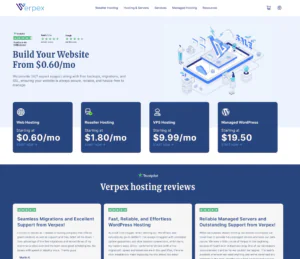
Verpex offers Windows VPS hosting in both managed and unmanaged configurations. This gives customers a choice between receiving more assistance with server management and taking responsibility for their own setup. Its unmanaged Windows VPS service includes administrative Remote Desktop access, a Windows license, and dedicated resources. Verpex is suitable for users who need a remote Windows environment for application testing, development, website management, or other tasks that require control over the operating system. Its pricing should be compared across monthly and annual billing options before choosing a plan.
Rating Based on Expert Review:
- Overall Score: 4.5
- Features: 4.7
- Reliability: 4.6
- User-Friendly: 4.6
- Support: 4.7
- Pricing: 4.3
Detailed Analysis:
Features: Verpex supports Windows VPS environments with administrative access, allowing customers to install software, change system settings, and manage applications. Its infrastructure uses NVMe storage, and customers can choose between managed and unmanaged services depending on their technical experience.
Reliability: Verpex advertises a 99.9% uptime commitment for its VPS hosting. It operates server locations in several regions, giving users options for placing their remote desktop closer to their usual location.
User-Friendly: RDP provides access to a familiar Windows interface. Managed plans are useful for customers who prefer help with server administration, while unmanaged plans offer more direct control but require greater technical involvement.
Support: The provider advertises 24/7 support. Managed hosting customers can benefit from additional assistance with server operation, while unmanaged customers remain responsible for much of their software configuration.
Pricing: Verpex offers different billing arrangements, including monthly and annual options. The advertised starting price for unmanaged Windows VPS is $18 for the first month, but customers should confirm the ongoing rate, resource allocation, and licensing terms.
- Windows VPS with administrative RDP access
- Managed and unmanaged options
- NVMe storage
- Dedicated server resources
- 24/7 support
- Pricing may be higher than basic unmanaged VPS alternatives
- Technical administration is required on unmanaged plans
- Promotional pricing may not reflect ongoing costs
-
Top 5 Germany Web Hosting 2026
-
Top 10 VPS Hosting 2026
-
Top 10 Cloud Hosting 2026
-
Top 10 Dedicated Hosting 2026
-
Excellent Service 2026

Contabo is known for offering virtual servers with substantial resource allocations at competitive prices. Its Windows VPS and cloud server options support Remote Desktop Protocol, allowing customers to access a Windows environment from their own computers. Depending on the selected plan, users can receive multiple virtual CPU cores, generous RAM, SSD or NVMe storage, and high data transfer allowances. Contabo is a practical choice for people who need administrator access for running Windows applications, managing services, or maintaining a remote workspace. Windows configurations cost more than some Linux alternatives because of the operating system licensing.
Rating Based on Expert Review:
- Overall Score: 4.7
- Features: 4.9
- Reliability: 4.6
- User-Friendly: 4.4
- Support: 4.3
- Pricing: 4.9
Detailed Analysis:
Features: Contabo offers Windows Server installations, RDP connectivity, and control over the server environment. Customers can install compatible software, manage services, configure security settings, and select from different server configurations. Snapshots are available on eligible plans.
Reliability: Contabo operates data centers in several locations, giving customers options for choosing a suitable region. Performance depends on the plan, resource demand, and distance between the server and the user.
User-Friendly: Customers can manage their servers through the control panel and connect using standard RDP software. Windows images simplify initial setup, although users remain responsible for securing their remote access and maintaining installed applications.
Support: Contabo provides customer support and technical documentation for common server tasks. Customers should be prepared to manage Windows updates, firewall rules, and software troubleshooting themselves.
Pricing: Contabo’s main advantage is the amount of server capacity offered for the price. Windows VPS pricing varies by configuration and billing term, so customers should check the current total cost rather than comparing Linux prices directly with Windows plans.
- Competitive pricing for allocated resources
- Windows Server and RDP support
- Generous RAM and storage options
- Multiple server locations
- Suitable for demanding remote workloads
- Windows plans cost more than comparable Linux options
- Server maintenance requires technical knowledge
- Support may not cover every custom application issue
Why Trust Our Recommendations
At HostAdvice, we aim to help users make informed hosting decisions through provider research, technical comparisons, and customer feedback. Our recommendations consider the factors that matter for cheap RDP with admin access, including Windows compatibility, administrator privileges, server performance, pricing, ease of use, and customer support. We also consider the limitations of each service so readers can distinguish between a true Windows RDP solution and a hosting product that requires additional configuration.
How Do We Test and Rank
At HostAdvice, we research hosting providers, compare their advertised features, and assess how well their services meet the needs of different users. Our evaluation considers server resources, remote access capabilities, operating system options, security features, pricing transparency, and support availability.
Where practical, our review methodology incorporates hands-on testing and performance measurements. We also examine customer feedback and compare advertised specifications with the information providers make available. Pricing is evaluated with attention to promotional offers and renewal costs, helping readers understand the likely long-term expense.
Our rankings aim to balance affordability with usability and performance. A low price alone is not enough to make a provider the best choice if it lacks administrator access, offers insufficient resources, or requires complicated setup. We continually review our methodology as hosting products and customer needs change.
Best Cheap RDP with Admin Access: Final Recommendations
Cheap RDP with admin access is a practical solution for users who need a remotely accessible Windows environment without purchasing another computer. The best choice depends on your budget, required applications, available server resources, and technical experience.
Before making a decision, verify that administrator privileges are included, check the Windows license and renewal price, and choose a server location that provides a responsive connection. Users with basic workloads can start with a small VPS, while demanding applications may need more RAM, CPU power, and storage. Security and reliable support also matter, especially when the server will store important files or run continuously.
Ultimately, the right RDP solution offers the resources and freedom you need at a price you can maintain over time.