Best WordPress Hosting Services Feature Overview
| Provider | Starting Price | Free Domain | Free SSL | Storage (GB) | |
|---|---|---|---|---|---|
![]() | $2.54 | Yes | Yes | 100-200 | Visit Hostinger |
![]() | $1.00 | Yes | Yes | 25-75 | Visit IONOS |
![]() | $2.95 | Yes | Yes | 1TB | Visit HostPapa |
![]() | $4.49 | Yes | Yes | 4-32 | Visit Hosting.com |
![]() | $2.79 | Yes | Yes | 25-100 | Visit Flashcloud |
![]() | $1.99 | Yes | Yes | 50-250 | Visit Neoxea |
![]() | $12.63 | Yes | Yes | 50-200 | Visit AltusHost B.V. |
![]() | $1.99 | Yes | Yes | 15-40 | Visit HostArmada |
![]() | $2.75 | N/A | Yes | 20-100 | Visit ICDSoft |
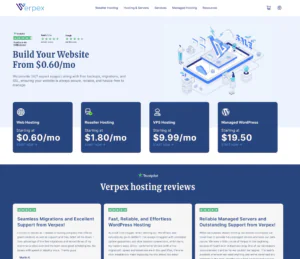
![]() | $0.60 | Yes | Yes | 30-100 | Visit Verpex Hosting |
What is WordPress Hosting?
WordPress hosting is a type of web hosting optimized specifically for WordPress websites. These hosting plans are tailored to enhance the performance, security, and functionality of WordPress sites by providing features such as pre-installed WordPress, automatic updates, and specialized support.
Key features of WordPress hosting include:
- Optimized Performance: Servers are configured to handle WordPress’s unique requirements, ensuring faster loading times and efficient resource allocation.
- Automatic Updates: Regular updates for WordPress core, themes, and plugins keep your site secure and up-to-date.
- Enhanced Security: Includes tools like firewalls, malware scanning, and SSL certificates designed to protect WordPress sites.
- One-Click Installations: Simplifies setting up WordPress, making it ideal for beginners.
- Specialized Support: Hosting providers offer expert support tailored to WordPress-specific issues.
When to Use and When to Avoid WordPress Hosting
| When to Use WordPress Hosting | When to Avoid WordPress Hosting |
| If your website is built on WordPress and needs optimized performance for faster loading times. | When your website is built on a different CMS or custom platform that doesn’t require WordPress-specific optimizations. |
| For beginners or non-technical users who want simplified tools like one-click installations and automatic updates. | If you have advanced technical skills and prefer full control over server configurations without WordPress-specific tools. |
| If you need enhanced security features like WordPress-specific malware protection and automatic backups. | When running a basic site that doesn’t require specialized security or performance features exclusive to WordPress hosting. |
| For businesses, bloggers, or developers who want dedicated WordPress support for troubleshooting and guidance. | If your project involves hosting static sites or applications with unnecessary WordPress-specific support. |
| When managing high-traffic WordPress sites requires scalability and performance optimization. | If you have a tight budget and can manage with general shared hosting without WordPress-specific enhancements. |
If WordPress Hosting is not relevant to your needs, consider these alternatives:
- Managed Hosting: Ideal for users who prefer professional management of servers, updates, and maintenance without the need for a control panel.
- VPS Hosting: Offers more control and dedicated resources, allowing for custom configurations and advanced functionality.
- Shared Hosting: A cost-effective option that includes user-friendly control panels like cPanel or Plesk for simple website management.
- Dedicated Servers: Perfect for high-performance requirements where full control and customization of server settings are necessary.
- Cloud Hosting: Provides scalable and flexible solutions for websites or applications that require dynamic resource allocation.
How to Choose the Best WordPress Hosting
- Performance — The best WordPress hosting providers offer SSD storage, fast caching, and 99.9% uptime.
- Ease of Use: Prioritize user-friendly hosting with features like one-click WordPress installations, automatic updates, and intuitive control panels such as cPanel or custom dashboards.
- Scalability: Ensure the hosting plan supports growth with scalable resources for storage, bandwidth, and additional features as your traffic increases.
- Security: Choose hosting with robust WordPress-specific security measures, such as malware scanning, automatic backups, SSL certificates, and DDoS protection.
- Customer Support: Reliable 24/7 WordPress-savvy support is essential for troubleshooting, plugin issues, and general assistance. Live chat, phone, and ticket systems are preferred.
- Compatibility: Verify that the hosting environment supports the latest PHP, MySQL, and WordPress versions, along with plugin and theme compatibility.
- Pricing: Compare hosting plans to find the best balance between cost and value. Look for introductory discounts, transparent pricing, and affordable renewal rates.
- Backup Options: Ensure the hosting plan includes regular backups with easy restoration options to protect your data from unexpected issues.
- Staging and Testing Features: Advanced hosting options often provide staging environments for testing updates or changes without affecting the live site.
- Global Server Locations: If your audience is global, opt for hosting with a CDN or server locations worldwide to reduce latency and improve user experience.
10 Best WordPress Hosting Providers in September 2026
-
Best Overall Hosting 2026
-
Users Top Choice 2026
-
Most Recommended NodeJS 2026
-
Best AI App Builder 2026
-
Top 5 Europe Web Hosting 2026

Hostinger is a well-regarded and one of the best WordPress Hosting provider, known for its budget-friendly plans and robust performance features. With a focus on delivering high-speed, secure, and user-friendly hosting solutions, Hostinger is an excellent choice for individuals and businesses seeking reliable WordPress hosting without breaking the bank. Their services are designed to support seamless website management and growth.
Rating Based on Expert Review:
- Overall Score: 4.6
- Features: 4.7
- Reliability: 4.6
- User-Friendly: 4.7
- Support: 4.5
- Pricing: 4.8
Detailed Analysis:
Features: Hostinger offers a range of features tailored for WordPress, including free SSL certificates, daily backups, and integrated caching for improved performance. Their hosting plans also include one-click WordPress installation, a user-friendly control panel, and scalable resources to accommodate growing websites.
Reliability: Hostinger’s infrastructure is optimized for high uptime and fast load times, ensuring your WordPress site remains accessible and performs well. Their data centers are strategically located to provide reliable connectivity and minimal latency for users around the world.
User-Friendly: The hosting platform is designed with ease of use in mind. Hostinger’s custom control panel simplifies site management, while their WordPress setup wizard helps users get their sites up and running quickly. Their website builder tools also assist in creating and customizing WordPress sites with ease.
Support: Hostinger provides 24/7 customer support via live chat and email. Their support team is responsive and knowledgeable, offering assistance with a range of issues from technical problems to billing inquiries.
Pricing: Hostinger is known for its competitive pricing, making it an attractive option for users looking for affordable WordPress hosting solutions. Their pricing plans offer excellent value for the features provided, with regular promotions and discounts available.
Pros and Cons:
- Affordable pricing with excellent value for the features offered
- Robust performance features including free SSL, daily backups, and integrated caching
- User-friendly control panel and easy WordPress setup process
- Limited phone support options
- Advanced users might find the control panel less flexible compared to other providers
Unlock the full potential of your WordPress site with Hostinger’s top-rated hosting services. Designed to deliver fast, secure, and reliable performance at an unbeatable price, Hostinger ensures your website operates smoothly and efficiently. Benefit from a range of features, including free SSL certificates and daily backups, while enjoying exceptional customer support and an easy-to-use control panel. Choose Hostinger for WordPress hosting that offers both affordability and excellence.
-
Best Value for Money 2026
-
Editor's Choice 2026
-
Most Recommened PHP Hosting 2026
-
Top 5 UK Web Hosting 2026
-
Top 5 Europe Web Hosting 2026

Boost your online presence with IONOS’ hosting plans. With a broad range of hosting services, such as VPS hosting and WordPress, IONOS provides you with incredible speeds, high-end security, amazing features, and budget-friendly prices. So, try it out and watch your business grow in no time!

- Overall Score: 4.5
- Pricing: 4.8
- Features: 4.4
- Performance: 4.6
- Support: 4.3
- User Friendly: 4.6
Pricing: IONOS comes with many affordable WordPress hosting plans. The initial plan starts at $1.00/month, which makes it perfect for newbies. Thanks to it, you will get 50GB of SSD storage, 15GB RAM, and one vCPU core. You will also benefit from site analytics, free domain, free SSL certificates, and five professional email addresses.
Features: IONOS combines essential and advanced features in its WordPress plans. You can enjoy SSH, SFTP, WP-CLI access, caching plugins, malware scanning, regular backups, next-level web development software, server scripting languages, and a robust database.
Performance: IONOS allows you to scale easily while also being reliable. More precisely, it comes with a 99.9% uptime guarantee, fast speeds, SSD and HDD storage drives, and Marai DB and MySQL databases. As a result, you’ll enjoy top-notch, consistent speed rates and connections.
Support: If you come across an issue, just stay calm. IONOS offers everything you need! You can reach its expert team via live chat, phone, and cloud support. The only minor drawback is that the live chat can be unavailable, but IONOS makes up for this with its guides, tutorials, and various how-to articles.
User-friendly: IONOS utilizes the user-friendly cPanel. This is also the main dashboard, which means you can easily navigate through the platform. Also, the interface is sleek and clean, so you shouldn’t be confused about how it works, making it perfect for beginners.
Pros and Cons
- Sleek cPanel suitable for beginners
- Feature-rich WordPress plans
- Reliable uptime guarantee
- Affordable hosting plans
- 30-day money-back guarantee
- The live chat is not the most reliable

-
Top 5 USA Web Hosting 2026
-
Top 10 Web Hosting 2026
-
Excellent Service 2026
-
Top WordPress Hosting 2023
-
Top VPS Hosting 2023

HostPapa offers WordPress hosting tailored for small businesses, bloggers, and creatives who want a simple, reliable platform with a commitment to sustainability. Their hosting combines easy WordPress setup, solid performance, and eco-friendly infrastructure, making it a good choice for beginners and environmentally conscious users.
Rating Overview:
- Overall Score: 4.2
- Pricing: 4.1
- Features: 4.2
- Performance: 4.1
- Support: 4.0
- User Friendly: 4.3
Detailed Analysis:
- Pricing: Affordable WordPress plans with transparent pricing, including free domain registration and SSL certificates on annual subscriptions.
- Features: One-click WordPress installation, automatic updates, pre-installed themes, and access to a simple website builder streamline site creation.
- Performance: Canadian and US-based servers deliver reliable uptime and decent loading speeds suitable for small to medium WordPress sites.
- Support: 24/7 WordPress-aware support available via live chat, phone, and tickets, offering helpful guidance for common issues.
- User Friendly: Easy-to-use dashboard and WordPress tools make site setup and management accessible even to beginners.
- Simple one-click WordPress installation and automatic updates
- Eco-friendly hosting powered by green energy
- Free SSL and domain with yearly plans
- Responsive 24/7 support knowledgeable in WordPress
- Performance may lag on high-traffic WordPress sites
- Limited advanced developer features
- Upselling present during sign-up
-
Top 25 Offshore Hosting 2026

Hosting.com delivers a reliable WordPress hosting solution with one-click installs, auto-updates, and built-in CDN support. It’s an excellent fit for small businesses and agencies that value uptime and smooth performance.
Rating Overview:
- Overall Score: 4.6
- Pricing: 4.5
- Features: 4.7
- Performance: 4.6
- Support: 4.6
- User Friendly: 4.7
Detailed Analysis:
Pricing: Starting from $4.99/month, Hosting.com offers plans with generous bandwidth and SSD storage.
Features: Auto WordPress installs, daily backups, integrated CDN, and free SSL certificates.
Performance: Fast page loads supported by SSD infrastructure and optimized caching layers.
Support: 24/7 assistance with WordPress experts ready to resolve technical issues.
User Friendly: Simple control panel and quick-start setup ideal for beginners.
Pros & Cons
- Built-in CDN and caching
- One-click WordPress installs
- Excellent reliability for business websites
- No advanced developer tools
- Limited server access on shared plans

Flashcloud specialises in high-performance WordPress Hosting, engineered to provide robust infrastructure and optimised environments for demanding WordPress websites. This service is ideal for growing businesses, digital agencies, and developers who require both speed and seamless scalability for their web projects.
Rating Overview
- Overall Score: 4.6
- Pricing: 4.5
- Features: 4.7
- Performance: 4.8
- Support: 4.4
- User Friendly: 4.6
Flashcloud offers a premium WordPress hosting experience, focusing heavily on raw performance and the ability to scale resources on demand. Their platform is built on cloud technology, ensuring your WordPress site remains fast and responsive even during traffic spikes. With managed services, they handle the technical complexities, allowing users to concentrate on content and growth.
Key strengths include a finely tuned environment specifically for WordPress, alongside features designed to enhance security and simplify site management. It’s a comprehensive solution for those who prioritise speed, reliability, and hassle-free WordPress operation.
Detailed Analysis
Features: Flashcloud provides a rich set of WordPress-centric features including automatic daily backups, one-click staging environments, integrated caching, and a robust content delivery network (CDN) for global reach. You also benefit from managed core updates and security monitoring, ensuring your site is always protected and running on the latest versions without manual intervention.
Reliability: Leveraging a distributed cloud infrastructure, Flashcloud offers exceptional uptime and fault tolerance. Sites are hosted on redundant systems, which means consistent availability and rapid recovery in the unlikely event of hardware failure. Their architecture is designed for high availability, giving users peace of mind that their WordPress site will remain accessible to visitors at all times.
User-Friendly: While powerful, the platform is surprisingly user-friendly with a custom-built control panel that simplifies WordPress management. It offers intuitive tools for everything from domain configuration to SSL installation. Developers will appreciate SSH access and Git integration, making it versatile for both beginners and experienced users.
Support: Flashcloud offers 24/7 expert support, specifically trained in WordPress environments. Their team can assist with a wide range of issues, from general hosting inquiries to specific WordPress troubleshooting. While response times are generally quick, some advanced custom development queries might require more detailed self-help resources.
Pricing: They offer tiered pricing plans designed to accommodate various traffic levels and resource requirements, from small blogs to large enterprise sites. While positioned as a premium service, the cost reflects the high-performance infrastructure, managed services, and dedicated WordPress optimisation. Transparent pricing ensures you only pay for the resources you need.
- Exceptional performance and speed for WordPress
- Robust cloud infrastructure ensures high reliability
- Managed WordPress updates and security features
- Easy-to-use custom control panel
- Scales resources effectively with demand
- Pricing might be premium for very small websites
- Less control for non-WordPress specific applications
-
Best Cloud Hosting Provider 2026
-
Over 99% Uptime 2026
-
Great Support 2026
-
Excellent Service 2026
-
Great Support 2025

Neoxea blends simplicity and control, offering managed WordPress hosting with staging, backups, and SSH—all at developer-friendly prices.
Rating Overview:
- Overall Score: 4.6
- Pricing: 4.6
- Features: 4.7
- Performance: 4.6
- Support: 4.5
- User Friendly: 4.6
Detailed Analysis:
Pricing: Plans start around $3.99/month with flexible resource allocations and scaling options.
Features: Free SSL, staging tools, email hosting, Git/SSH, and WP-CLI support.
Performance: Solid speed thanks to SSD storage and optimized software stack.
Support: Knowledgeable and responsive, though limited live chat hours.
User Friendly: Balanced interface for developers and intermediate users alike.
Pros & Cons
- Developer features included by default
- WP staging + backups
- Affordable pricing
- Less ideal for total beginners
- Support not 24/7
-
Top 25 Dedicated Hosting 2024
-
Top 25 Reseller Hosting 2022
-
Top 10 VPS Hosting 2021
-
Great Uptime
-
Best Customer Service 2017

Altus Host specializes in providing dedicated WordPress hosting solutions tailored for optimal performance and security. It is an excellent choice for small to medium-sized businesses and individual bloggers seeking a reliable and cost-effective platform to run their WordPress websites.
Rating Overview
- Overall Score: 4.5
- Pricing: 4.7
- Features: 4.4
- Performance: 4.3
- Support: 4.2
- User Friendly: 4.6
Altus Host distinguishes itself by offering a robust yet affordable platform specifically engineered for WordPress. Users benefit from pre-configured environments that ensure fast loading times and enhanced security right out of the box, making it simple to launch and manage a WordPress site without extensive technical knowledge.
Their services are designed to cater to users who prioritize a balance of cost-effectiveness and essential WordPress-specific features, including automatic updates and easy scaling options for growing websites.
Detailed Analysis
Features: Altus Host provides an array of WordPress-centric features, including one-click installation, automatic core updates, and robust security measures. They also often include a free SSL certificate and daily backups, ensuring your website is secure and data protected.
Reliability: Websites hosted with Altus Host benefit from stable infrastructure designed for high availability, aiming for industry-standard uptime. Their platform is optimized to handle typical WordPress traffic loads efficiently, minimizing disruptions for users.
User-Friendly: The hosting environment is generally very user-friendly, typically leveraging cPanel or a similar intuitive control panel. This makes managing WordPress installations, domains, and email accounts straightforward for both beginners and more experienced users.
Support: Altus Host offers customer support through various channels, often including ticketing systems and live chat. While comprehensive, support response times may vary, focusing on guiding users through common WordPress-related issues and hosting configurations.
Pricing: Altus Host is positioned as a highly competitive option in the WordPress hosting market, offering several tiered plans that are attractive to budget-conscious users. Their pricing structure typically includes a money-back guarantee, providing peace of mind for new customers.
- Highly affordable WordPress hosting plans
- Optimized environment for WordPress performance
- User-friendly control panel for easy management
- Includes free SSL certificates and daily backups
- One-click WordPress installation
- Performance may not suit very high-traffic sites
- Advanced developer tools might be limited on basic plans
- Support response times can occasionally vary
-
Best Web Hosting 2026
-
Top 5 Europe Web Hosting 2026
-
Top 5 Germany Web Hosting 2026
-
Top 10 Reseller Hosting 2026
-
Top 5 USA Web Hosting 2025

HostArmada is a US-based web hosting provider founded in 2019. It is a privately owned, independent provider that has won multiple awards for its services. It offers many superb solutions, including cloud VPS, cloud Reseller, and Cloud WordPress hosting.
It is known for its top-notch data centers, amazing speeds, and incredibly reliable network powered by the best hardware. Due to its reliability, HostArmada can handle all traffic spikes, no matter how big they are.
- Overall score: 5.0 – We think this is the best WordPress overall hosting service right now.
- Features: 5.0
- Support: 5.0
- User Friendly: 5.0
- Pricing: 4.9
- Reliability: 5.0
Features: HostArmada really takes its features seriously.
It offers top-quality paid and free features, including free SSL, free domain, DNS management, one-click WordPress installer, free website transfer, free optimization, SSD storage, daily backups, free Web Server Caches, free cPanel, malware scans and removal, multiple hosting locations, CloudFlare, Imunify360, and a 45-day money-back guarantee.
So, we believe that a 5.0 score is well-deserved.
Support: HostArmada offers 24/7 expert customer support that is accessible via live chat, email, phone, and tickets.
It guarantees a ticket response of ten minutes at the most and has WordPress experts that can help you with any issue you might have. So, we gave it a 5.0 score because virtually all of its customers have reported amazing customer support experiences, and it compensates its customers for any mistakes.
User Friendly: HostArmada is extremely user-friendly.
It offers the cPanel for free with all plans and provides free WordPress tutorials. Additionally, it has a blog, cPanel, WooCommerce, and WHM tutorials and an extensive knowledge base.
Also, its website has an amazing design and a lot of useful information. So, we gave it a 5.0 score.
Pricing: HostArmada offers plenty of free features at affordable prices across the board. Its managed WordPress offer provides three different plans that can be purchased monthly, annually, biannually, and triennially.
The cheapest managed WordPress plan is the Start Dock, which costs $2.99 per month if you get a three-year plan.
It includes one website, 15 GB SSD storage, 2 CPU cores, and 2 GB RAM. We only gave it a 4.9 score because the 45-day money-back guarantee is not applicable if you purchase a plan monthly.
Reliability: HostArmada is known for its reliable and redundant network and state-of-the-art cloud platform.
It has nine data centers in California, Texas, New Jersey, Canada, the UK, Germany, India, Singapore, and Australia. Additionally, it offers a 99.9% uptime guarantee and uses KVM virtualization.
Also, its network is separated into two layers, i.e., Internal and External, which allows for zero latency between the servers in the same data center. So, its 5.0 score is deserved.
Additional parameter – WordPress support: 5.0: Having expert WordPress support is crucial for all WordPress users because it means that your provider knows how to take care of your website and fix any issues you might have.
In HostArmada’s case, it gets a well-deserved 5.0 for its exceptional WordPress support. Its team can help customers with anything, including WordPress installation, updates, configuration, plugins, themes, and optimization.
Additionally, it provides specific WordPress and WooCommerce tutorials and WordPress transfer.
Pros and Cons
- 45-day money-back guarantee
- A 99.9% uptime guarantee
- Daily backups
- Managed WordPress support
- One-click WordPress installer
- WordPress and WooCommerce tutorials
- KVM virtualization
- Free cPanel
- LiteSpeed web servers are only available for the most expensive plans
- High renewal rates

-
Top 10 Linux Hosting 2026
-
Top 10 Reseller Hosting 2021

ICDSoft’s WordPress Hosting is designed for bloggers, small businesses, and developers who need a stable and secure environment for their WordPress sites. With optimized servers, automated updates, and dedicated WordPress tools, it ensures smooth performance and easy site management.
Rating Overview
- Overall Score: 4.8
- Pricing: 4.7
- Features: 4.8
- Performance: 4.8
- Support: 4.9
- User Friendly: 4.8
Detailed Analysis
- Pricing: WordPress hosting plans are competitively priced and include features such as SSL certificates, daily backups, and free migration tools. This makes it cost-effective for both personal and business sites.
- Features: ICDSoft provides automated WordPress updates, staging environments, email accounts, and easy plugin management. These tools simplify site management and enhance security and functionality.
- Performance: Servers are optimized for WordPress, delivering fast page loads, SSD storage, and reliable uptime. The hosting environment is designed to handle traffic efficiently while maintaining website stability.
- Support: 24/7 technical support is available for WordPress-specific issues, including installation, troubleshooting, and performance optimization. Support staff are knowledgeable and responsive.
- User Friendly: The control panel is intuitive, with easy WordPress deployment, backup restoration, and management options, making it accessible even for users without advanced technical skills.
Pros & Cons
- Optimized environment for WordPress
- Automated updates and daily backups
- Reliable performance and fast servers
- 24/7 WordPress-focused support
- Entry plans may limit advanced features
- Custom control panel instead of cPanel may require adaptation
-
Best Reseller Hosting Provider 2026
-
Top 5 Australia Web Hosting 2026
-
Top 5 UK Web Hosting 2026
-
Top 10 Windows Hosting 2026
-
Top 10 VPS Hosting 2026

Verpex positions itself as a WordPress hosting provider for users who want fast setup, strong baseline security, and a support-first experience without getting pushed into enterprise pricing. Its WordPress plans highlight 1-click installation, free SSL, and included backups, making it suitable for bloggers, small businesses, and agencies managing multiple WordPress installs from one account. For those who prefer fewer maintenance tasks, Verpex also markets fully managed WordPress hosting with rapid deployment and at-least-daily backups. The overall value is best when you want a balance: modern performance components plus support coverage, while still accepting that WordPress speed and stability depend on theme/plugin choices and proper site hygiene.
Rating Overview
- Overall Score: 4.5
- Performance: 4.5
- Support: 4.6
- Security: 4.5
- Pricing: 4.3
- Ease of Use: 4.6
Detailed Analysis
Performance: Verpex emphasizes NVMe storage and a LiteSpeed-based stack on its hosting lineup, which is a strong foundation for snappy WordPress page loads. Real-world results are typically best when paired with sensible caching and a lightweight theme. For plugin-heavy sites, upgrading tiers is usually more effective than over-optimizing on a tiny plan.
Support: Verpex promotes 24/7 support availability and live-chat access, which is helpful for setup issues and urgent site problems. This is especially useful for agencies onboarding multiple client sites. Advanced app-level debugging still depends on your own WordPress expertise, but the support model is generally responsive.
Security: WordPress plans include free SSL and mention automated malware scans and isolation controls for better baseline protection. Daily backups (and on managed WordPress, backups at least once per day) add practical recovery options.You’ll still want to keep plugins updated and lock down admin accounts, since WordPress risk is often configuration-driven.
Pricing: Pricing is competitive, with WordPress-friendly inclusions like free migrations and daily backups baked into plan messaging. The value is strongest on longer terms, especially if you’ll use the included extras. If you only need barebones hosting, there may be cheaper options, but you’ll often lose support depth or backups.
Ease of Use: One-click WordPress installs and pre-configured setup reduce friction for first-time site owners. cPanel-based management is familiar for many users and agencies. Managed WordPress also aims for fast deployment, which helps if you’re launching sites frequently.
Pros and Cons
NVMe and LiteSpeed-focused stack for strong WordPress speed
Daily backups and free SSL included for safer operations
24/7 support access with live-chat availability
One-click WordPress installs for quick launches
Free migrations help reduce switching friction
Best pricing often depends on longer commitments
Plugin-heavy sites may require higher tiers
Not the absolute cheapest option for barebones hosting
Bottom Line Summary:
What is the Difference Between Web Hosting and WordPress Hosting?
| Feature | Web Hosting | WordPress Hosting |
| Definition | General hosting that supports various website types and CMS platforms. | Specialized hosting optimized for WordPress websites. |
| Best For | Websites built on different platforms like HTML, PHP, Joomla, or Drupal. | WordPress-powered websites needing optimized performance. |
| Performance | Standard performance with shared resources or dedicated plans. | Enhanced speed, caching, and optimizations for WordPress. |
| Ease of Use | Requires manual CMS installation unless using a one-click installer. | Pre-installed WordPress with automatic updates and configurations. |
| Security | Basic security measures like firewalls and SSL certificates. | Extra security tailored for WordPress, including malware scans and WP-specific firewalls. |
| Support | General technical support covering multiple CMS options. | WordPress-experienced support teams for troubleshooting WP issues. |
| Customization | Full flexibility to install any CMS, apps, and configurations. | Restricted to WordPress but optimized for better performance and security. |
| Updates & Maintenance | Manual software and security updates required. | Automatic WordPress updates, backups, and plugin management. |
| Pricing | Typically more affordable with a wide range of plans. | Often slightly more expensive due to WordPress-specific optimizations. |
Can You Build a WordPress Site Without Hosting?
You can build a WordPress site without hosting, but you’ll need a hosting server to make it accessible online. There are two ways to use WordPress without a hosting plan:
- Local Installation: You can install WordPress on your computer using tools like XAMPP or LocalWP. This allows you to develop and test your site offline, but it won’t be accessible to others.
- WordPress.com Free Plan: WordPress.com offers a limited free plan that hosts your site, but it has restrictions on customization, plugins, and domain control.
For a fully functional WordPress site with custom themes, plugins, and complete control, a web hosting service is required. WordPress hosting offers optimized performance, security, and management tools to enhance your experience.
How to Detect Shady WordPress Providers: Expert Tips
While hosting plans may seem perfect on paper, reality often differs. Here are five key tips from our HostAdvice experts to help you avoid unreliable WordPress hosting providers.
- Watch Renewal Rates: The best WordPress hosting providers are transparent about long-term costs.Always check the renewal cost before committing, and compare monthly vs. annual plans for better long-term deals.
- Read the Fine Print on Freebies: Many hosts advertise free domains, SSL certificates, and backups, but these perks are often reserved for higher-tier plans or require long-term commitments. Verify what’s included in the cheapest plan before signing up.
- “Unlimited” Is Never Truly Unlimited: Due to hardware limitations, no hosting provider can offer unlimited storage or bandwidth. These “unmetered” resources typically come with usage caps, which can be restrictive for high-traffic websites.
- Check Website Migration Policies: If switching providers, look for hosts offering free migration services. Some charge extra, and automated migrations can cause errors—opt for human-powered transfers when possible.
- Avoid Unmanaged WordPress Hosting Unless You Have Experience: Unmanaged hosting gives full control but requires technical expertise. Without a dedicated support team, managing server configurations, security, and performance can be challenging and costly in the long run.
Why Trust Our Recommendations
At HostAdvice, we deliver accurate and unbiased evaluations of WordPress hosting providers, backed by expert analysis and real user feedback. Each provider is rigorously tested for performance metrics like uptime, server speed, and WordPress-specific optimizations to ensure seamless site functionality.
By combining technical testing with real-world user reviews, our recommendations empower you to confidently choose the best WordPress hosting provider tailored to your website’s goals and growth.
How Do We Test and Rank
We evaluate WordPress hosting providers through a detailed process to deliver accurate recommendations. Performance metrics like server speed, 99.9% uptime, and response times are prioritized to ensure smooth functionality.
We assess WordPress-specific features, including one-click installations, automatic updates, and plugin compatibility, alongside user-friendly control panels for seamless management. Scalability is reviewed to ensure plans handle growing traffic, while security features like SSL certificates, backups, and malware protection are tested for data safety.
Customer support is evaluated for responsiveness via live chat, email, and resources, and pricing is analyzed for value and affordability. Real user feedback validates our findings, ensuring our rankings reflect practical reliability and performance.
Best WordPress Hosting: Final Recommendations
Choosing the right WordPress hosting provider is essential for your website’s success. Look for hosting plans with excellent performance, including fast load times, 99.9% uptime, and reliable server speed to ensure a seamless user experience. Opt for providers that offer WordPress-specific features like one-click installations, automatic updates, and plugin compatibility to simplify management and enhance functionality.
Prioritize security by selecting hosts that include SSL certificates, regular backups, and robust malware protection. Scalability is also crucial—choose a plan that can grow with your website and handle increased traffic effectively. If your audience is global, hosting with a CDN or multiple server locations can improve performance and reduce latency.
Finally, responsive customer support is vital for quick issue resolution, and transparent pricing ensures you get value for your investment. The providers highlighted in this article strike the perfect balance of performance, features, and support, making them ideal for WordPress users of all experience levels. Select the plan that best meets your needs to build and grow your WordPress website with confidence.
Related Recommendations
- Managed WordPress Hosting
- Cheap WordPress Hosting
- Free WordPress Hosting
- Fastest WordPress Hosting
- High Traffic WordPress Hosting