


3-year purchase required. Additional year(s) $21.99*


3-year purchase required. Additional year(s) $21.99*
Plans starting from $5.99.
With a 3-yr term. Cancel anytime in Account Settings.
Grab a brand-new .net domain for just one penny in the first year with GoDaddy!
.com domain – Just $4.99 For a 1-Year Term (New Customers Only)
Grab a brand-new .org domain for only $9.99 for the first year with GoDaddy!
Get a brand-new .site domain for only $0.99 for the first year with GoDaddy!
Create, innovate and unleash your inner entrepreneur
Grab a brand-new .dev domain for $15.99 for the first year with GoDaddy!
Secure your brand with .app domain names today
Plans starting from $6.99. With an annual term (53% savings)
50 Free Monthly GoDaddy Airo credits
41% OFF All VPS Hosting Plans
With a 3-yr term. Cancel anytime in Account Settings.
Up to 50% OFF AI Website Builder
Turn heads, make bank, and save more cash with your own .store domain. Proven to drive 87% more traffic, 12% lower cost per conversion, and 2X search visibility for your online store.
Up to 50% OFF Online Stores plans
Up to 33% OFF GoDaddy Airo plans
Deploy a private, always-on AI assistant with one click. Connect it to WhatsApp, Telegram, Slack and more — no coding required.
Save Up to 77% with a 1-year term



| Coupon title | Discount | Coupon Code | |
|---|---|---|---|
| Up to 60% OFF Web Hosting (Including a FREE domain) | 60% OFF | Auto-Applied | Show Deal |
| Up to 53% OFF WordPress Hosting (Including a FREE domain) | 53% OFF | Auto-Applied | Show Deal |
| 41% OFF All VPS Hosting Plans | 41% OFF | Auto-Applied | Show Deal |
| Up to 33% OFF GoDaddy Airo plans | 33% OFF | Auto-Applied | Show Deal |
| Up to 50% OFF AI Website Builder | 50% OFF | Auto-Applied | Show Deal |
| Up to 78% OFF OpenClaw VPS Hosting | 78% OFF | Auto-Applied | Show Deal |
| .COM Domain – Only $0.01 for the First Year (3-Year Deal) | $0.01* /1st yr | Auto-Applied | Show Deal |
First, pick a GoDaddy promo code on this page that matches the product or service you want to buy.
Then, head to the GoDaddy website.

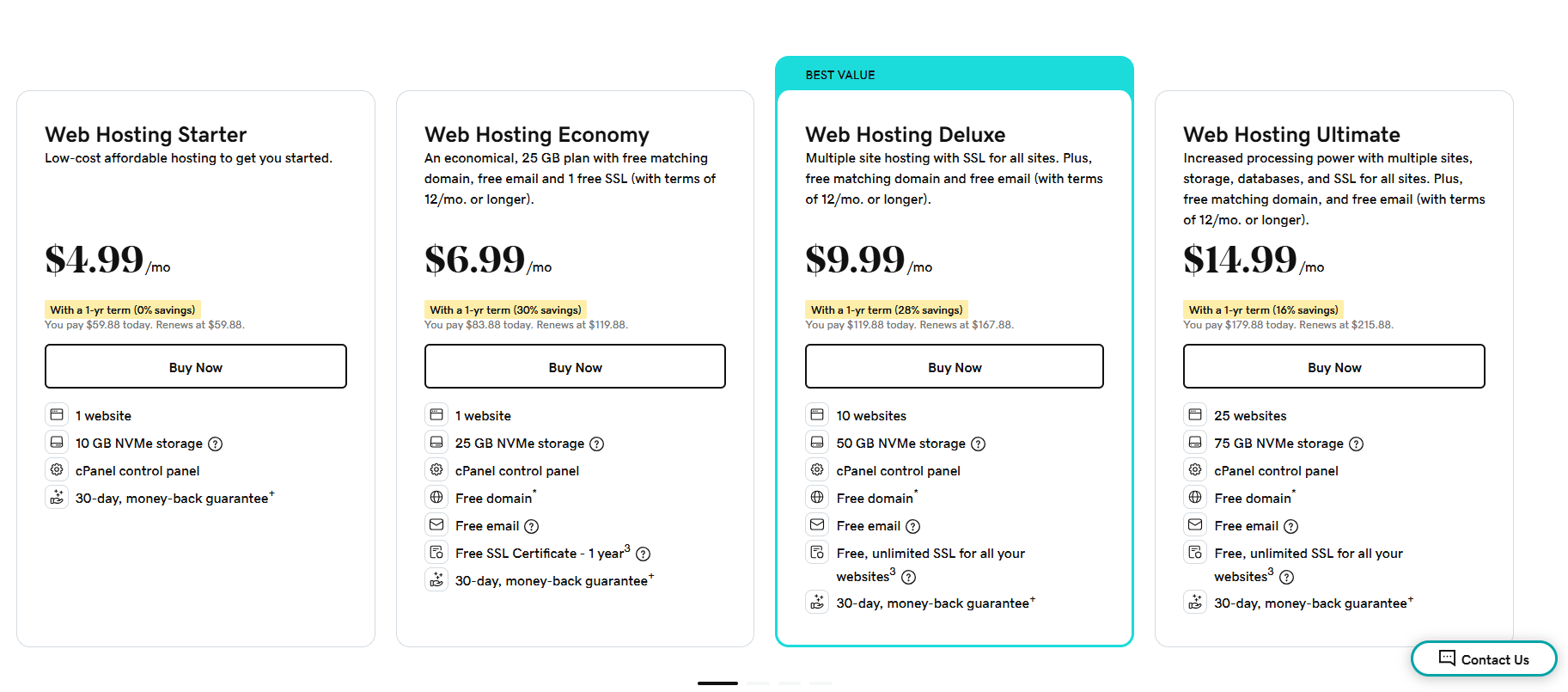
Go through the plans and choose one you prefer. Click “Buy Now”, and the shopping cart will appear in the top right corner of the screen.
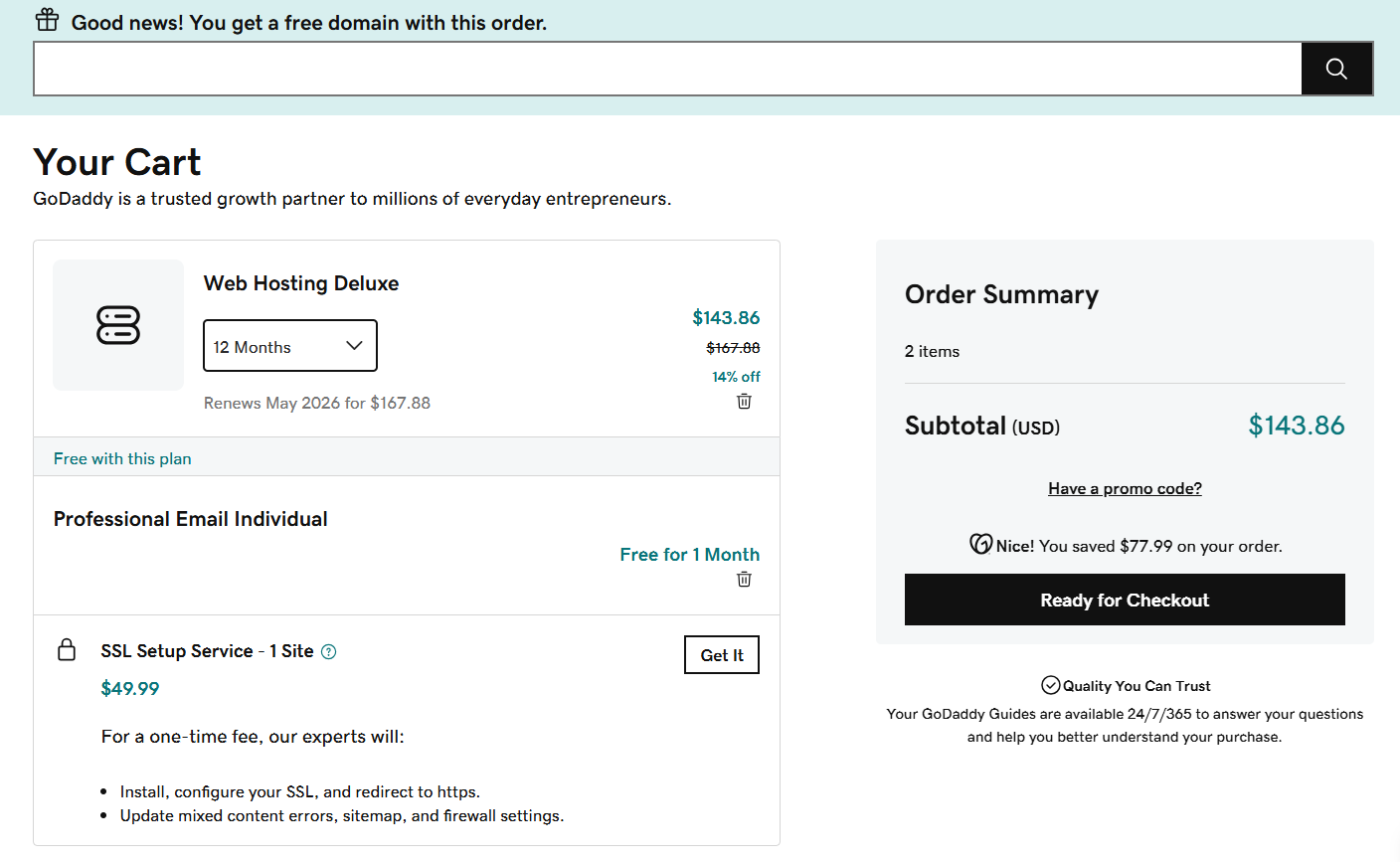
Check your cart and remove any add-ons you don’t need. Then click “Ready for Checkout” to continue or add more products before paying.
GoDaddy will ask you to create an account before checkout. If you already have one, just log in. You can also choose to sign in later.

On the next page, you’ll see your shopping cart. There, you can change your billing cycle, remove bundled products, and review any recommended add-ons.
Choosing the longest billing cycle usually gives you the best discount.
To use your code, click “Have a promo code?” on the right side of the page.
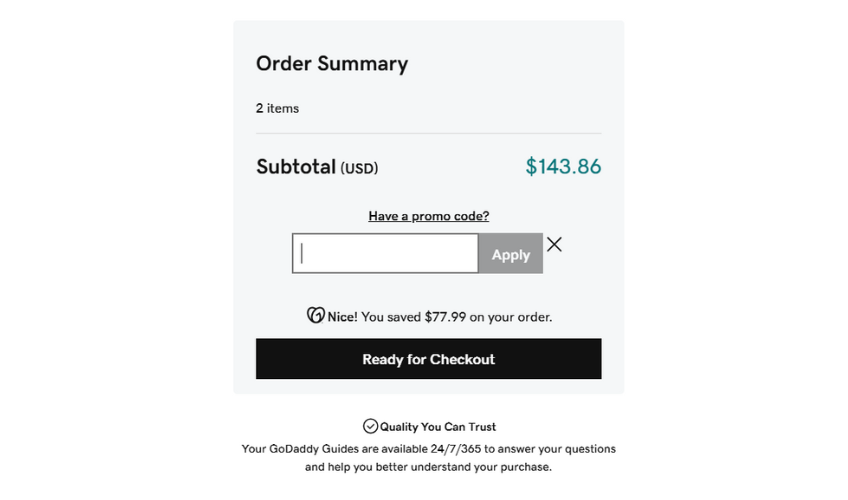
Enter your code in the box and click “Apply.” Once the discount shows up, click “I’m Ready to Pay” to finish your purchase.
You can also test a few different codes before checkout to see which one gives you the best deal.
Here are the steps to follow if a GoDaddy renewal promo code doesn’t work:
No, GoDaddy lets you use only one coupon code per purchase.
That keeps checkout simple and avoids stacking multiple discounts on the same order. If you have a few codes, try them one at a time and use the one that gives you the best deal.
Most GoDaddy plans renew automatically, but you can also renew them manually if you prefer.
Go to your GoDaddy Renewals & Billing page and log in to your account.
Find the hosting plan or product you want to renew, tick the box next to it, and follow the checkout steps to complete the renewal.

Then, click the “Add to Cart” button at the top of the page.

These GoDaddy coupon pages make it easier to find the right offer based on the product, region, or type of discount you need.
GoDaddy is one of the biggest names in domains, hosting, and website tools. It’s a good pick for beginners who want to get online quickly without dealing with a complicated setup.
You can find GoDaddy promo codes by checking this page often, signing up for our newsletter, or visiting GoDaddy’s promo page and social media channels.
You can see your GoDaddy renewal price in your cart before checkout. After purchase, log in to your account and check the Renewals & Billing page anytime.
No. GoDaddy does not let customers create their own discount codes. You’ll need to use official GoDaddy promo codes or active deals.
GoDaddy does not offer free plans for its main products. But you can use free trials, promo deals, and money-back guarantees to lower your starting cost.
Yes, GoDaddy can work well for small and medium project-based hosting. It offers quick setup, simple management, one-click apps, scalable plans, and flexible billing.
