Best AI Agents for Finance: Feature Overview
| Provider | Starting Price | Rating | Moneyback | |
|---|---|---|---|---|
![]() | $16.00 | - | Visit Symphony | |
![]() | $5.52 | 30 Days | Visit Hostinger | |
![]() | $25.00 | - | Visit Lovable | |
![]() | $4.69 | 30 Days | Visit Bluehost | |
![]() | $2.00 | 30 Days | Visit IONOS | |
![]() | $2.24 | 30 Days | Visit HostGator | |
![]() | $4.00 | 30 Days | Visit Kamatera | |
![]() | $6.34 | - | Visit Contabo | |
| $4.80 | 30 Days | Visit Ultahost | |
![]() | $3.49 | 30 Days | Visit Hosting.com |
What Are AI Agents for Finance?
AI agents for finance are software tools that use artificial intelligence to handle financial tasks with limited manual input. They can help businesses prepare budgets, monitor cash flow, organize invoices, review expenses, generate financial reports, and automate routine administrative work. Depending on the platform, an AI finance agent may connect to accounting software, spreadsheets, payment systems, or other business applications. Some tools provide ready-made financial assistance, while others let users build custom agents for specific workflows. Although these tools can save time and improve access to financial information, users should verify important calculations and retain human oversight for tax, investment, and other high-impact financial decisions.
When to Choose and When to Avoid AI Agents for Finance
| Reasons to Use AI Agents for Finance | Reasons Not to Use AI Agents for Finance |
| You spend several hours each week categorizing expenses, organizing invoices, or preparing routine financial reports. | Your business handles only a few transactions each month, making manual bookkeeping faster and cheaper. |
| You want to monitor cash flow and receive alerts when invoices remain unpaid or expenses exceed a set budget. | You need guaranteed financial accuracy without checking the agent’s calculations or recommendations. |
| You regularly combine information from spreadsheets, accounting software, and payment platforms. | Your existing accounting software already automates your financial tasks effectively. |
| You need regular summaries of revenue, expenses, outstanding payments, and upcoming bills. | You require legally certified financial statements or professional tax advice rather than automated summaries. |
| You want to compare different budget scenarios before making business spending decisions. | You lack reliable financial records, making accurate forecasts and spending analyses difficult. |
| You have repetitive financial workflows that can be automated with clear rules and approval steps. | Your tasks involve complex financial decisions that require professional judgment and individual assessment. |
| You need a custom finance assistant that fits your company’s reporting process. | You cannot afford the subscription, integration, maintenance, or API costs associated with automation. |
| You can establish access controls and protect sensitive financial information. | You cannot verify how the provider stores, processes, or protects confidential financial data. |
| You want to reduce administrative work while keeping a person responsible for important decisions. | You intend to let an AI agent independently approve large payments, transfer funds, or make consequential decisions without supervision. |
If AI Agents for Finance Are Not Relevant to Your Needs, Consider These Alternatives
Traditional Accounting Software: Suitable for freelancers and businesses that need reliable bookkeeping, invoicing, expense categorization, tax preparation, and financial statements. It is a practical choice when you want established accounting functions rather than a flexible AI assistant.
Spreadsheet-Based Financial Management: Ideal for individuals and small businesses with straightforward budgets, predictable expenses, and relatively few transactions. Spreadsheets provide control over calculations and reporting without requiring an AI subscription, although updates and data entry remain largely manual.
Human Accountants and Bookkeepers: A better option when you need professional judgment, tax compliance, reconciliations, payroll assistance, or help preparing financial statements. They can also review AI-generated reports and identify mistakes that automated systems might overlook.
Dedicated Expense Management Platforms: Useful for companies that need employee expense submissions, receipt capture, reimbursement approvals, corporate card monitoring, and spending policies. These platforms offer specific controls for managing business expenses without requiring a general-purpose AI agent.
Business Intelligence and Financial Reporting Tools: Suitable for companies that want to analyze financial performance across multiple systems. These tools help create dashboards, compare revenue and expenses, track performance indicators, and identify trends for management decisions.
How to Choose the Best AI Agents for Finance
Choosing the right AI finance agent requires balancing automation capabilities, integration options, financial accuracy, security, and cost. The best choice depends on whether you need a ready-made assistant or infrastructure for building your own financial workflows.
– Identify Your Main Financial Tasks: Decide whether you need help with cash flow forecasting, invoice processing, budgeting, expense tracking, financial reporting, or several tasks at once. Choose a tool that directly supports your priorities rather than paying for unnecessary features.
– Check Accounting and Payment Integrations: Confirm that the agent connects to your existing accounting software, spreadsheets, banking tools, or payment systems. If integrations are unavailable, find out whether the provider supports APIs or requires manual data uploads.
– Evaluate Automation Capabilities: Look for recurring reports, invoice reminders, expense categorization, and alerts based on financial thresholds. If you need an agent to take action, check whether you can approve payments and other sensitive operations before execution.
– Prioritize Accuracy and Human Oversight: Test the agent with sample financial records and compare its calculations against trusted accounting software. Choose a solution that makes its assumptions clear and allows you to review outputs before using them for important decisions.
– Review Security and Privacy: Check how the provider stores financial data, manages user permissions, handles third-party integrations, and protects sensitive information. Avoid giving an agent unrestricted access to bank accounts or financial records when narrower permissions are sufficient.
– Compare the Total Cost: Consider monthly subscriptions, AI credits, API usage, hosting, integration fees, and ongoing maintenance. A low-cost tool may become more expensive if it requires substantial technical work or additional services.
– Match the Platform to Your Technical Skills: Choose a ready-made finance assistant if you want to automate tasks without programming. If you need a custom agent, check whether you have the technical expertise or support required to build, secure, and maintain it.
– Test Before Committing: Use a free plan, trial, or limited pilot where available. Measure how much time the tool saves, how accurately it handles your data, and whether the results justify the cost before rolling it out across your business.

Symphony by Wix is an AI agent platform that coordinates specialized agents through a central assistant. Its finance agent helps small business owners monitor revenue, identify unpaid invoices, review payment activity, and understand cash flow. Instead of switching between separate tools for routine business tasks, users can manage several activities through one conversational interface. Symphony also connects with external applications, helping businesses integrate financial tasks into their existing workflows.
Rating Overview
- Overall Score: 4.9
- Features: 4.9
- Reliability: 4.8
- User-Friendly: 4.9
- Support: 4.7
- Pricing: 4.8
Detailed Analysis
Performance: Symphony includes a dedicated finance agent alongside specialists for marketing, research, scheduling, and outreach. The finance agent can help track revenue, review cash flow, identify outstanding invoices, and reconcile payment activity. Shared context between agents helps connect financial tasks with broader business operations.
Support: Symphony provides platform guidance and support options that may vary by subscription plan. Small businesses should confirm the available assistance and response times before relying on the platform for time-sensitive financial workflows.
Security: Approval controls allow business owners to review important actions before execution. However, users should verify financial calculations, payment records, and sensitive transactions against their original accounting systems. Appropriate access controls and data-handling practices remain essential.
Pricing: A free plan provides an opportunity to explore the platform, while paid subscriptions offer additional credits and agent activity. This flexible approach can help small businesses test financial automation before upgrading to a higher tier.
Ease of Use: Users can describe financial tasks in plain language without building complicated workflows. The conversational interface is particularly useful for entrepreneurs who need accessible financial insights but do not have dedicated accounting staff.
Pros and Cons
- Dedicated finance agent for everyday business tasks
- Coordinates financial activities with other business agents
- Supports integrations with existing applications
- Conversational interface requires little technical knowledge
- Not a replacement for dedicated accounting software
- Financial outputs and payment records require verification
- Available support and automation credits may depend on the subscription
-
Best Overall Hosting 2026
-
Users Top Choice 2026
-
Most Recommended NodeJS 2026
-
Best AI App Builder 2026
-
Top 5 Europe Web Hosting 2026

Hostinger offers a dedicated finance AI agent through Hostinger Agent, its AI-powered business assistant platform. The tool helps business owners prepare budgets, forecast cash flow, review spending, estimate product prices, and organize tax-season preparations. It is designed for people who need practical financial guidance without spending hours working through spreadsheets. Users can provide their business figures and receive explanations and planning suggestions based on the information supplied.
Rating Overview
- Overall Score: 4.8
- Features: 4.9
- Reliability: 4.7
- User-Friendly: 4.9
- Support: 4.6
- Pricing: 4.8
Detailed Analysis
Performance: Hostinger’s finance agent offers skills for budgeting, cash flow forecasting, spending reviews, product pricing, and financial scenario planning. It can help users prepare for major expenses and organize tax-related documents. Integrations with tools such as Gmail, Notion, and Slack can also bring financial tasks into existing workflows.
Support: Hostinger provides product documentation and customer support for its services. However, assistance with AI-generated financial analysis may differ from support for traditional hosting products. Users should confirm the available help options if they plan to rely on the agent for regular financial planning.
Security: The agent uses financial information supplied by users to generate forecasts and summaries. Businesses should exercise care when sharing sensitive financial data, review applicable data-handling policies, and limit access to confidential records. Important calculations and projections should be checked against reliable accounting records.
Pricing: Hostinger Agent has advertised introductory pricing starting at $6.99 per month with a 12-month subscription. Plans include monthly AI credits, so users should review current prices, credit allowances, renewal rates, and usage limits before subscribing.
Ease of Use: The platform uses plain-language instructions and predefined skills. Users can choose a financial task and follow the generated guidance without creating complex automation workflows or having advanced spreadsheet knowledge.
Pros and Cons
- Purpose-built financial planning skills
- Cash flow forecasts and budget assistance
- Plain-language explanations of business figures
- Integrations with commonly used productivity tools
- Accessible advertised starting price
- Forecasts depend on accurate input data
- Does not replace professional accounting or tax advice
- AI credits and subscription terms may limit usage
-
Top 10 AI App Builders 2026

Lovable is an AI-powered application builder that turns written instructions into working web applications. Although it is not a dedicated finance agent, it can help users develop custom financial tools, including budget dashboards, expense trackers, reporting interfaces, and internal finance applications. Its combination of interface generation, database functionality, authentication, and integrations makes it useful for businesses that want to build financial workflows around their specific requirements.
Rating Overview
- Overall Score: 4.6
- Features: 4.8
- Reliability: 4.5
- User-Friendly: 4.7
- Support: 4.4
- Pricing: 4.6
Detailed Analysis
Performance: Lovable can generate application interfaces, logic, and data-handling components from natural-language instructions. Potential projects include expense approval systems, cash flow dashboards, invoice tracking tools, and financial reporting portals. Integrations with services such as Google Sheets and payment platforms can extend functionality, depending on the selected setup.
Support: Lovable provides documentation and product resources to help users build and troubleshoot applications. Businesses developing complex financial systems may still need programming expertise to investigate errors, configure integrations, and maintain dependable workflows.
Security: Lovable offers security-related tools, including scanning for common vulnerabilities. However, financial applications require careful testing of permissions, authentication, data handling, and transaction workflows before processing real financial information. Security reviews and appropriate access controls are essential for protecting sensitive records.
Pricing: A free option allows users to experiment with public projects and limited AI credits. Paid subscriptions offer additional capacity and features. Businesses should compare current plan prices, usage limits, and project requirements before committing to a subscription.
Ease of Use: The conversational building process makes it possible to create an initial application without manually writing every line of code. Users can refine their projects through additional instructions or edit the generated code directly when greater control is needed.
Pros and Cons
- Builds custom financial dashboards and tools
- Includes database and authentication capabilities
- Supports integrations with external services
- Allows code-level customization
- Useful for prototyping finance workflows
- Requires development and testing for dependable financial operations
- Not a ready-made accounting agent
- Advanced projects may require technical expertise
-
Top 10 WordPress Hosting 2026
-
Top 10 Website Builder 2026
-
Over 99% Uptime 2023
-
Top 25 WordPress Hosting 2023

Bluehost offers AI tools and hosting infrastructure that businesses can use to create and run AI-powered applications. Its agent hosting capabilities can support workflows, Python and Node.js applications, and automation tools. Although Bluehost does not provide a dedicated finance AI agent comparable to a specialized financial assistant, its infrastructure can help businesses develop automated reporting systems, expense-processing workflows, and other finance-related applications.
Rating Overview
- Overall Score: 4.5
- Features: 4.7
- Reliability: 4.7
- User-Friendly: 4.5
- Support: 4.5
- Pricing: 4.4
Detailed Analysis
Performance: Bluehost’s agent hosting supports AI agents, n8n workflows, and applications built with Python or Node.js. Persistent memory and root access can give developers flexibility when configuring custom financial automation. These capabilities may support invoice processing, recurring reports, and connections between accounting platforms, provided the necessary integrations are implemented.
Support: Bluehost provides customer support for its hosting services and documentation for its products. However, developers should confirm whether their chosen automation frameworks, third-party integrations, and custom financial applications fall within the available support coverage.
Security: Root access provides flexibility but also places greater responsibility on developers to secure their environments. Businesses should implement appropriate access controls, protect financial credentials, maintain backups, and monitor application activity. Financial workflows should be tested carefully before handling sensitive records or processing transactions.
Pricing: Costs depend on the selected hosting product, required resources, and any additional AI tools. Businesses should also account for external API usage, automation services, maintenance, and security measures when calculating the total cost of operating a finance agent.
Ease of Use: Bluehost’s wider product range includes AI-powered website tools and business services. However, deploying a custom finance agent requires more technical knowledge than using a ready-made financial assistant. Developers may need to configure software dependencies, integrations, scheduled tasks, and error handling.
Pros and Cons
- Infrastructure for custom AI agents and workflows
- Supports Python and Node.js applications
- Compatible with n8n automation projects
- Persistent memory and root access
- Suitable for businesses seeking deployment control
- No dedicated, ready-to-use finance agent
- Requires technical setup and ongoing maintenance
- Financial integrations need independent testing
-
Best Value for Money 2026
-
Editor's Choice 2026
-
Most Recommened PHP Hosting 2026
-
Top 5 UK Web Hosting 2026
-
Top 5 Europe Web Hosting 2026

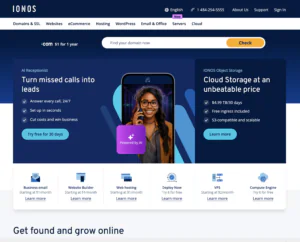
IONOS provides AI-powered business tools, hosting, and an AI App & Site Builder that can create functional applications from conversational instructions. For finance-related use cases, businesses can develop internal dashboards, pricing calculators, budgeting interfaces, and reporting tools tailored to their operations. IONOS also offers AI services for customer communications, although these are not dedicated financial management agents. Its main advantage is the ability to develop custom tools within a broader business technology environment.
Rating Overview
- Overall Score: 4.5
- Features: 4.6
- Reliability: 4.7
- User-Friendly: 4.6
- Support: 4.7
- Pricing: 4.5
Detailed Analysis
Performance: The AI App & Site Builder can create applications with databases and working logic, making it suitable for prototypes such as expense trackers, cash flow dashboards, and financial calculators. Users can describe their requirements and refine the resulting application. Available capabilities depend on the application being developed and its integrations.
Support: IONOS provides customer support through its business services, alongside product documentation and guidance. Businesses should confirm which support options cover the AI builder, hosting environment, and custom applications, particularly when developing workflows that handle important financial information.
Security: Hosting infrastructure and application-building tools provide a foundation for custom financial applications, but security depends on implementation. Businesses should test authentication, access permissions, data storage, and database configurations before connecting sensitive financial records. Backups and appropriate safeguards are also important.
Pricing: IONOS offers different pricing arrangements across its AI and hosting products. The AI App & Site Builder has been advertised with a starting price of $0 per month, although paid features, hosting requirements, and additional services may increase the total cost. Check current plan limits and renewal terms before selecting a solution for business-critical workflows.
Ease of Use: Users can describe an application in everyday language instead of coding it from scratch. This lowers the barrier to creating basic finance tools, although complex calculations, advanced integrations, and specialized requirements may still need technical assistance.
Pros and Cons
- Builds custom financial applications through prompts
- Supports dashboards, calculators, and internal tools
- Combines application creation with hosting services
- Reduces the need to write initial code manually
- Not a ready-made finance management agent
- Complex workflows require careful testing
- Integrations may need additional configuration
-
Top 10 Linux Hosting 2026
-
Top 10 Website Builder 2026
-
Great Support 2026
-
Excellent Service 2026
-
Over 99% Uptime 2026

HostGator provides web hosting and website-building services for small businesses that need an online presence. Although it is not a dedicated finance AI agent provider, its hosting services can support financial tools developed for business websites, including invoice request forms, budgeting calculators, and customer payment portals. Businesses can also combine its website infrastructure with external AI services to build workflows for expense tracking, financial reporting, and customer billing.
Rating Overview
- Overall Score: 4.4
- Features: 4.5
- Reliability: 4.6
- User-Friendly: 4.6
- Support: 4.5
- Pricing: 4.4
Detailed Analysis
Performance: HostGator offers shared hosting, WordPress hosting, and website-building tools that can support business websites with financial features. Through suitable third-party integrations or custom development, businesses can add invoice forms, payment processing, and AI-powered customer assistance. More advanced financial automation may require external APIs or a separate application.
Support: HostGator provides customer support for its hosting products, along with resources for website setup and maintenance. However, assistance with third-party AI integrations may depend on the external service provider or developer responsible for implementation and troubleshooting.
Security: Businesses handling financial information should configure their websites carefully, use secure payment providers, protect customer data, and keep software updated. Appropriate backups and access controls are also important. Sensitive payment information should be handled through suitable payment-processing services rather than insecure custom forms.
Pricing: HostGator offers several hosting plans at different price points, with introductory rates and renewal prices that may differ. Businesses should also consider AI subscriptions, payment-processing fees, integration costs, and ongoing maintenance when estimating the full cost of a finance solution.
Ease of Use: HostGator’s website tools and familiar hosting dashboard make it easier for small businesses to manage their online presence without extensive technical experience. Adding basic financial features can be manageable, but building an advanced finance agent or connecting multiple services may require developer assistance.
Pros and Cons
- Hosting for business websites and financial tools
- Supports third-party integrations
- Suitable for small business websites
- Website management tools for beginners
- No dedicated finance AI agent
- Advanced automation may require coding
- Additional services can increase costs
-
Best VPS Hosting 2026
-
Top 5 Europe Web Hosting 2026
-
Top 5 Australia Web Hosting 2026
-
Top 10 Best Gaming Hosting Provider 2026
-
Top 10 Reseller Hosting 2026

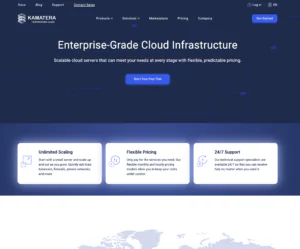
Kamatera provides cloud servers for businesses that need flexible computing resources to run AI agents around the clock. Its infrastructure supports Docker, Python, Node.js, and popular agent frameworks, making it suitable for deploying custom finance automation systems. Businesses can use Kamatera to run agents that prepare financial reports, organize invoice data, monitor cash flow, or connect accounting applications through APIs. However, Kamatera is an infrastructure provider rather than a ready-made financial assistant, so users must configure the agent software and connect the necessary services.
Rating Overview
- Overall Score: 4.8
- Features: 4.9
- Reliability: 4.9
- User-Friendly: 4.5
- Support: 4.9
- Pricing: 4.7
Detailed Analysis
Performance: Kamatera offers customizable cloud servers, full root access, multiple operating systems, and scalable CPU and RAM configurations. Developers can deploy AI frameworks, connect language models, and run multiple financial workflows on one server or across separate instances. Resource allocation can be adjusted as processing requirements grow.
Support: Kamatera offers 24/7 technical support through several channels. This can help businesses troubleshoot server configuration issues, connectivity problems, and deployment difficulties. Support for custom finance-agent code and third-party applications may depend on the specific issue and service involved.
Security: Root access and configurable server environments give developers control over security settings. Businesses should implement strong authentication, restrict permissions, encrypt sensitive information where appropriate, and maintain secure backups. Financial applications also need careful testing of API credentials, database access, and data-handling procedures.
Pricing: Kamatera uses usage-based cloud pricing, allowing businesses to select resources according to their requirements. The total cost depends on server specifications, storage, networking, and any external AI model fees. Monitoring resource consumption can help avoid unnecessary expenses as automation workloads expand.
Ease of Use: Server configurations can be adjusted as workloads change, and preconfigured applications may simplify deployment. However, building and maintaining a finance agent still requires knowledge of server administration, software integrations, and data security. Businesses without technical staff may need developer assistance.
Pros and Cons
- Flexible infrastructure for custom finance agents
- Supports popular AI frameworks and APIs
- Scalable server resources
- 24/7 technical support
- Suitable for continuous automation
- Requires technical setup and maintenance
- External AI model usage may cost extra
- Financial integrations require independent testing
-
Top 5 Germany Web Hosting 2026
-
Top 10 VPS Hosting 2026
-
Top 10 Cloud Hosting 2026
-
Top 10 Dedicated Hosting 2026
-
Excellent Service 2026

Contabo provides VPS and dedicated server solutions that businesses can use to host AI agents and automated workflows. Its infrastructure is suitable for self-hosted tools that process financial documents, prepare reports, organize invoices, or assist with internal budgeting tasks. Contabo also offers one-click deployment options for selected AI agent platforms, reducing some of the work involved in setting up a server. Although it does not specialize in financial analysis, it provides an environment for running preferred automation software and building custom finance workflows.
Rating Overview
- Overall Score: 4.7
- Features: 4.8
- Reliability: 4.7
- User-Friendly: 4.5
- Support: 4.5
- Pricing: 4.9
Detailed Analysis
Performance: Contabo supports VPS and dedicated servers, with options for deploying self-hosted agent platforms such as Hermes Agent and Paperclip. These tools can coordinate tasks, retain information between sessions, and connect to external AI models. Businesses can build finance workflows around them using suitable integrations, permissions, and application configurations.
Support: Contabo provides customer support and setup documentation for its hosting services. However, troubleshooting custom finance applications, accounting integrations, or agent-specific errors may require assistance from the software developer or an independent technical specialist.
Security: Self-hosting gives businesses more control over their deployment environment, but it also makes secure configuration essential. Users should protect financial documents, restrict access to sensitive records, secure API credentials, and maintain reliable backups. Agent permissions should be limited to the tasks required for the workflow.
Pricing: Contabo is known for offering substantial server resources at competitive monthly rates. Actual costs vary by plan and billing term, while external AI model usage, backup services, and additional resources may increase the total expense. Businesses should compare the complete operating cost rather than the server price alone.
Ease of Use: One-click installations can simplify the deployment of selected AI agent platforms. This helps users get started with self-hosted automation more quickly. However, customizing accounting integrations, troubleshooting workflows, and maintaining server security still require some technical knowledge.
Pros and Cons
- Competitive pricing for server resources
- One-click deployment for selected AI agents
- Supports self-hosted automation platforms
- Suitable for recurring financial workflows
- Provides control over the deployment environment
- Custom finance integrations require configuration
- Users manage more of the software environment
- External AI services may incur additional fees
-
Best Dedicated Hosting Provider 2026
-
Best Windows Hosting Provider 2026
-
Top 5 France Web Hosting 2026
-
Top 10 Website Builder 2026
-
Top 10 Web Hosting 2026

UltaHost offers VPS hosting and specialized hosting options for AI agents, including platforms such as OpenClaw and Hermes Agent. These services provide an always-on environment for businesses that want to automate recurring tasks without leaving an agent running on a personal computer. For finance-related projects, users can configure agents to organize documents, prepare summaries, schedule reports, and interact with supported business applications. UltaHost provides the hosting environment, while financial capabilities depend on the selected agent software and integrations.
Rating Overview
- Overall Score: 4.7
- Features: 4.8
- Reliability: 4.8
- User-Friendly: 4.8
- Support: 4.8
- Pricing: 4.6
Detailed Analysis
Performance: UltaHost provides configurable VPS resources, NVMe storage, and deployment options for selected AI agent platforms. Businesses can connect agents to external AI models and compatible tools to create workflows for invoice administration, expense reviews, and financial reporting. Actual performance depends on the selected server resources and complexity of the workload.
Support: UltaHost offers 24/7 technical support for its hosting services and assistance with supported agent deployments. However, custom financial software, accounting integrations, and agent-specific issues may fall outside standard hosting support. Businesses should confirm the scope of assistance available for their intended setup.
Security: Always-on financial automation requires careful protection of accounting records and payment information. Users should apply strict access controls, secure API credentials, keep software updated, and maintain reliable backups. Agents should receive only the permissions necessary to perform their assigned tasks, especially when handling sensitive documents.
Pricing: Selected AI agent hosting options have advertised introductory prices starting around $9.78 per month, depending on the product and offer. Actual costs may vary with server resources, subscription terms, and renewal pricing. External AI model usage and additional services can increase ongoing expenses.
Ease of Use: One-click deployment simplifies the initial installation of supported agents and reduces the need to configure every dependency manually. Connecting accounting systems, setting permissions, and creating custom financial workflows may still require technical knowledge.
Pros and Cons
- Hosting options designed for AI agents
- One-click deployment for selected platforms
- Servers designed for continuous operation
- 24/7 technical support
- Configurable resources for different workloads
- Not a specialized financial analysis product
- Advanced integrations require additional setup
- External AI services may cost extra
-
Top 25 Offshore Hosting 2026

Hosting.com provides web hosting and infrastructure services for businesses, developers, and website owners. Although it is not a dedicated AI finance agent platform, its hosting products can support websites and applications that incorporate financial automation. Businesses can use a suitable hosting environment to build invoice portals, budgeting tools, financial dashboards, or applications connected to external AI services. The best option depends on whether a project needs a standard website, a custom application, or a server capable of running background automation continuously.
Rating Overview
- Overall Score: 4.4
- Features: 4.5
- Reliability: 4.7
- User-Friendly: 4.5
- Support: 4.6
- Pricing: 4.4
Detailed Analysis
Performance: Hosting.com offers hosting options for websites and applications, including WordPress and VPS solutions. Developers can use compatible environments to create financial dashboards, connect external APIs, or develop tools for invoice tracking and expense reporting. Continuous AI agent workloads may require a VPS or another suitable server configuration rather than basic shared hosting.
Support: Hosting.com provides customer support and resources for its hosting products. However, assistance with custom AI frameworks, financial application logic, and third-party integrations may require a developer or specialist familiar with the selected software.
Security: Businesses developing financial applications should implement secure authentication, appropriate database permissions, and protection for API credentials. Regular software updates and reliable backups are important for protecting sensitive financial records. Applications should also be tested to ensure that users and automated agents can access only the information and functions they are authorized to use.
Pricing: Costs depend on the selected hosting plan, resource requirements, and billing period. Businesses should also budget for AI API usage, database services, payment integrations, and ongoing application maintenance. Comparing the complete operating cost helps avoid unexpected expenses as a project grows.
Ease of Use: Hosting.com’s website hosting options suit users who want to establish a business website without managing an entire server. Building an autonomous finance agent, however, requires additional software, integrations, and configuration. Developers may need to handle deployment, troubleshooting, and ongoing maintenance.
Pros and Cons
- Hosting for business websites and applications
- VPS options for greater configuration control
- Can support custom financial dashboards
- Suitable for integrating external AI services
- No dedicated finance AI agent included
- Custom development may be necessary
- Additional services increase total costs
Why Trust Our Recommendations
At HostAdvice, trust and transparency guide our approach to evaluating technology products and services. We consider the features, usability, reliability, pricing, and support that matter to businesses looking for AI finance agents. Our goal is to help readers distinguish between ready-made financial assistants, customizable agent platforms, and hosting services that provide the infrastructure for financial automation. We also consider practical limitations, including integration requirements, data security, and the need to verify financial outputs. This approach helps readers choose a solution that fits their actual workflows and budget rather than relying on marketing claims alone.
How Do We Test and Rank AI Agents for Finance
At HostAdvice, we research the available products, compare their advertised capabilities, and evaluate how well they address the needs of businesses and individual users. Our review process considers the tasks each platform supports, its integration options, ease of use, pricing, reliability, and available customer support.
We also look at how each solution handles common financial workflows, including expense tracking, budgeting, invoice management, cash flow analysis, and reporting. Where practical, hands-on testing helps us assess the user experience and compare advertised features with actual functionality.
Security and accuracy are important parts of the evaluation. We consider the availability of access controls, the handling of sensitive data, and the safeguards provided for consequential actions. We also distinguish between dedicated finance agents and general AI platforms that require additional configuration to perform financial tasks.
Finally, we compare overall value against the intended use case. A platform designed for developers may suit a business building custom automation but be unnecessarily complicated for a freelancer who simply wants help preparing a budget. By considering these differences, we aim to provide recommendations that reflect real user needs and help readers make informed decisions.
Best AI Agents for Finance: Final Recommendations
The best AI agents for finance can reduce repetitive administrative work, simplify financial reporting, and help businesses understand their cash flow. The right solution depends on the tasks you want to automate, the applications you already use, your budget, and your technical experience.
Ready-made finance assistants are a good starting point for budgeting, spending analysis, and routine reporting. Custom agent builders and hosting platforms offer more flexibility when you need specialized workflows or greater control over your setup.
Before choosing a platform, check its integrations, security controls, pricing, and ability to handle your specific financial tasks. Start with a limited workflow, verify the results, and expand automation only when it proves useful. AI agents work best as tools that support financial decisions, with human oversight retained for payments, tax matters, and other important financial activities.