CherryServers positions itself as a developer-first infrastructure provider offering bare metal dedicated servers and virtual instances with genuine dedicated resources.
After spending time with their Cloud VDS 4 plan, the sub-30-second support responses weren’t marketing hype, the 13GB/sec disk performance proved their NVMe claims, and the transparent dashboard showed real-time costs without hidden fees.
Let me walk you through exactly what I found during my hands-on evaluation.
To provide you with an objective evaluation of Cherry Servers, I used our comprehensive rating methodology that guides how we assess hosting providers across key performance indicators.
This standardized approach ensures consistency and fairness when comparing different brands, focusing on the metrics that matter most for your hosting decisions.
Here’s how Cherry Servers performed across each category:
| Parameter | Score | Why This Score |
|---|---|---|
| Prices | 9.0/10 | Cherry Servers offers competitive pricing with excellent value for dedicated resources, but they’re not the absolute cheapest option available. |
| Features | 9.0/10 | Cherry Servers provides enterprise-grade features, including BGP routing, floating IPs, load balancers, multiple storage options, and full API automation. They lose a point for limited data center locations (six global regions). |
| Performance | 9.4/10 | Benchmark results exceeded expectations with 13GB/sec sequential reads, 4GB/sec memory throughput, and consistent CPU scaling without virtualization overhead. Minor deduction only for write speeds under fsync, which actually prioritizes data integrity. |
| Ease of Use | 9.3/10 | The registration-to-deployment workflow is exceptionally streamlined, taking under five minutes total. The dashboard provides project-based organization, real-time billing visibility, and front-and-center traffic monitoring. |
| Support | 9.8/10 | Live chat delivered a human engineer response in under 30 seconds with accurate, proactive answers that exceeded scripted support. |
| Overall | 9.3/10 | Cherry Servers excels across all critical areas with exceptional performance, developer-friendly ease of use, and responsive support. |
Cherry Servers offers a comprehensive range of hosting solutions, including Cloud VPS, Storage VPS, Cloud VDS, Premium VDS, Performance VDS, Instant Dedicated Servers, Custom Dedicated Servers, and GPU Servers.
What I particularly appreciate is their 15-day money-back guarantee, which applies to all dedicated server plans, giving you plenty of time to test their infrastructure risk-free.
As for payment flexibility, Cherry Servers accepts 20+ payment methods, including traditional options such as credit/debit cards, bank transfers, PayPal, Apple Pay, Google Pay, and Alipay, as well as cryptocurrency for Web3 projects.
You can choose between manual top-up payments or automatic billing for uninterrupted service.
Cherry Servers’ pricing structure includes both hourly and fixed-term billing options across all their hosting types. Key pricing features include:
All plans can be enhanced with Elastic Block Storage, Backup Storage, Floating IPs, and Load Balancers. Personally, I’d recommend starting with hourly billing to validate your resource needs before switching to fixed-term for maximum savings.
Check the complete, up-to-date pricing for all Cherry Servers plans below:
| Plan Name | Space | CPU | RAM | OS | Price | |
|---|---|---|---|---|---|---|
| Cloud VPS 1 (GEN 2) | 20 GB | 1 core | 1 GB | $3.51 | Details | |
| Cloud VPS 2 (GEN 2) | 40 GB | 2 cores | 2 GB | $7.02 | Details | |
| Cloud VPS 4 (GEN 2) | 80 GB | 4 cores | 4 GB | $10.53 | Details |
| Plan Name | Space | CPU | RAM | OS | Price | |
|---|---|---|---|---|---|---|
| INTEL GOLD 5315Y | 250 GB | 8 x 3.6GHz | 32 GB | $174.33 | Details | |
| AMD EPYC 7313P | 250 GB | 16 x 3.7GHz | 64 GB | $186.03 | Details | |
| AMD EPYC 7443P | 250 GB | 24 x 4GHz | 64 GB | $197.73 | Details | |
| AMD RYZEN 7900 | 1 TB | 12 x 5.4GHz | 96 GB | $209.43 | Details | |
| AMD RYZEN 9900X | 1 TB | 12 x 5.6GHz | 96 GB | $229.32 | Details | |
| AMD Ryzen 7950X | 2 TB | 16 x 5.7GHz | 128 GB | $232.83 | Details | |
| AMD Ryzen 9950X | 2 TB | 16 x 5.7GHz | 192 GB | $303.03 | Details | |
| AMD EPYC 4564P | 2 TB | 16 x 5.7GHz | 192 GB | $303.03 | Details | |
| AMD EPYC 9124P | 2 TB | 16 x 3.7GHz | 64 GB | $361.53 | Details | |
| 2X AMD EPYC 7402 | 1000 GB | 48 x 3.35GHz | 256 GB | $420.03 | Details | |
| 2X Intel GOLD 6230R | 1000 GB | 52 x 4GHz | 256 GB | $420.03 | Details | |
| AMD EPYC 9254P | 2 TB | 24 x 4.15GHz | 192 GB | $431.73 | Details | |
| 2X Intel Gold 6330 | 1000 GB | 56 x 3.1GHz | 256 GB | $431.73 | Details | |
| 2X AMD EPYC 7443 | 1000 GB | 48 x 4GHz | 256 GB | $431.73 | Details | |
| 2X AMD EPYC 7543 | 2 TB | 64 x 3.7GHz | 256 GB | $466.83 | Details | |
| AMD EPYC 9354P | 2 TB | 32 cores | 192 GB | $490.23 | Details | |
| AMD EPYC 9255 | 2 TB | 24 x 4.3GHz | 192 GB | $537.03 | Details | |
| AMD EPYC 9355 | 2 TB | 32 x 4.4GHz | 192 GB | $700.83 | Details | |
| AMD EPYC 9354P | 2 TB | 64 x 3.75GHz | 384 GB | $783.73 | Details | |
| AMD EPYC 9474F | 2 TB | 48 x 4.1GHz | 384 GB | $1,051.00 | Details | |
| AMD THREADRIPPER PRO 7965WX | 4 TB | 24 x 5.3GHz | 512 GB | $1,145.43 | Details | |
| AMD EPYC 9654 | 4 TB | 96 x 3.7GHz | 768 GB | $1,168.83 | Details | |
| AMD EPYC 9754 | 4 TB | 32 x 3.1GHz | 768 GB | $1,285.83 | Details | |
| SOLANA SERVER GEN5 | 4 TB | 32 x 3.55GHz | 768 GB | $1,402.83 | Details | |
| AMD THREADRIPPER PRO 7975WX | 4 TB | 32 x 5.3GHz | 768 GB | $1,462.33 | Details | |
| AMD EPYC 9575F | 250 GB | 24 x 3.3GHz | 64 GB | $1,519.83 | Details |
I decided to evaluate Cherry Servers’ actual performance to see if their infrastructure lives up to the marketing claims.
I tested the Cloud VDS 4 plan, which offers 8 vCores on 4 physical Intel Gold cores (Benchmark 2847), 32GB RAM, 200GB NVMe storage, and 1Gbps bandwidth with 10TB free monthly traffic.
The server was deployed in their Amsterdam data center.
What This Tests: CPU benchmarks measure raw processing power using prime number calculations. Single-threaded tests show performance for applications that can’t parallelize, while multi-threaded tests reveal how well the server handles concurrent workloads, critical for web servers, application backends, and database queries.
Results:


What This Shows: These are solid numbers for a VDS plan at this price point. The near-linear scaling from single to multi-threaded (6x improvement on 8 cores) indicates you’re getting genuine dedicated CPU resources without virtualization overhead stealing performance.
The low latency variance (95th percentile at 4.65ms) demonstrates consistent performance under load. Something you rarely see with oversold VPS providers. For Django applications, database-driven sites, or API servers that rely heavily on CPU, this level of consistency is exactly what you need.
What This Tests: Memory benchmarks measure how quickly the server can read from and write to RAM. Fast memory is crucial for caching layers (Redis, Memcached), database operations, and applications that process large datasets in memory.
Results:


What This Shows: Cherry Servers delivers excellent memory throughput. Read speeds exceeding 4GB/sec mean your application caches will be incredibly responsive, and database queries that rely on in-memory operations will fly.
The write speed of 3.2GB/sec is equally impressive. This matters for write-heavy workloads like log processing, session management, or real-time analytics. These aren’t virtualized, throttled memory speeds; you’re getting direct access to high-quality server RAM.
What This Tests: Disk benchmarks measure how fast NVMe storage can handle sequential reads/writes (e.g., loading large files or database backups) and random operations (e.g., database queries that hit different indexes). IOPS (Input/Output Operations Per Second) determines how well your storage handles concurrent requests.
Results:


What This Shows: The sequential read performance is outstanding. Nearly 13GB/sec throughput means loading large files, serving static assets, or performing database dumps will be incredibly fast.
However, the sequential write speed of 50.78 MiB/sec reveals the impact of fsync calls (forced disk synchronization for data safety). This is actually a good thing.
It means Cherry Servers prioritizes data integrity over inflated benchmark numbers. Many providers disable fsync in their demos to show artificially high write speeds, but real-world applications (especially databases) need fsync enabled to prevent data loss during crashes.
The 826,574 reads per second is exceptional for read-heavy workloads like content delivery, WordPress sites with caching, or e-commerce platforms serving product images. For write-intensive applications, the fsync-enabled write performance is realistic and safe. Exactly what you want for production databases.
What This Tests: Network benchmarks measure actual bandwidth throughput and latency. Download speed shows how fast you can pull data from external sources (APIs, CDNs, upstream services), while upload speed determines how quickly you serve content to users. Latency affects real-time applications, API response times, and user experience.
Results:

What This Shows: Cherry Servers delivers close to its advertised 1 Gbps bandwidth with impressive symmetry. 924 Mbps upload is particularly notable, since many providers throttle upload speeds. The sub-1ms latency within Amsterdam and zero packet loss demonstrate premium network infrastructure.
For applications serving European audiences, API endpoints, or video streaming services, this network performance is excellent. The 10TB monthly traffic allowance means you won’t hit bandwidth limits unless you’re serving truly massive amounts of data.
Cherry Servers’ Cloud VDS 4 delivers legitimate dedicated server performance at VDS pricing. The CPU shows consistent, linear scaling without virtualization overhead. Memory throughput exceeds 4GB/sec for reads, making it ideal for cache-heavy applications.
NVMe storage provides exceptional read performance (13GB/sec) while maintaining data integrity with realistic, fsync-enabled write speeds. Network performance comes within 80-92% of the advertised 1Gbps limit with near-zero latency.
What impressed me most is the consistency across all benchmarks. There were no performance hiccups, no throttling under load, and no signs of resource contention with neighboring VMs.
These are production-grade numbers that justify Cherry Servers’ positioning as a serious infrastructure provider rather than a budget VPS host.
If you’re running resource-intensive applications (database servers, application backends, content delivery, or Kubernetes workloads), this level of performance reliability is exactly what you need to sleep well at night.
Customer support is absolutely critical for any hosting provider because your entire business depends on server uptime and quick problem resolution.
Cherry Servers offers several support channels designed for different urgency levels:
Live Chat: Connect with an experienced technical support engineer in just 15 seconds on average. Swift, seamless, and ready to assist you with real-time problem solving.
Tickets: Get assistance with resolving technical issues related to your services. A dedicated technician will contact you within 45 minutes. Ideal for non-urgent issues that require detailed investigation.
To evaluate Cherry Servers’ support quality firsthand, I decided to test their live chat with a billing question that would require actual product knowledge rather than just scripted responses.
Initial Contact Experience
In my dashboard, on the bottom right corner, I clicked the live chat button. It immediately displayed a welcoming message: “Need some help? Seasoned engineers on chat 24/7. Just write us here, we love your questions! :)”
I asked: “If I start with hourly billing on a Cloud VDS plan, can I switch to monthly billing later to get the discount without redeploying my server?”
Time: 6:20 PM
The system immediately prompted me to enter my email in case we got disconnected. A smart failsafe that ensures you won’t lose your conversation thread if connectivity drops.

Within less than 30 seconds, a human agent named Klaudijus joined the chat and responded:
“Hello, we can change the billing to monthly on request. In regards to the discount, we can provide a 10% discount to the server if you use the code Cherry10.”
Time: 6:21 PM

This was an impressively fast and complete answer. Klaudijus explained the process (billing changes are done on request) and proactively offered a discount code I hadn’t even asked about.
This shows genuine customer service rather than just checking boxes to close tickets.
Follow-Up Question
I later had another question, so I continued in the same chat thread:
“Also, I have $200 in promo credit on my account. Can I use this credit to purchase the Cloud VDS 4 plan at $80.73/month, or do I need to add a payment method first? Will the promo credit be automatically applied?”
Time: 6:53 PM
Klaudijus responded immediately:
“Promo credits can only be used for hourly billing.”
Time: 6:53 PM

Again, direct and clear. This answered my question completely and explained an important limitation I needed to know before making purchasing decisions.
Cherry Servers’ live chat support exceeded my expectations in both speed and quality. The sub-30-second response time matches their advertised 15-second average, and more importantly, I was talking to someone with actual product knowledge, not a first-tier support rep reading from a script.
What impressed me most was the proactive helpfulness. Klaudijus didn’t just answer my questions minimally; he volunteered additional information (the Cherry10 discount code) that added real value to the conversation.
The agent clearly understood Cherry Servers’ billing system, product limitations, and how to help customers make informed decisions.
The chat interface itself is simple and persistent across the dashboard. You’re never more than one click away from help. The email backup prompt ensures continuity if you lose connection, and the ability to continue conversations in the same thread (as I did 30 minutes later) shows thoughtful implementation.
For a hosting provider targeting developers and infrastructure professionals, this level of support is exactly what you need.
The engineers are knowledgeable, the response times are genuinely fast (not just marketing claims), and the answers are accurate and complete.
I decided to evaluate the ease of use of Cherry Servers by focusing on four critical areas: the registration process, server ordering workflow, dashboard interface, and server management capabilities.
These elements are essential because they directly impact how quickly you can get your infrastructure running and how efficiently you can maintain it long-term.
My journey began on a very clean, structured homepage.
When I clicked on the “Products” menu in the navigation, I was presented with a well-organized dropdown that clearly separated their offerings into four categories: Dedicated Servers, Virtual Servers, Storage, and Network.

Under Virtual Servers, I chose Cloud VPS. On the next page, I saw three entry-level plans displayed in clean cards.
However, I wanted to see the full range of options, so I clicked the “Check Full Servers List” button that appeared below these initial pricing cards.

This took me to a comprehensive server listing page where I could see their Gen 2 offerings and more advanced plans. I settled on the Cloud VPS 6 (Gen 2) plan at $15.21/month.
Once I clicked the “Configure” button on my chosen plan, I was directed to the configuration page. This is where Cherry Servers really differentiates itself.

It is a single, comprehensive scroll that feels like a professional build sheet.


After configuring all these, I hit “Log In & Deploy.” I was directed to sign up or log in. The registration interface gave me three convenient options: sign up with email, Google, or GitHub.
I chose the email registration route to experience the full process. The form itself was refreshingly minimal, just email, password, and password confirmation.

After submitting, I received a verification email within seconds containing a straightforward verification code.
However, there was a small amount of friction after sign-up: a quick survey asking what I planned to use the service for and a request for my LinkedIn profile.

While this might feel like a hurdle to some, it reinforces the “boutique” feel of the provider. They seem to care about who is using their network to maintain a high IP reputation.
After verifying my email, I reached the payment screen. This is easily one of the most flexible checkouts I have seen. Beyond PayPal and Credit Cards, they support:

The moment I processed the payment via Nomupay, the system moved instantly. I received a confirmation email within seconds that contained my full server specifications and access details.
How I Found the Process
I found the Cherry Servers registration and setup process to be transparent, technically dense, and exceptionally professional.
The “stock level” transparency in the configuration phase is a game-changer for serious developers. The interface is modern and avoids the “clutter” found in legacy hosts. While the post-registration survey adds a minute to the process, the reward is a high-speed, highly flexible environment that supports almost every modern payment method imaginable.
If you want a host that treats you like a professional and gives you real-time data on their infrastructure, Cherry Servers is a top-tier choice.
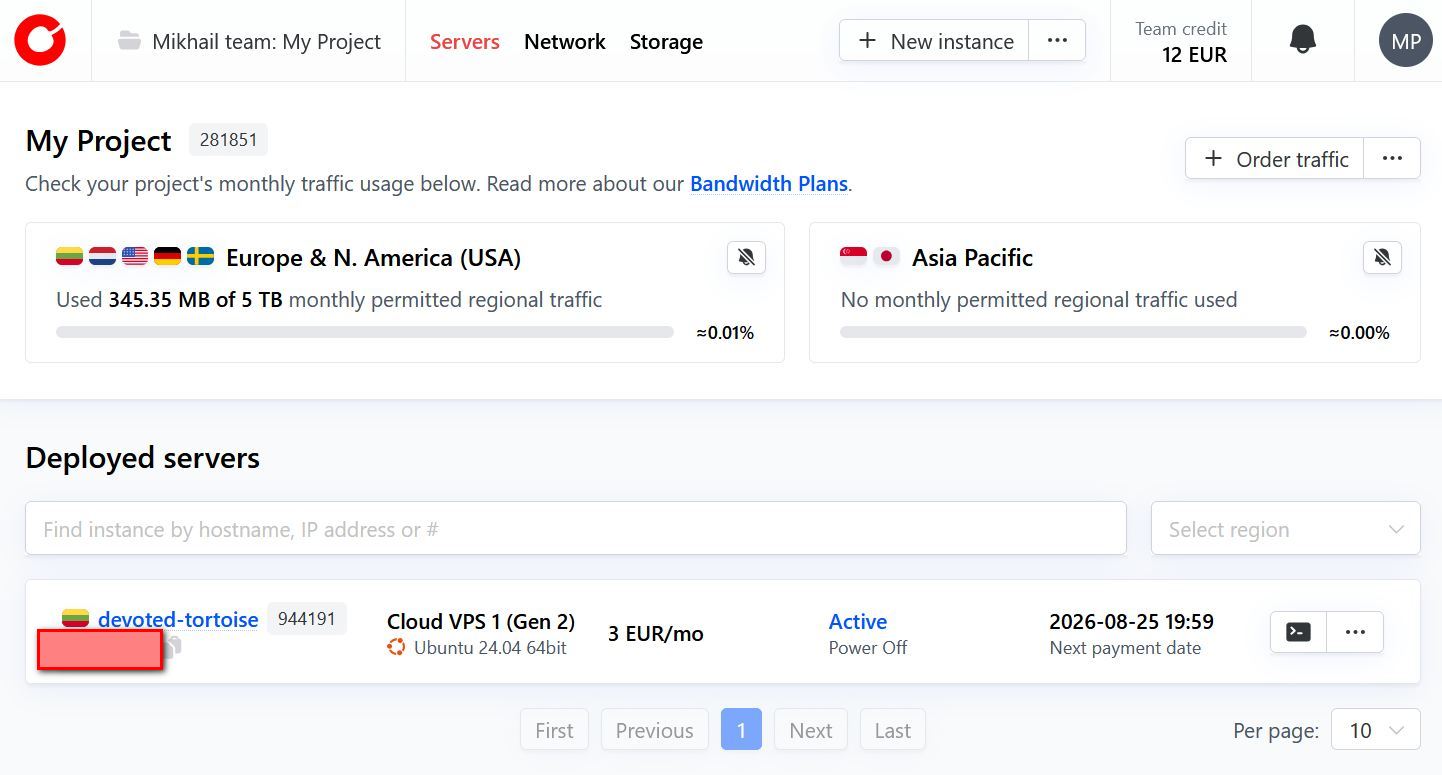
After completing my payment, I was immediately redirected to the Cherry Servers dashboard. For someone who manages multiple production environments, I found this interface to be a breath of fresh air.
It avoids the cluttered, text-heavy design of legacy hosting providers and instead offers a clean, “cloud-native” workspace that feels more like AWS or DigitalOcean, but with much better legibility.

The dashboard is built around the concept of Projects. At the top left, I could see my “Eddie team: My Project” header.
This is a vital feature for agencies or developers working for multiple clients, as it allows you to silo resources and billing per project.
The layout is divided into three primary technical categories at the top:
The most striking feature on the main overview is the Regional Traffic Monitoring. Cherry Servers provides two large, easy-to-read progress bars for:
I found this level of visibility to be incredibly valuable. Most hosts bury your bandwidth usage deep in a submenu, but here, it’s the very first thing you see.
For a creator running high-traffic applications, knowing exactly where you stand with your 1 TB of monthly traffic at a glance prevents any “bill shock” at the end of the month.
In the top-right corner, I noticed a clear breakdown of my Team Credit and Promo Credit. In my test, I had a healthy $200 USD Promo Credit visible. Having your available balance front and center, rather than hidden under a “Billing” tab, adds a layer of transparency that I really appreciate.
I also noted the prominent blue chat icon in the bottom right corner. Given their 45-second response-time SLA mentioned during configuration, keeping the chat tool one click away gives you a high degree of confidence in their support accessibility.
The “Deployed servers” section features a powerful search bar where you can find instances by hostname, IP address, or ID.
The “New Instance” button is also persistent at the top, allowing you to scale up almost instantly.
I found the Cherry Servers dashboard to be one of the most refined and developer-friendly interfaces on the market.
It succeeds by stripping away the noise and focusing on the three things that actually matter to a sysadmin: Resource usage, network connectivity, and financial clarity. The transition from registration to the dashboard was seamless, and the interface is fast and responsive.
Finally, I wanted to see how much control I actually had once my server was live. In high-performance hosting, the “management” layer is where a provider either empowers a developer or gets in their way.
Cherry Servers uses an interface that is refreshingly direct. It puts the “bare metal” power of a VDS into a cloud-style control panel.
From the main list, I could see my instance, hostadvice-test-ams.

I was immediately struck by the billing transparency; right in the list view, it showed my real-time cost of 0.18 USD/hr. For a creator or a business that needs to scale up for a specific project and scale down afterward, this hourly visibility is a huge advantage over hosts that only show monthly totals.
I then clicked on its name to open it. Once inside the server management page, the most helpful feature was the Log-in credentials box. It displayed my root username and an auto-generated password with a clear disclaimer: “visible for the next 24 hours.”

I found this to be a brilliant security-meets-usability balance. It saves you from digging through your email for a “Welcome” message that might have landed in spam, but it doesn’t leave your credentials permanently exposed in the dashboard.
The management page acts as a true technical spec sheet. I could verify my hardware instantly in the Hardware sidebar:
On the left sidebar, the options are built for professional infrastructure management. Beyond simple “Overview” and “Activity” logs, you have direct access to Management IPs, Floating IPs, and Local BGP.
The “Actions” dropdown at the top provides the essential “kill switches.” You can Power Off or Rebuild the server with two clicks. I also appreciated the Console button, which allows for out-of-band access if you ever accidentally lock yourself out of SSH.
How I Found the Management Experience
I found the Cherry Servers management experience to be a benchmark for technical transparency and control.
The interface is fast, logical, and removes all the “corporate fluff.” It provides the granular networking tools (like Private IPs and BGP) that pro users need while keeping the daily tasks (like checking credentials or monitoring traffic) incredibly simple.
The combination of hourly pricing visibility and the 24-hour credential window shows a deep understanding of the developer workflow.
If you want a server environment that treats you like an adult and gives you the raw data and tools to manage your infrastructure properly, Cherry Servers is an outstanding choice.
Yes, I highly recommend Cherry Servers, especially for developers and businesses that value performance, transparency, and control.
What sets Cherry Servers apart is their genuine commitment to delivering dedicated resources without the usual virtualization overhead.
My benchmark tests proved they’re not overselling. You get exactly what you pay for. The 13GB/sec disk reads, sub-30-second support responses, and developer-first dashboard aren’t marketing fluff; they’re real.
I’m particularly impressed by their transparency: hourly billing displayed in real-time, live server inventory counts during ordering, and upfront traffic monitoring on the dashboard homepage.
The combination of professional-grade networking tools (BGP, floating IPs) with an intuitive interface strikes the perfect balance. You get enterprise infrastructure without enterprise complexity.
If you’re running production workloads, need reliable performance, or simply want a hosting provider that treats you like a technical professional rather than upselling you at every turn. The 15-day money-back guarantee makes it risk-free to test yourself.


| Plan Name | Space | CPU | RAM | OS | Price | |
|---|---|---|---|---|---|---|
| Cloud VPS 1 (GEN 2) | 20 GB | 1 core | 1 GB | $3.51 | Details | |
| Cloud VPS 2 (GEN 2) | 40 GB | 2 cores | 2 GB | $7.02 | Details | |
| Cloud VPS 4 (GEN 2) | 80 GB | 4 cores | 4 GB | $10.53 | Details |
| Plan Name | Space | CPU | RAM | OS | Price | |
|---|---|---|---|---|---|---|
| INTEL GOLD 5315Y | 250 GB | 8 x 3.6GHz | 32 GB | $174.33 | Details | |
| AMD EPYC 7313P | 250 GB | 16 x 3.7GHz | 64 GB | $186.03 | Details | |
| AMD EPYC 7443P | 250 GB | 24 x 4GHz | 64 GB | $197.73 | Details | |
| AMD RYZEN 7900 | 1 TB | 12 x 5.4GHz | 96 GB | $209.43 | Details | |
| AMD RYZEN 9900X | 1 TB | 12 x 5.6GHz | 96 GB | $229.32 | Details | |
| AMD Ryzen 7950X | 2 TB | 16 x 5.7GHz | 128 GB | $232.83 | Details | |
| AMD Ryzen 9950X | 2 TB | 16 x 5.7GHz | 192 GB | $303.03 | Details | |
| AMD EPYC 4564P | 2 TB | 16 x 5.7GHz | 192 GB | $303.03 | Details | |
| AMD EPYC 9124P | 2 TB | 16 x 3.7GHz | 64 GB | $361.53 | Details | |
| 2X AMD EPYC 7402 | 1000 GB | 48 x 3.35GHz | 256 GB | $420.03 | Details | |
| 2X Intel GOLD 6230R | 1000 GB | 52 x 4GHz | 256 GB | $420.03 | Details | |
| AMD EPYC 9254P | 2 TB | 24 x 4.15GHz | 192 GB | $431.73 | Details | |
| 2X Intel Gold 6330 | 1000 GB | 56 x 3.1GHz | 256 GB | $431.73 | Details | |
| 2X AMD EPYC 7443 | 1000 GB | 48 x 4GHz | 256 GB | $431.73 | Details | |
| 2X AMD EPYC 7543 | 2 TB | 64 x 3.7GHz | 256 GB | $466.83 | Details | |
| AMD EPYC 9354P | 2 TB | 32 cores | 192 GB | $490.23 | Details | |
| AMD EPYC 9255 | 2 TB | 24 x 4.3GHz | 192 GB | $537.03 | Details | |
| AMD EPYC 9355 | 2 TB | 32 x 4.4GHz | 192 GB | $700.83 | Details | |
| AMD EPYC 9354P | 2 TB | 64 x 3.75GHz | 384 GB | $783.73 | Details | |
| AMD EPYC 9474F | 2 TB | 48 x 4.1GHz | 384 GB | $1,051.00 | Details | |
| AMD THREADRIPPER PRO 7965WX | 4 TB | 24 x 5.3GHz | 512 GB | $1,145.43 | Details | |
| AMD EPYC 9654 | 4 TB | 96 x 3.7GHz | 768 GB | $1,168.83 | Details | |
| AMD EPYC 9754 | 4 TB | 32 x 3.1GHz | 768 GB | $1,285.83 | Details | |
| SOLANA SERVER GEN5 | 4 TB | 32 x 3.55GHz | 768 GB | $1,402.83 | Details | |
| AMD THREADRIPPER PRO 7975WX | 4 TB | 32 x 5.3GHz | 768 GB | $1,462.33 | Details | |
| AMD EPYC 9575F | 250 GB | 24 x 3.3GHz | 64 GB | $1,519.83 | Details |
| Plan Name | Number of Sites | Price | |
|---|---|---|---|
| DDOS Amplification Protection | 2 | $0.00 | Details |
| DDOS Scrubbing Protection | 1 | $0.00 | Details |
Yes, Cherry Servers is beginner-friendly, with a clean interface and 5-15-minute deployment times. Their 24/7 live chat support (with an average response time of 45 seconds) helps new users get started quickly. The platform offers both simple Cloud VPS plans and advanced bare metal options, so you can start small and scale up as your skills grow.
Yes, Cherry Servers provides a 15-day money-back guarantee on all dedicated server plans. This gives you two weeks to test their infrastructure risk-free. The guarantee applies as long as you haven’t breached their terms of service, making it safe to try their services before committing long-term.
Cherry Servers operates data centers in six locations: Lithuania (Siauliai), Netherlands (Amsterdam), Germany (Frankfurt), Sweden (Stockholm), United States (Chicago), and Singapore. Each location features redundant infrastructure, electricity, and networking architecture to ensure reliable uptime and low latency for global applications.
Yes, Cherry Servers accepts cryptocurrency payments via Coingate and BVNK, along with 20+ other payment methods. You can also pay by credit/debit card, PayPal, bank transfer, Apple Pay, Google Pay, Alipay, Wise, or Revolut. This flexibility makes it ideal for both traditional businesses and Web3 projects.
Virtual servers (Cloud VPS/VDS) deploy in approximately 5 minutes, while pre-built dedicated servers deploy in 15 minutes. Custom dedicated servers with specific hardware configurations take 24-72 hours, and GPU servers typically deploy within 24 hours. All deployments are fully automated through their client portal.

Answer a few simple questions and find the perfect solution for you!
Start Hosting Search