


Headless WordPress is a modern approach to building websites, often hosted on specialized WordPress hosting platforms. It separates the part users see (frontend) from where content is managed (backend). WordPress stores your content, and developers use special tools called APIs to display it in any style they want.
This method provides more flexibility, helps websites grow, and makes them load faster. Ultimately, headless WordPress streamlines content management and delivers a smooth user experience.
Key Highlights
- Headless WordPress is a way to build websites where content management and user-facing design are separate, making it more flexible and faster
- Headless WordPress provides flexibility and scalability, but it requires higher development costs, a steep learning curve, and increased maintenance and support requirements
- To set up a headless WordPress website, connect WordPress for content management with a frontend framework like React, Angular, or Vue.js to display the content through API calls
- Headless WordPress is important because it allows for flexible web development, creating engaging websites tailored to specific needs and goals
What Is Headless WordPress?
WordPress is often considered a ‘monolithic’ content management system (CMS). It’s like a two-sided coin, where one side is for creating and organizing content, and the other is for showing it to users. Themes and plugins mix both sides together, making them hard to separate.
This is where headless WordPress can help. It’s a web development method that splits content management from the part users see, which is similar to splitting a coin apart. This way, developers can focus on managing content on one side and designing the frontend on the other. It gives them more flexibility and control over how the website looks and works.
How Does Headless WordPress Work?
Headless WordPress is a unique way to make websites that keeps the backend, where you handle content, away from the frontend, where users see and use the site. By separating these parts, developers can work faster, make their own designs with their favorite tools, and improve the website.
Think of headless WordPress like a restaurant. The kitchen (backend) makes food, and the dining area (frontend) is where people eat. Keeping them apart lets the restaurant change the dining area’s look without affecting the kitchen’s efficiency. Headless WordPress does the same, letting design changes happen without impacting content management.
The Rise of Headless WordPress
Headless CMS came about when web developers wanted a better way to create and manage content for different devices and platforms. Traditional CMS platforms combined frontend and backend, which couldn’t handle these new needs.
As new tools for making websites came along, the idea of using WordPress just for content and linking it to the design part with APIs grew popular. This made it easier for developers to use different designs and share content while still controlling everything in one spot. That’s how headless WordPress has become a top choice for many developers.

The Architecture of Headless WordPress
Headless WordPress is built using a decoupled architecture, which is a special design that keeps the backend away from the frontend. Splitting them up like this has many good points, like making websites easier to change and faster, and helping developers work better. Let’s explore how it works:
Traditional WordPress vs. Headless WordPress
Regular WordPress has the frontend and backend connected, which can make customizing harder and websites slower. In contrast, headless WordPress separates these parts, letting you work on them separately. Knowing these differences helps you understand the benefits of headless WordPress.
Backend – Content Management
The backend in headless WordPress serves as the CMS using the familiar WordPress interface. Here, you can create, edit, and store all your website’s content, such as articles, images, and other media. It aims to manage content effectively and efficiently, providing a powerful and organized way to handle your content.
Frontend – User Experience
The frontend is what users see and use on a website. In headless WordPress, you can pick any frontend framework you like, like React, Angular, or Vue.js. This helps you make your own user interface and make the website special.
APIs connect the frontend to the backend so that it can show content. If you choose the right framework, you can make a website that’s more fun and interesting for users.
What Are the Benefits of Headless WordPress?
Headless WordPress has many advantages, so it’s popular for making great websites. Let’s take a closer look at each benefit:
1. More Customization Options
The number of online shoppers has been increasing steadily in recent years. In 2023, there will be 80 million more online shoppers than in 2022. This shows how important it is to connect your website to third-party services like social media platforms using APIs. Doing so can help you add new features and functionality to your website that will attract more online shoppers.
Headless WordPress can be an excellent solution as it gives you more control over your website’s design and functionality. Here are some ways you can leverage this increased control:
- Use any frontend technology you want, such as React, Angular, or Vue.js, to create custom designs and unique user experiences that match your project’s needs
- Experiment with different design approaches to find the best fit for your audience and goals
- Integrate with third-party services, such as e-commerce and social media platforms, through APIs to add new features and functionality to your website without building everything from scratch

2. Faster Loading Times
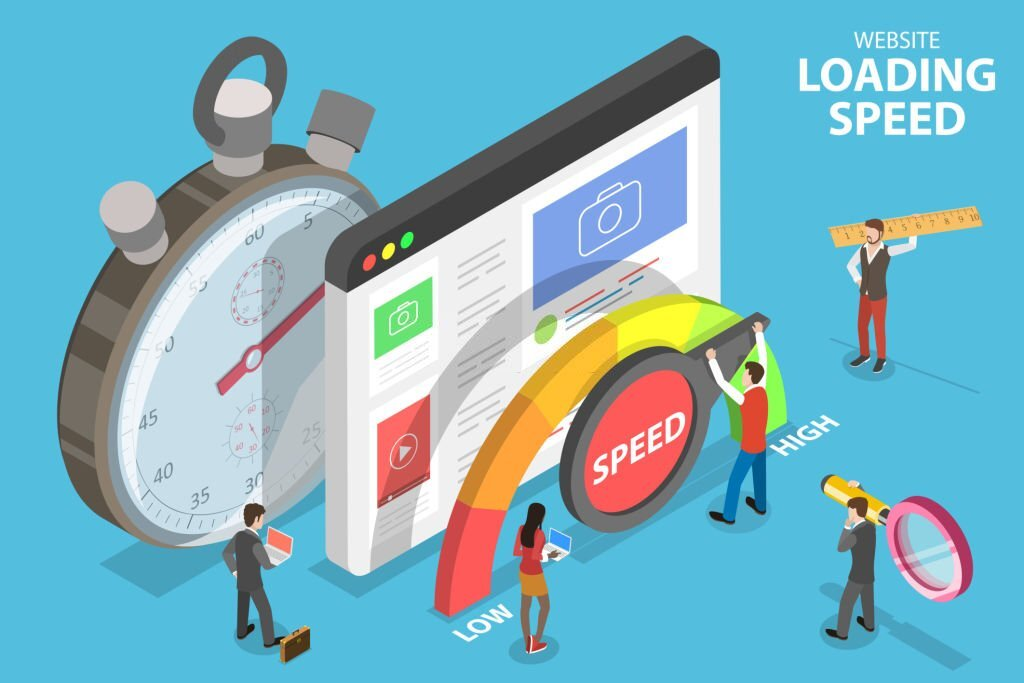
Page loading speed doesn’t necessarily directly impact first-page Google rankings, but slow loading times can increase bounce rates. When pages load within 2 seconds, the average bounce rate is 9%. However, if it takes longer than 3 seconds, the bounce rate can increase up to 38%.
Headless WordPress can help your website load faster. Separating the frontend and backend lets you optimize the frontend independently, resulting in a smoother user experience. This can lead to higher user satisfaction and better SEO rankings, ultimately contributing to the success of your website.
3. Website Scalability
Headless WordPress is an ideal solution for websites that expect high traffic volume and need to scale over time. For instance, during the holiday season, a popular e-commerce website can face a surge in traffic.
Headless WordPress allows you to ensure that the backend handles this increased traffic, while optimizing the frontend for a seamless user experience. It helps your website successfully manage the influx of visitors and deliver a positive user experience, even during high-traffic periods.
What Are the Drawbacks of Headless WordPress?
Headless WordPress has its pros and cons, and businesses and developers should weigh them before deciding to adopt this approach. Here are a few potential drawbacks to keep in mind if you’re considering using it:
1. Higher Development Costs
Developing a headless WordPress site can be more expensive than traditional WordPress due to its complex architecture. This requires more development time and resources, which may be a concern for businesses and developers on a limited budget.
2. Steep Learning Curve
Headless WordPress requires a strong understanding of frontend development technologies and APIs, which can be challenging for developers more familiar with traditional WordPress. This can lead to additional training time and increased learning costs.
3. Maintenance and Support
Because of its complex architecture and the need for APIs, headless WordPress requires more maintenance and support than traditional WordPress. This may require additional resources or expertise to ensure your website remains up-to-date and functioning properly.

How to Set Up a Headless WordPress Site
Setting up a headless WordPress site may seem intimidating, but it can be a straightforward process with the right guidance. Here’s a step-by-step guide on how to get your headless WordPress site up and running in no time:
1. Choose a Hosting Provider
Start by choosing a hosting provider that supports headless WordPress. You can choose from various providers like WP Engine, Kinsta, or Amazon Web Services.
2. Install WordPress
Once you have selected a hosting provider, you need to install WordPress. Headless WordPress is built on the traditional WordPress CMS, so the installation process is similar.
3. Install and Activate the REST API Plugin
Headless WordPress relies on the REST API to deliver content to the frontend. You need to install and activate the REST API plugin to use headless WordPress. Here are the steps to do this:
- Go to the WordPress plugin repository and search for “REST API“
- Select the REST API plugin developed by the WordPress team
- Click the “Install Now” button to download and install the plugin
- Click the “Activate” button to activate it once the plugin is installed
- Verify that the plugin is active by checking the “Plugins” section in the WordPress dashboard
4. Build Your Frontend
With headless WordPress, you can use any frontend technology you want, such as React, Angular, or Vue.js. Build your frontend using the technology of your choice
5. Connect Your Frontend to WordPress
Use the REST API to connect your frontend to WordPress. You can use the REST API to retrieve data from WordPress and display it on your frontend.
6. Test and Launch Your Site
Test your site thoroughly to ensure everything works correctly after you’ve built your frontend and connected it to WordPress. Once you’re satisfied with your site, launch it and start enjoying the benefits of headless WordPress.
Best Practices for Headless WordPress Development
Developing a headless WordPress site requires careful planning and consideration to ensure the best possible user experience. By following these best practices for headless WordPress development, you can set your website up for success:

Security Considerations
When making a headless WordPress site, it’s important to consider WordPress security to keep your users’ data safe and protect your website from threats. Remember to follow these security steps to stay protected:
- Protect your API: Implement measures to secure your API and prevent unauthorized access to your data
- Implement user authentication: This helps ensure that only authorized users have access to your site’s resources and information
- Use SSL encryption: Secure data in transit with SSL encryption, which helps protect against data breaches and unauthorized access to sensitive information
SEO Optimization
Optimizing your headless WordPress site for SEO is essential to improve its visibility and drive organic traffic. Here are some best practices you can follow:
- Handle metadata correctly: Include descriptive title tags, meta descriptions, and structured data markup that accurately represents your content to ensure accurate indexing
- Implement structured data: Structured data markup can help search engines better understand the content on your pages, leading to more relevant and richer search results
- Ensure proper indexing of your site’s content: Submit your sitemap to search engines and configure your robots.txt file to allow crawling of your site’s pages
Performance Monitoring
Monitoring website performance is crucial to ensure a fast and responsive website. Some best practices for performance monitoring include tracking metrics such as page load times and server response times, identifying areas for improvement, and implementing optimizations such as caching to improve website speed.
The Future of Headless WordPress and Web Development
Web development is constantly evolving, and headless WordPress is a promising part of its future. To stay ahead of the curve, keep an eye on industry trends and advancements:
Adapting to the Evolving Web Development Landscape
It’s important to stay up-to-date with the latest trends and tools in web development as new technologies emerge. Keep an eye on the rise of new frontend frameworks, the growing popularity of JAMstack development, and the increasing importance of serverless architecture.
Industry Trends and Advancements
As headless WordPress becomes more popular, we can expect to see further advancements and trends emerge. Watch for new headless WordPress plugins and tools, the use of machine learning and artificial intelligence (AI) to improve website performance, and the growing importance of accessibility and inclusive design.
Conclusion
Headless WordPress is a versatile platform that provides flexibility, scalability, customizability, and efficiency in creating and managing content. In this guide, we’ve discussed what headless WordPress is, how it works, and its architecture, benefits, and drawbacks. We have also explored how to set up a headless WordPress website, best practices for headless WordPress development, and the future of headless WordPress and web development.
Headless WordPress offers a flexible and innovative approach to web development. Staying up-to-date with the latest trends and tools is essential in the constantly evolving landscape of web development. With the right knowledge and resources, you can leverage headless WordPress to build powerful and engaging websites that meet your unique needs and goals.
Next Steps: What Now?
- Check the types of websites you can build with WordPress
- Explore the best WordPress hosting of 2023
- Discover the top website builder providers
- See the top web hosting providers


