


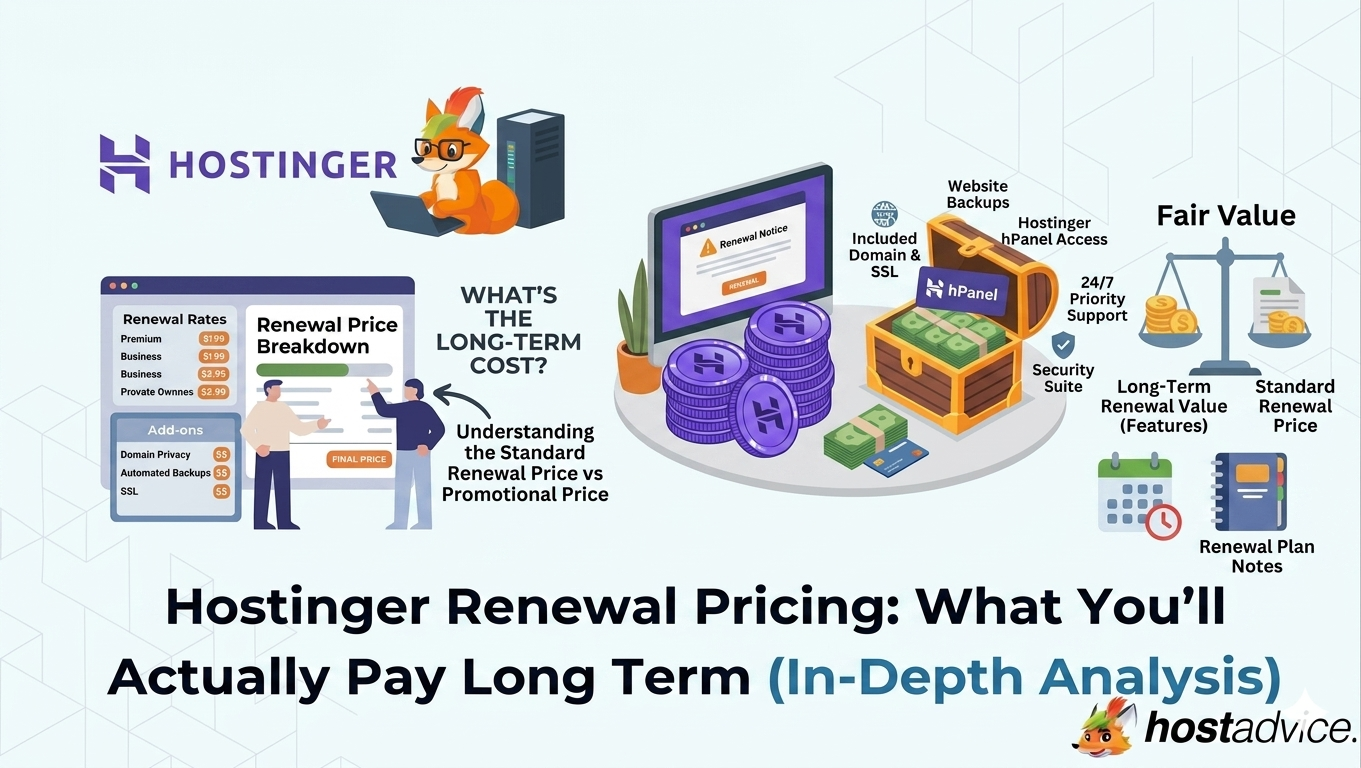
You signed up for Hostinger because the price looked almost unreal.
A couple of dollars per month for hosting that promises speed, uptime, and simplicity. It feels like an easy decision, especially when you compare it to other providers charging significantly more upfront.
But that price is only part of the story.
Once your initial term ends, the renewal price kicks in. And this is where most users pause. Not because something is wrong, but because the pricing suddenly feels very different from what they initially agreed to.
This isn’t a trick or a hidden fee. It’s how the hosting industry operates. The real question isn’t whether Hostinger becomes more expensive at renewal, but whether the long-term value still makes sense once the promotional pricing disappears.


Key Takeaways
Here’s the quick version before you compare Hostinger’s intro prices, renewal rates, included features, and long-term value.
- Renewal pricing can increase up to 4x–5x compared to intro rates.
- Premium hosting may increase from around $1.99/month to around $10.99/month.
- Business hosting may move from around $2.99/month to around $16.99/month.
- Cloud Startup may jump from around $6.99/month to around $25.99/month.
- Core features remain included, reducing reliance on paid add-ons.
- Renewal pricing is visible inside your dashboard before billing.
- Long-term cost depends on actual usage, not just entry pricing.
Understanding the Reality of Hostinger Renewal Pricing
Hostinger renewal pricing feels easier to judge once you understand why the first-term discount and standard rate look so different.
Why Renewal Prices Are Higher Than Intro Prices
The low price you see when signing up is not the standard cost of hosting. It’s a promotional rate designed to reduce friction and make it easier for new users to get started.
This strategy is used across the industry. Hosting providers compete aggressively on entry pricing, knowing that most users will continue using the service beyond the first term.
When your initial billing cycle ends, the pricing resets to its regular rate. That’s when the difference becomes noticeable.
In practical terms, this is what happens:
- Premium plan increases from around $1.99 to $10.99/month.
- Business plan moves from around $2.99 to $16.99/month.
- Cloud Startup jumps from around $6.99 to $25.99/month.
The increase feels large because the starting point is extremely low. But the renewal pricing itself is closer to what most providers charge once discounts are removed.
How Renewal Pricing Actually Affects Your Budget
Where most users miscalculate is by focusing only on the first-term price.
That initial number creates a strong perception of affordability, but it doesn’t reflect what you’ll actually pay if you continue using the service long-term.
To understand the real cost, you need to think in terms of:
- Total spend over multiple years.
- Average monthly cost across billing cycles.
- Whether your usage will grow over time.
For example, a four-year plan may look extremely cheap upfront. But once you renew, your cost aligns with standard pricing regardless of the discount you originally received.
You may use this moment to apply Hostinger renewal coupons for cheaper renewal terms.
Over time, this means Hostinger becomes less of a “cheap option” and more of a “competitive option” compared to other hosting providers.
What Drives Hostinger Renewal Costs
Renewal pricing isn’t arbitrary. It’s influenced by several predictable factors that determine what you’ll actually pay.
Billing Cycle and Commitment
The biggest factor is your billing cycle.
Longer plans offer the lowest upfront monthly cost because they require a larger commitment. However, they do not reduce your renewal rate.
- A 48-month plan gives you the lowest entry price.
- A 12-month plan costs more initially.
- Both renew at the same standard rate.
This is important because many users assume longer plans lock in lower pricing long-term. They don’t. They only reduce your first-term cost.
Hosting Type and Product Category
Different hosting types follow slightly different pricing patterns.
- Shared hosting: Highest discount → biggest renewal jump.
- Website builder: Moderate pricing shift.
- VPS hosting: More stable, less discount-driven.
Shared hosting is where most users experience the largest increase, simply because it is marketed with the lowest entry price.
Plan Tier and Resource Allocation
The plan you choose also impacts your renewal cost.
Higher-tier plans cost more, but they also provide:
- More storage and bandwidth.
- Better performance under traffic.
- Additional features like daily backups.
Choosing a lower-tier plan to save money upfront can backfire if you outgrow it quickly. Frequent upgrades can increase your total cost more than starting with the right plan.
The Truth About Hidden Fees and Checkout Experience
One of the biggest concerns with hosting pricing is hidden costs. Many providers advertise low prices but increase the final bill through add-ons during checkout.
Hostinger takes a more straightforward approach.
After reviewing the checkout flow:
- No forced add-ons are applied.
- Core features are bundled into plans.
- Pricing remains relatively consistent from selection to payment.
This doesn’t necessarily make Hostinger cheaper, but it does make pricing more predictable. You are not required to purchase additional services just to make your hosting functional.
What You Still Get After Renewal
A common misconception is that renewal pricing means paying more for the same service without additional value.
In reality, the feature set remains consistent.
Even after renewal, your plan continues to include:
- Free SSL certificates for secure browsing.
- Built-in malware scanning and security tools.
- Backup systems, weekly or daily depending on plan.
- Website builder and AI tools.
- Free website migration services.
This is important because some providers move essential features into paid add-ons after the first term. Hostinger keeps them bundled, which simplifies long-term cost planning.
Free Features That Offset Long-Term Costs
While renewal pricing increases, several included features help balance the overall value.
Domain and Privacy
Most annual plans include a free domain for the first year, along with WHOIS privacy protection. This reduces initial setup costs and simplifies getting started.
After the first year:
- Domain renewal becomes a separate cost.
- This is standard across all hosting providers.
Security and Backup Systems
Security is included as part of the hosting plan, not an optional upgrade.
Key inclusions:
- Unlimited SSL certificates.
- Malware detection tools.
- Automatic updates.
Backup frequency varies by plan:
- Premium → weekly backups.
- Business & Cloud → daily backups.
These features reduce the need for external tools, which can otherwise increase your total cost.
Migration and Setup
Switching hosting providers can be complex, but Hostinger simplifies this process.
- Free website migration included.
- Zero downtime transfers.
- Instant setup after purchase.
This removes both technical barriers and potential migration costs.
Managing Renewal and Avoiding Unexpected Charges
Hostinger does not hide renewal pricing, but it is easy to overlook if you focus only on the initial deal.
You can find your renewal pricing inside the hPanel dashboard under billing settings. This gives you full visibility before your next charge.
To stay in control:
- Disable auto-renewal if you prefer manual control.
- Set a reminder 30–60 days before expiration.
- Review your plan and usage before renewing.
Taking these steps ensures that renewal pricing never comes as a surprise.
Hostinger vs Competitors: Renewal Price Matrix
Choosing a hosting provider based only on the introductory price can be misleading. Renewal pricing is where real cost differences become clear, and this is where Hostinger shifts from “cheapest option” to “competitively priced option.”
| Provider | Intro Price Position | Renewal Pricing Level | Pricing Model | Add-On Dependency | Best Fit Users |
|---|---|---|---|---|---|
| Hostinger | Very low | High (4x–5x increase) | Aggressive discounting | Low | Beginners, budget users |
| Bluehost | Low | High | Discount-driven | Moderate | WordPress beginners |
| SiteGround | Moderate | High | Value-based pricing | Low | Performance-focused users |
| A2 Hosting | Moderate | Moderate–high | Balanced pricing | Moderate | Flexible, performance users |
| DreamHost | Moderate | Moderate | Stable pricing | Low | Long-term, cost-conscious users |
What This Comparison Actually Shows
At first glance, Hostinger looks significantly cheaper than competitors. But that advantage is concentrated in the first billing cycle.
Once renewal pricing applies, the gap narrows quickly. Hostinger no longer stands out as the lowest-cost option, but it also doesn’t become overpriced. Instead, it sits within the same general pricing range as most mainstream hosting providers.
What differentiates it is not the renewal price itself, but how that price is structured:
- Lower entry barrier: One of the cheapest ways to get started.
- Higher perceived jump: Because the starting price is extremely low.
- Lower add-on pressure: Most features are already included.
In contrast, providers like SiteGround and DreamHost feel more stable because their entry prices are closer to their renewal rates. The trade-off is that you pay more upfront, but experience less pricing shock later.
The practical takeaway is simple. Hostinger is optimized for accessibility, not price consistency. If you value a low starting cost and a bundled feature set, it remains competitive even after renewal. If you prioritize predictable long-term pricing, other providers may feel more stable.
How to Reduce the Impact of Renewal Pricing
You cannot completely avoid renewal pricing. Every hosting provider moves you from a discounted rate to a standard rate eventually.
What you can control is how much that transition affects your total cost.
The difference between a “cheap host that became expensive” and a “good long-term deal” usually comes down to planning. Small decisions early on can significantly change how much you pay over time.
Choose the Right Plan Early
One of the most common mistakes is starting with the cheapest plan just to minimize upfront cost.
At first, this feels like the safest option. But in practice, it often leads to early upgrades. As your website grows, you may hit limits on storage, traffic, or performance, forcing you to move to a higher-tier plan sooner than expected.
Each upgrade adds cost and can disrupt your billing cycle. Using a longer commitment like a 48-month cycle will give you the most advantage.

A better approach is to choose a plan based on realistic usage, not just price. This means thinking beyond your current needs and considering where your site will be in the next 6–12 months.
Instead of defaulting to the lowest tier, consider:
- Expected traffic growth: Will your site remain small, or are you planning to scale?
- Number of websites: Are you managing one site or multiple projects?
- Performance requirements: Will speed and uptime directly impact your business?
Choosing slightly higher upfront can often prevent multiple upgrades later, which leads to better cost efficiency over time.
Think in Terms of Total Cost, Not Monthly Price
Monthly pricing is designed to look attractive, but it rarely reflects the full picture.
What matters more is the total cost across your entire usage period. This includes your initial payment, renewal pricing, and any upgrades you make along the way.
Instead of asking “How cheap is this per month?”, a better question is:
“What will I actually pay over the next 2–4 years?”
To evaluate this properly, consider:
- Total cost across billing cycles: Not just the first term.
- Renewal pricing after discounts expire: This is your real baseline.
- Included features vs external tools: Are you saving elsewhere?
For example, a slightly more expensive plan that includes daily backups and better performance may eliminate the need for paid tools later. That makes it more cost-effective in the long run, even if the monthly price looks higher.
Avoid Urgency-Based Decisions
If you’ve spent any time on hosting pricing pages, you’ve likely seen countdown timers.
Messages like “03D 21H remaining” are designed to create urgency and push faster decisions. While they can highlight real promotions, they are also part of a broader pricing strategy.
In most cases, these deals are not truly one-time opportunities. They are recurring campaigns that appear frequently throughout the year.
Rushing into a plan because of a timer can lead to:
- Choosing the wrong plan tier.
- Overcommitting to a long-term contract.
- Ignoring renewal pricing entirely.
The better approach is to step back and evaluate your needs without pressure. Hosting is a long-term decision, and taking an extra day to choose correctly can save both money and effort later.
Upgrade Strategically Instead of Reactively
Upgrades are inevitable as your website grows. The key is to approach them strategically rather than reacting to limitations as they appear.
Frequent small upgrades can lead to inefficient spending. Each change may adjust your billing, reset cycles, or create unnecessary complexity in managing your account.
Instead, it’s better to think in terms of planned scaling.
When you anticipate growth, consider:
- Upgrading during promotional periods: This can reduce the cost difference.
- Jumping to a suitable tier: Instead of multiple incremental upgrades.
- Aligning upgrades with your billing cycle: To avoid overlapping costs.
For example, moving directly from an entry plan to a mid-tier plan when you know you’ll need the resources can be more efficient than stepping through multiple levels.
This approach reduces friction, simplifies management, and often results in lower total cost over time.
Use Renewal Visibility to Your Advantage
One advantage with Hostinger is that renewal pricing is not hidden.
You can view your exact renewal cost inside your dashboard before the billing date. This gives you time to evaluate your options rather than reacting after a charge has already been processed.
To make the most of this:
- Check your renewal price at least 30–60 days before expiry.
- Compare it with current market options.
- Decide whether to renew, upgrade, or switch.
This simple habit prevents surprises and puts you back in control of your spending.
Combine Cost Awareness with Usage Reality
Ultimately, reducing the impact of renewal pricing is not about finding a workaround. It’s about aligning your spending with how you actually use hosting.
If your website is growing, generating revenue, or supporting a business, the renewal cost often becomes easier to justify. If your usage remains minimal, it may be worth reevaluating whether your current plan is the right fit.
The goal is not to avoid paying more. It’s to make sure you’re paying for something that still makes sense.
Final Verdict: Is Hostinger Renewal Pricing Worth It?
Hostinger’s pricing model is built around accessibility first and sustainability later.
The low entry price makes it easy to get started, while renewal pricing reflects the actual cost of maintaining the service.
It works well for:
- Beginners launching their first website.
- Small businesses needing simple hosting.
- Users who prefer bundled features.
It may not be ideal for:
- Users focused purely on lowest long-term cost.
- Developers needing full control.
- Projects requiring complex infrastructure.
The key is alignment. If your needs match what Hostinger offers, the pricing remains competitive even after renewal.
Conclusion
Hostinger renewal pricing can feel steep because the introductory price is so low. But the long-term value depends on how you use the service, which plan you choose, and whether the included features reduce your need for paid add-ons.
If you only care about the lowest possible renewal price, Hostinger may not always be the cheapest long-term option. But if you want low entry costs, bundled tools, simple management, and beginner-friendly hosting, it remains competitive after renewal.
Next Steps: What Now?
Before your renewal date arrives, take a few minutes to review your current plan and usage.
- Check your renewal price inside your dashboard.
- Evaluate whether your current plan still fits your needs.
- Remove unused services or upgrades.
- Compare alternatives if necessary.
- Set a renewal reminder 30–60 days before your next billing date.
If you’re still unsure, reading a detailed Hostinger review can give you a clearer understanding of performance, usability, and long-term value before committing.
