Docker WordPress: Feature Overview
| Provider | Starting Price | Storage (GB) | CPU (Cores) | RAM (GB) | |
|---|---|---|---|---|---|
![]() | $2.39 | 50-400 | 1-8 | 4-32 | Visit Hostinger |
![]() | $4.00 | 20-4000 | 1-32 | 1-128 | Visit Kamatera |
![]() | $1.00 | 10-640 | 1-12 | 1-24 | Visit IONOS |
![]() | $3.79 | 50-450 | 1-8 | 2-16 | Visit Bluehost |
![]() | $4.00 | 30-50 | 1-2 | 2-4 | Visit VPSServer.com |
![]() | $1.49 | 10-640 | 1-12 | 1-24 | Visit HostArmada |
![]() | $2.99 | 50-750 | 2-12 | 2-64 | Visit Ultahost |
![]() | $0.59 | 30-100 | 1-2 | 1-2 | Visit Verpex Hosting |
![]() | $2.50 | 30-480 | 1-16 | 2-32 | Visit InterServer |
![]() | $3.96 | 150-400 | 3-6 | 8-18 | Visit Contabo |

What is Docker WordPress Hosting?
Docker WordPress Hosting is a hosting setup where WordPress runs inside Docker containers instead of a traditional hosting environment. Docker containers package WordPress, databases, plugins, and dependencies into isolated environments that can run consistently across different servers.
This type of hosting is useful for developers, agencies, and businesses that want better portability, easier deployments, and more control over their WordPress environment. Docker WordPress Hosting also makes it easier to test updates, manage staging environments, and scale applications without affecting the live website.
Unlike regular shared hosting, Docker-based WordPress hosting gives users more flexibility for custom configurations, development workflows, and multi-container setups using tools like Docker Compose.
When to Choose and When to Avoid Docker WordPress Hosting
| Reasons to Use Docker WordPress Hosting | Reasons Not to Use Docker WordPress Hosting |
| You want isolated environments for WordPress applications. | You are completely new to hosting and server management. |
| You need consistent deployments across development and production servers. | You only run a small personal blog with low traffic. |
| You manage multiple WordPress websites or staging environments. | You prefer one-click hosting without technical setup. |
| You want easier scaling and container management. | You do not want to maintain containers or server updates. |
| You need custom software or server configurations. | Shared hosting already covers your website needs. |
| Your team works on development and testing workflows. | You are on a very limited hosting budget. |
| You want better portability between hosting providers. | You do not need advanced deployment flexibility. |
| Your website traffic changes frequently. | You do not have experience with Linux or command-line tools. |
If Docker WordPress Hosting is Not Relevant to Your Needs, Consider These Alternatives
- Shared Hosting -Ideal for beginners and small websites with lower traffic. It is affordable and requires little technical knowledge.
- Managed WordPress Hosting -Designed specifically for WordPress websites with automatic updates, security management, caching, and support included.
- VPS Hosting -Suitable for websites that need dedicated resources and more server control without using containers.
- Cloud Hosting -Good for websites with fluctuating traffic that require scalability and flexible resource allocation.
- Dedicated Server Hosting -Best for large businesses and high-traffic websites that need full server resources and advanced customization.
How To Choose The Best Docker WordPress Hosting Providers
Choosing the right Docker WordPress hosting provider depends on your technical experience, scalability requirements, and hosting budget.
- Check Docker Support: Make sure the provider fully supports Docker containers, Docker Compose, and containerized applications.
- Choose the Right VPS or Cloud Plan: Docker WordPress hosting performs best on VPS or cloud infrastructure with dedicated resources.
- Look for Scalable Resources: Select a provider that allows you to increase CPU, RAM, and storage when your website grows.
- Prioritize Performance: NVMe SSD storage, global data centers, and strong uptime guarantees help improve WordPress speed and reliability.
- Evaluate Ease of Management: Beginners may benefit from managed VPS hosting or simplified dashboards for container management.
- Review Security Features: Choose providers with backups, DDoS protection, firewall tools, and server monitoring.
- Check Developer Features: SSH access, API integrations, root access, and staging environments are useful for Docker workflows.
- Compare Pricing Carefully: Look beyond introductory pricing and review renewal costs, included resources, and backup fees.
- Test Customer Support: Reliable 24/7 support becomes important when dealing with Docker deployment or server-related issues.
-
Best Overall Hosting 2026
-
Users Top Choice 2026
-
Most Recommended NodeJS 2026
-
Best AI App Builder 2026
-
Top 5 Europe Web Hosting 2026

Hostinger offers Docker WordPress hosting through its VPS plans, giving users access to containerized WordPress deployments with simple server management. Its hosting platform combines low pricing, NVMe SSD storage, and an easy-to-use interface that works well for users starting with Docker environments.
Rating Based on Expert Review
- Overall Score: 4.8
- Features: 4.8
- Reliability: 4.8
- User-Friendly: 4.9
- Support: 4.8
- Pricing: 4.9
Detailed Analysis
Features: Hostinger includes full root access, dedicated IPs, NVMe SSD storage, weekly backups, and support for Docker installations. Users can deploy multiple WordPress containers and manage resources efficiently.
Reliability: The company maintains stable uptime with modern server infrastructure and global data centers. WordPress websites hosted in Docker containers benefit from consistent performance and fast storage.
User-Friendly: Hostinger’s VPS dashboard is designed for ease of use, making server deployment and monitoring simpler than many competing providers. Its setup process is suitable for users learning Docker hosting.
Support: Support is available 24/7 through live chat and a detailed knowledge base. Tutorials covering VPS hosting and Docker configurations are also available.
Pricing: Hostinger remains one of the lower-cost providers for Docker WordPress hosting. VPS plans include dedicated resources at competitive monthly pricing.
- Beginner-friendly VPS dashboard
- Low monthly pricing
- NVMe SSD performance
- Global server locations
- Good knowledge base resources
- No phone support
- Advanced server management still requires experience
-
Best VPS Hosting 2026
-
Top 5 Europe Web Hosting 2026
-
Top 5 Australia Web Hosting 2026
-
Top 10 Best Gaming Hosting Provider 2026
-
Top 10 Reseller Hosting 2026

Kamatera offers cloud-based Docker WordPress hosting with flexible server deployment, custom configurations, and fast scaling options. Users can deploy WordPress containers on Linux cloud servers and adjust CPU, RAM, and storage resources at any time. It supports Docker environments for developers who want more control over WordPress applications, plugins, and staging setups. Entry-level cloud servers start at affordable monthly pricing while allowing businesses to scale resources without migration.
Rating Based on Expert Review
- Overall Score: 4.9
- Features: 5.0
- Reliability: 4.9
- User-Friendly: 4.7
- Support: 4.8
- Pricing: 4.8
Detailed Analysis
Features: Kamatera supports Docker deployments on cloud VPS infrastructure with customizable server resources, SSD storage, multiple operating systems, API access, and server cloning. Developers can create isolated WordPress containers for testing and production environments.
Reliability: The platform offers a 99.95% uptime guarantee with cloud infrastructure designed to reduce downtime. Its global data centers across North America, Europe, Asia, and the Middle East help improve performance and availability.
User-Friendly: Kamatera is built more for users with some server management experience. The cloud dashboard is organized and makes scaling simple, though beginners may need some time to get comfortable with Docker management.
Support: Technical support is available 24/7 through live chat and ticket support. Managed services are also available for users who want assistance with Docker WordPress server maintenance.
Pricing: Kamatera uses pay-as-you-go pricing, allowing users to pay only for the resources they use. This works well for Docker WordPress projects that may grow over time or require temporary scaling.
- Flexible Docker WordPress server deployment
- Instant cloud scaling
- Multiple global data centers
- Custom server configurations
- Hourly and monthly billing options
- Beginners may find Docker setup challenging
- Managed services increase the overall cost
-
Best Value for Money 2026
-
Editor's Choice 2026
-
Most Recommened PHP Hosting 2026
-
Top 5 UK Web Hosting 2026
-
Top 5 Europe Web Hosting 2026

IONOS provides Docker WordPress hosting solutions through its VPS and cloud server plans. Users can deploy Docker containers for WordPress websites while benefiting from SSD storage, integrated security tools, and affordable pricing. IONOS is often chosen by users looking for low-cost cloud hosting with stable performance and easy server management tools.
Rating Based on Expert Review
- Overall Score: 4.8
- Features: 4.8
- Reliability: 4.8
- User-Friendly: 4.9
- Support: 4.7
- Pricing: 4.9
Detailed Analysis
Features: IONOS includes scalable VPS hosting, full root access, SSD storage, automated backups, and support for Docker environments. Users can create WordPress containers for development, testing, or production workloads.
Reliability: The company offers stable uptime backed by secure data centers and redundant infrastructure. Its cloud platform handles traffic spikes well for WordPress applications running inside Docker containers.
User-Friendly: IONOS provides a clean management dashboard that simplifies server administration. Docker setup is straightforward for users familiar with Linux hosting environments.
Support: Customer support is available 24/7 through phone and live chat. IONOS also provides setup guides and documentation for cloud hosting and Docker usage.
Pricing: IONOS is one of the more affordable options for Docker WordPress hosting. Its VPS plans start at low monthly prices while still including dedicated resources and SSD performance.
- Affordable VPS pricing
- Easy server management dashboard
- SSD-based cloud infrastructure
- Flexible Docker deployment
- Reliable uptime performance
- Lower-tier plans have limited resources
- Advanced customization may require technical experience
-
Top 10 WordPress Hosting 2026
-
Top 10 Website Builder 2026
-
Over 99% Uptime 2023
-
Top 25 WordPress Hosting 2023

Bluehost is widely known for WordPress hosting and also supports Docker WordPress deployments through its VPS and dedicated hosting solutions. Users can configure Docker containers on Linux-based servers while taking advantage of Bluehost’s WordPress-focused tools and hosting infrastructure.
Rating Based on Expert Review
- Overall Score: 4.7
- Features: 4.7
- Reliability: 4.8
- User-Friendly: 4.9
- Support: 4.7
- Pricing: 4.6
Detailed Analysis
Features: Bluehost provides VPS hosting with root access, SSD storage, multi-server management, and support for Docker installations. WordPress users can create containerized environments for staging, development, and deployment purposes.
Reliability: The company delivers dependable uptime with secure hosting infrastructure and resource protection. Its VPS environment handles WordPress workloads consistently for small and medium-sized projects.
User-Friendly: Bluehost offers a beginner-friendly dashboard and integrates many WordPress management tools directly into the hosting environment. Server setup is simpler compared to many traditional VPS providers.
Support: Users receive 24/7 support through live chat and phone support. Bluehost also offers WordPress-focused guidance and server troubleshooting assistance.
Pricing: Bluehost pricing is reasonable for VPS hosting, though renewal costs can become higher after the initial term. Plans include dedicated resources and hosting management features.
- Strong WordPress hosting integration
- Beginner-friendly dashboard
- 24/7 live support
- Reliable VPS infrastructure
- Good performance for WordPress sites
- Renewal pricing is higher
- Less flexibility than some cloud providers

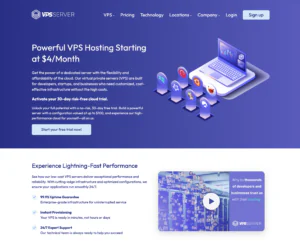
VPSServer.com focuses on cloud VPS hosting with support for Docker WordPress deployments across multiple global locations. The company offers scalable cloud infrastructure with NVMe SSD storage and fast deployment times. It is suitable for developers and agencies managing WordPress projects in containerized environments.
Rating Based on Expert Review
- Overall Score: 4.7
- Features: 4.8
- Reliability: 4.8
- User-Friendly: 4.6
- Support: 4.7
- Pricing: 4.7
Detailed Analysis
Features: VPSServer.com supports Docker installations on Linux VPS servers with dedicated resources, NVMe storage, API access, automated backups, and instant server provisioning. Users can deploy WordPress containers in various regions worldwide.
Reliability: Its cloud platform delivers stable uptime using enterprise hardware and distributed infrastructure. Multiple data center locations help reduce latency for international WordPress audiences.
User-Friendly: The management panel is simple to navigate and allows users to deploy and monitor VPS resources quickly. Docker management still requires some technical familiarity.
Support: VPSServer.com provides 24/7 customer support through tickets and live chat. The support team can assist with server-related issues and deployment questions.
Pricing: Pricing is competitive for cloud VPS hosting with dedicated resources. Plans remain flexible for users who need scalable Docker WordPress environments without committing to expensive long-term contracts.
- Large number of server locations
- NVMe SSD storage
- Fast VPS deployment
- Good scalability options
- Dedicated cloud resources
- Docker setup requires server knowledge
- Managed hosting options are limited
-
Best Web Hosting 2026
-
Top 5 Europe Web Hosting 2026
-
Top 5 Germany Web Hosting 2026
-
Top 10 Reseller Hosting 2026
-
Top 5 USA Web Hosting 2025

HostArmada offers cloud-based VPS hosting that supports Docker WordPress environments with managed assistance and optimized server performance. Its infrastructure uses SSD cloud storage, LiteSpeed web servers, and multiple global data centers. Users can deploy Docker containers for WordPress projects while benefiting from security monitoring, backups, and server optimization tools.
Rating Based on Expert Review
- Overall Score: 4.8
- Features: 4.8
- Reliability: 4.9
- User-Friendly: 4.8
- Support: 4.9
- Pricing: 4.6
Detailed Analysis
Features: HostArmada includes SSD cloud storage, dedicated resources, root access, daily backups, security protection, and support for Docker installations on VPS plans. Users can build isolated WordPress environments for testing and deployment.
Reliability: The company provides stable uptime through cloud redundancy and modern server infrastructure. Its global data centers help improve loading speeds for WordPress websites hosted inside Docker containers.
User-Friendly: HostArmada offers a clean dashboard with managed hosting assistance that simplifies VPS administration. The platform is easier to manage than many unmanaged Docker hosting providers.
Support: Support is available 24/7 through live chat, tickets, and phone support. The support team is responsive and assists with server-related issues and migrations.
Pricing: Pricing is slightly higher compared to entry-level VPS providers, though users receive managed hosting features, cloud infrastructure, and security tools included with the plans.
- Managed VPS assistance
- SSD cloud infrastructure
- Daily backups included
- Multiple global data centers
- Helpful support team
- Renewal pricing is higher
- Lower plans have limited resources
-
Best Dedicated Hosting Provider 2026
-
Best Windows Hosting Provider 2026
-
Top 5 France Web Hosting 2026
-
Top 10 Website Builder 2026
-
Top 10 Web Hosting 2026

Ultahost provides Docker WordPress hosting through high-performance VPS and dedicated server solutions. The platform includes NVMe SSD storage, full root access, DDoS protection, and scalable resources for containerized WordPress environments. It is suitable for businesses and developers looking for faster server performance and flexible Docker deployment.
Rating Based on Expert Review
- Overall Score: 4.9
- Features: 4.9
- Reliability: 4.9
- User-Friendly: 4.8
- Support: 4.8
- Pricing: 4.8
Detailed Analysis
Features: Ultahost includes NVMe SSD storage, unlimited bandwidth on selected plans, dedicated IPs, automated backups, and support for Docker container setups. Users can deploy and manage multiple WordPress containers efficiently.
Reliability: The hosting infrastructure is designed for uptime stability with enterprise hardware and cloud integration. WordPress applications hosted through Docker benefit from consistent server performance and resource allocation.
User-Friendly: Ultahost offers an organized management panel with one-click operating system deployment and VPS monitoring tools. Docker installation is straightforward for users with basic server experience.
Support: Customer support is available around the clock through live chat and ticket systems. Users can also request managed assistance for server maintenance and optimization.
Pricing: Ultahost pricing remains competitive considering the NVMe performance and security features included in the plans. It offers a good balance between cost and server resources.
- NVMe SSD storage
- Strong VPS performance
- DDoS protection included
- Scalable Docker hosting
- Managed support available
- Advanced customization may require experience
- Some features cost extra on lower plans
-
Best Reseller Hosting Provider 2026
-
Top 5 Australia Web Hosting 2026
-
Top 5 UK Web Hosting 2026
-
Top 10 Windows Hosting 2026
-
Top 10 VPS Hosting 2026

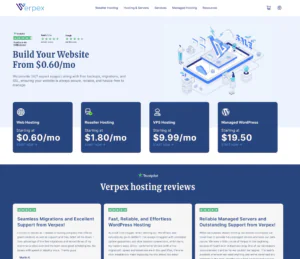
Verpex Hosting offers Docker WordPress hosting through VPS and cloud hosting solutions designed for ease of use and stable performance. The company provides SSD-powered infrastructure, global server locations, and flexible server configurations for users building containerized WordPress websites.
Rating Based on Expert Review
- Overall Score: 4.7
- Features: 4.7
- Reliability: 4.8
- User-Friendly: 4.9
- Support: 4.8
- Pricing: 4.7
Detailed Analysis
Features: Verpex Hosting includes SSD storage, free migrations, server monitoring, root access, and support for Docker deployment on VPS environments. Users can run isolated WordPress containers for development and production.
Reliability: The platform delivers dependable uptime with cloud-based infrastructure and optimized server performance. Its global server network helps improve loading speeds for international WordPress audiences.
User-Friendly: Verpex Hosting focuses heavily on ease of use with a clean client area and simple VPS management tools. Docker setup is manageable even for users with limited server experience.
Support: The support team is available 24/7 through live chat and tickets. Verpex is known for quick responses and migration assistance for hosting transfers.
Pricing: Pricing is reasonable for cloud VPS hosting, especially considering the included support and SSD performance. Introductory pricing is attractive for smaller WordPress projects.
- Beginner-friendly platform
- Free website migrations
- SSD cloud hosting
- Responsive support team
- Multiple server locations
- Advanced users may want more customization
- Higher renewals on some plans
-
Best Linux Hosting Provider 2026
-
Top 5 USA Web Hosting 2026
-
Top 10 Reseller Hosting 2026
-
Top 10 Windows Hosting 2026
-
Great Support 2026

InterServer offers VPS hosting solutions that support Docker WordPress deployments with flexible resource allocation and stable pricing. The company is known for its price-lock guarantee and customizable cloud VPS plans. Users can deploy Docker containers on Linux servers while managing WordPress websites with full root access.
Rating Based on Expert Review
- Overall Score: 4.8
- Features: 4.7
- Reliability: 4.8
- User-Friendly: 4.7
- Support: 4.8
- Pricing: 4.9
Detailed Analysis
Features: InterServer provides SSD storage, scalable VPS resources, multiple Linux operating systems, root access, and support for Docker installations. Users can configure WordPress containers for staging and production use.
Reliability: The hosting infrastructure delivers stable uptime with redundant systems and data center security protections. Docker WordPress websites perform consistently on its VPS network.
User-Friendly: InterServer includes a management panel that simplifies server monitoring and VPS administration. Users familiar with Linux environments should find Docker deployment straightforward.
Support: Customer support is available 24/7 through live chat, tickets, and phone support. The company also assists with migrations and server-related issues.
Pricing: InterServer stands out for its price-lock guarantee, helping users avoid major renewal increases. VPS plans remain affordable while offering scalable resources.
- Price-lock guarantee
- Flexible VPS plans
- Full root access
- Reliable uptime
- 24/7 customer support
- Interface feels dated in some areas
- Setup is less beginner-focused
-
Top 5 Germany Web Hosting 2026
-
Top 10 VPS Hosting 2026
-
Top 10 Cloud Hosting 2026
-
Top 10 Dedicated Hosting 2026
-
Excellent Service 2026

Contabo specializes in high-resource VPS and dedicated hosting solutions suitable for Docker WordPress environments. The company offers large amounts of RAM, storage, and CPU resources at competitive prices. It is commonly used for resource-heavy WordPress projects and containerized applications.
Rating Based on Expert Review
- Overall Score: 4.7
- Features: 4.9
- Reliability: 4.7
- User-Friendly: 4.6
- Support: 4.6
- Pricing: 4.9
Detailed Analysis
Features: Contabo provides VPS plans with high RAM allocations, SSD storage, full root access, dedicated resources, and Docker support. Users can host multiple WordPress containers on a single server environment.
Reliability: The platform delivers stable performance with enterprise hardware and modern data center infrastructure. WordPress websites hosted through Docker benefit from large server resource availability.
User-Friendly: Contabo’s management tools are functional but less polished compared to some competitors. Users with server administration experience will have an easier time managing Docker environments.
Support: Customer support is available through tickets and email support. Response times are generally acceptable, though live support options are more limited.
Pricing: Contabo is one of the more affordable providers for high-resource VPS hosting. Users receive large resource allocations at lower monthly prices than many competing platforms.
- High RAM and storage allocations
- Competitive VPS pricing
- Full root access
- Suitable for large WordPress projects
- Flexible Docker hosting
- Dashboard is less modern
- Support response times can vary
Why Trust Our Recommendations
At HostAdvice, transparency and research guide every recommendation we publish. Our hosting experts analyze performance, pricing, usability, scalability, and support quality to help users choose hosting solutions that match their needs.
For Docker WordPress hosting, we focus on factors such as container compatibility, server flexibility, uptime, developer tools, and overall hosting value. We also compare real customer experiences alongside technical testing to provide balanced recommendations.
Our goal is to simplify the process of finding reliable Docker WordPress hosting for developers, businesses, agencies, and growing websites.
How Do We Test and Rank
At HostAdvice, our experts perform detailed research and hands-on testing to evaluate Docker WordPress hosting providers fairly.
We review important areas such as server performance, uptime consistency, scalability, ease of deployment, pricing, support quality, and Docker compatibility. Providers are also evaluated based on their VPS infrastructure, cloud technology, and developer-focused features.
Our testing process includes analyzing real hosting environments, comparing server response times, reviewing dashboard usability, and monitoring uptime performance. We also consider long-term pricing stability and how well providers support containerized WordPress deployments.
Extra points are given to providers that offer transparent pricing, reliable support, and practical features that improve WordPress hosting management.
Best Docker WordPress Hosting: Final Recommendations
Docker WordPress hosting is a good solution for users who need more flexibility, scalability, and control than traditional hosting environments provide. It works especially well for developers, agencies, growing businesses, and teams managing multiple WordPress deployments.
The right provider depends on your technical experience, project size, and resource requirements. Some users may prioritize simplicity and managed support, while others may need advanced cloud infrastructure and scalable server resources.
Before choosing a provider, focus on performance, Docker compatibility, pricing, security features, and support quality. A reliable Docker WordPress hosting platform can simplify deployments, improve workflow management, and help your WordPress projects scale more efficiently.