


Replit gives off an approachable vibe. No local setup, no downloads, just open your browser and start coding or building. But what really intrigued me was how deeply it blends AI into the development process, from generating code to debugging errors.
In this Replit review, I’ll walk you through my hands-on experience building an app with Replit, explain its pricing and plans, break down the pros and cons, and share insightful parts of it.
 Visit Replit
 What Is Replit.ai?
Replit is an AI-powered, collaborative, cloud-based integrated development environment (IDE) that lets you turn ideas into working apps directly from your browser or mobile device.
Unlike traditional development environments that require installing tools, configuring servers, and managing deployments, Replit removes all that friction. You simply describe what you want to build, and its AI agent helps generate, refine, and improve your app step by step (almost like having a built-in developer on your team).
You can start coding instantly in over 50 languages, collaborate in real time with teammates, and deploy apps with a single click. It combines coding, hosting, database integration, and even authentication into one seamless experience.
Who Is Replit For?
Replit is for:
- People who want to create software without getting stuck on setup or deployment.
- Beginners who are learning to code.
- Hobbyists or indie builders looking for an opportunity to turn ideas into apps.
- Educators teaching coding in classrooms.
- Startups and enterprise teams that rely on prototypes and require faster and more secure deployment methods.
Pros and Cons on Replit AI App Builder
- Easy signup with multiple login options
- No credit card required for free plan
- Intuitive AI-powered project creation
- Supports 50+ programming languages
- Real-time collaboration
- Automatic setup with zero configuration needed
- Free plan has strict usage limits
- Deployment requires upgrading from the Starter plan
- Heavy reliance on the internet connection
- Occasional AI errors need manual review
Visit Replit Replit Key Features
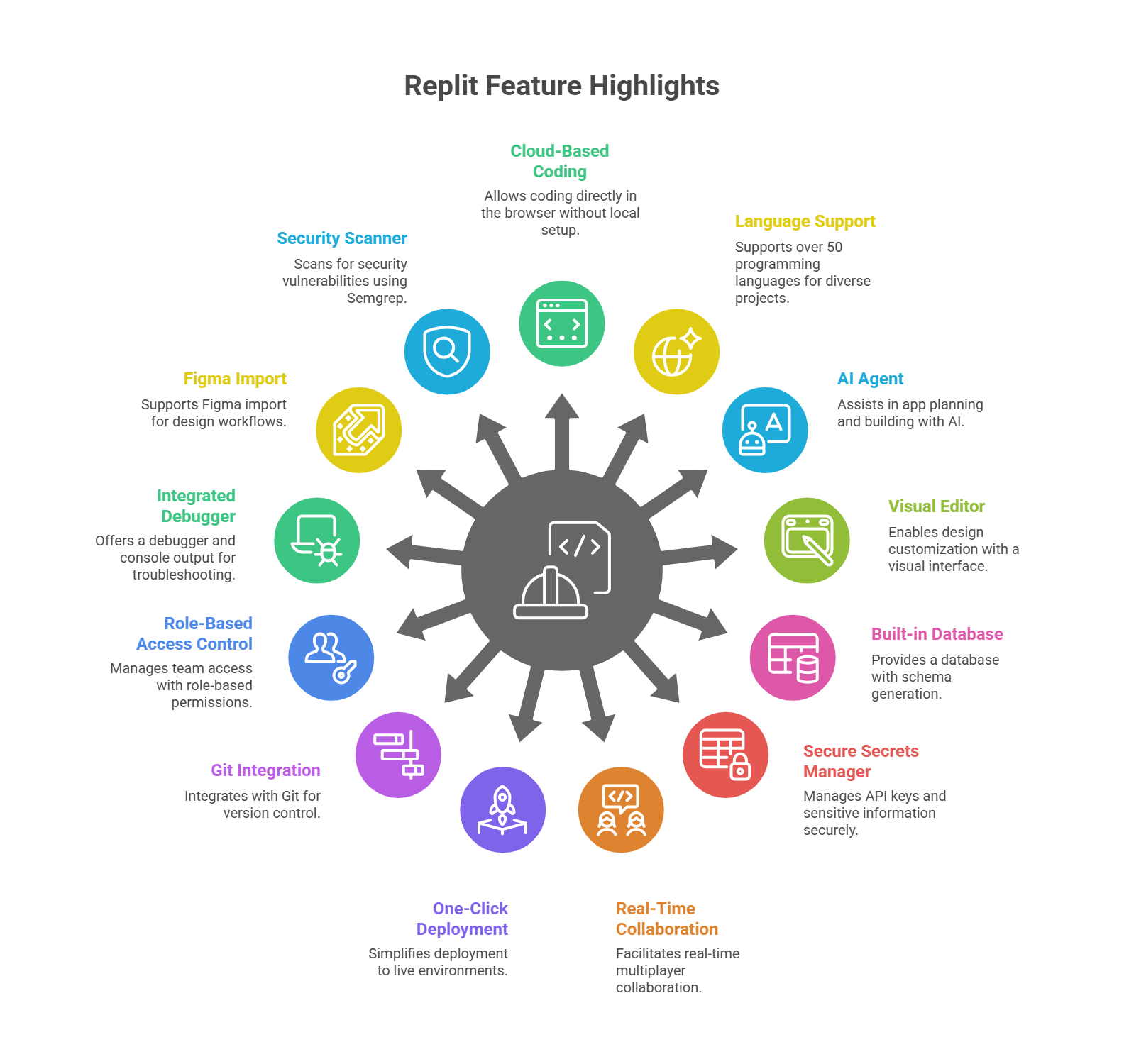
- Cloud-based coding directly in the browser
- Supports over 50 programming languages
- AI Agent for app planning and building
- Visual Editor for design customization
- Built-in database with schema generation
- Secure secrets manager for API keys
- Real-time multiplayer collaboration tools
- One-click deployment to live environments
- Git integration with commit tracking
- Role-based access control for teams
- Integrated debugger and console output
- Figma import support for design workflows
- Security scanner powered by Semgrep
My Hands-On Experience with Replit: A Step-by-Step Guide
First impressions matter a lot. From signing up to verifying accounts and landing on the dashboard, I can tell how effective a platform will be.
A smooth start signals that the tool was designed with the user in mind. Any unnecessary friction or hidden paywalls, on the other hand, can instantly sour the entire experience.
Here’s how Replit played out for me:
Getting Started & Signing Up
When I first landed on Replit’s homepage, the message was clear and bold: “Turn your ideas into apps.”
Right underneath, there was a text box with the prompt “What will you create?” and even a suggested example that involved building a business tool.
That immediately told me two things:
- Replit wants you to dive straight into creating, and
- It sees AI prompts as the main gateway into app development.
It felt welcoming, almost like an invitation to play around with ideas instead of staring at a blank screen.

Clicking the Sign Up button in the top right brought me to the account creation screen. Replit gives you flexibility here—Google, GitHub, X, email/password, and even single sign-on for enterprises.
I went with email/password.

The flow was straightforward: enter details, hit “Create Account,” and verify via email. I appreciated that the verification email arrived instantly and that the confirmation page clearly showed success with a big green checkmark. It felt reassuring.
After that, I was asked a couple of onboarding questions—my name and whether I planned to use Replit for personal, school, or work purposes. These were quick and didn’t feel like data collection for marketing. It gave me the sense that Replit was trying to customize the experience.
Choosing a Plan & Getting Started
Then came the plan selection screen. This is where a lot of platforms slip up by burying free options or demanding a credit card upfront. Replit didn’t do that.
It gave me three clear choices:
- Starter (Free)
- Core ($25/month)
- Teams ($40/user/month)
Each plan had its benefits listed in plain language.
I went with the free Starter plan and, importantly, no credit card was required. That alone makes a huge difference because it means anyone can try Replit risk-free. From a reviewer’s perspective, that’s an excellent sign of transparency and user-friendliness.
Finally, I clicked ‘Start Creating’ and landed on the dashboard.
This was my first real taste of what it feels like to be inside Replit, and honestly, I found it both refreshing and ambitious.
Right at the center of the page was a big, bold greeting: “Hi XXX, what do you want to make?” Underneath, there was a text box inviting me to describe an app or site I wanted to create in plain English.
Instead of browsing templates or frameworks, I could just tell it what I had in mind.

Beneath the text box were tags like Web app, Data app, Game, and Web app (Python). I thought this was smart because it immediately showed the scope of what Replit can do. It wasn’t overwhelming with options, but it hinted at the diversity of projects possible.
To the right of the input box, there was a small “Start chat” button and an “Improve prompt” option. You could refine and iterate.
The left-hand sidebar was also worth noting. It had a clear structure:
- Create App (prominent button at the top)
- Import code or design (with options like GitHub, Figma, Lovable, and Bolt)
- Apps (with a clear 0/10 quota on my free plan, which I actually liked because it set expectations upfront)
- Deployments (showing different hosting modes like Autoscale, Static, Reserved VM, and Scheduled Deployments)
- Usage (a surprisingly detailed billing and quota breakdown, even for free users)
- Developer Frameworks (offering everything from Python and Node.js to AI frameworks and graphics options)
- Learn (a built-in tutorial with a YouTube video)
- Documentation (which had a nice light/dark toggle).
I spent a few minutes just clicking through these. What stood out most was the Usage tab. Instead of hiding limits and costs behind a paywall, Replit laid it all out—how many credits I had, how AI requests were billed, and what I’d get if I upgraded. From a reviewer’s perspective, that transparency is rare and valuable.

The dashboard also had a theme selector (“Quadratic,” “Nomad,” “Honey,” etc.), which was a nice touch for personalizing the workspace. It showed me that even the coding environment could feel a little less sterile and more like my own.
Between the friendly onboarding and the AI-driven entry point, I felt like Replit wanted me to start creating without hesitation, something that matches their “turn ideas into apps” promise.
Building My First App with Replit.ai
Next, after the smooth sign-up, I wanted to see how easy, intuitive, and powerful it really is to build an app in Replit.
When I landed on the dashboard, the first thing it asked me was: “Hi, what do you want to make?” I typed a detailed request:
The input box expanded to fit my long description, which felt thoughtfully designed.
Just below that text field, Replit also gives you shortcuts to specify the type of app you want:
- Web app
- Data app
- Game
- Or Web app (Python)

This is helpful if you already know your project type and want to set some guardrails for the AI. For example, if your goal is a data visualization tool, choosing “Data app” points the agent in the right direction.
But if you’d rather leave it open-ended, that’s fine too—you can simply describe your idea in plain English and let the AI interpret it.
Another detail here is the “Auto theme” dropdown. This lets you choose from different visual themes. It’s a small but clever feature: you can set the overall look and feel of your project environment right from the start.
For someone like me, it showed that Replit was thinking beyond just functionality. It also wanted the workspace to feel personal and visually comfortable.
How Replit Handles Data Before Building
Next, clicking ‘Start Chat’ spun up a new project workspace named RetailOpsHub.
What impressed me was the structure that followed. The AI didn’t just start spewing out code. It paused, generated a Plan tab, and explained how it would approach my ambitious request. It suggested focusing on an MVP first, which made sense.

The agent laid out a:
- Tech stack – React frontend, Node/Express backend, PostgreSQL, Replit Auth, Stripe, and OpenAI.
- Feature Roadmap – Dashboards, team management, scheduling, inventory alerts, role-based access, and audit logs.
For me, that level of granularity was reassuring. It felt like working with a junior dev who was methodically mapping out a sprint plan.
On the right, a visual preview window came alive, showing snippets of CSS as the AI prepared a layout. I could see design elements forming before a single button click from me.
When the plan was ready, a clear choice appeared: Edit Plan or Approve Plan. I appreciated that I could intervene early, not just accept whatever the AI decided.

How Replits Builds the App
Once I approved, the AI shifted gears into building mode. The preview refreshed into an interactive dashboard.
It displayed:
- A sidebar with tabs for Dashboard, Team & Performance, Scheduling, Inventory Alerts, AI Insights, Audit Log, and Settings.
- KPI cards showing sales numbers, shift punctuality, and other metrics.
- A sales trend chart with 7D, 30D, and 90D filters.
- Inventory alerts like “Premium Coffee Beans – Critical, 12 units left.”
- Team performance panels with goals and ratings.

This looked like the skeleton of a serious business tool. Meanwhile, the activity log on the left scrolled non-stop as the AI created dozens of files: database schemas, API routes, React components, even integrations for OpenAI and Stripe.
Fixing an Error Message on Replit.ai
Then came the real test: an error. A red banner popped up—“Your app crashed: duplicate declaration ‘Settings’.”

Normally, this is where beginners panic or pros sigh and dig into logs. Here, I clicked Debug with Agent.
The AI analyzed the issue, built a checklist of fixes, and walked through them one by one: resolving the duplicate name conflict, fixing imports, patching database calls, updating Stripe API usage.
The error count dropped from 81 to 31. It wasn’t instant magic, but it was transparent and systematic. When it finally restarted and displayed the dashboard again, the agent cheerfully confirmed the app was running successfully.

For me, this was huge. Most AI builders can generate a shiny demo, but very few can recover gracefully when things break. The fact that Replit’s agent not only found the bug but explained what it was doing to fix it gave me confidence I wasn’t being left in the dark.
A Closer Look at Replit’s Other Features
After the app stabilized, I explored further. I checked the file explorer and saw a full project structure: client/, server/, shared/, each with real TypeScript code. I could dive into any file and tweak it myself.

The Database tab showed tables like products, sales, shifts, and team_members, all scaffolded to support the features I asked for. The Secrets manager listed placeholders for my API keys (OpenAI, Stripe), with helpful explanations. The Git tab showed every AI-generated change as a commit under my name, which was clever. It meant I had version control history from day one.

Even small touches mattered: being able to change the IDE theme, view a diff of schema edits, or see a full activity log of what the agent did behind the scenes. These are the kind of tools that make you feel in control of your project, even when AI is doing the heavy lifting.
My takeaway: Replit didn’t just spit out a fake demo. It built a working codebase with real integrations, handled errors intelligently, and let me peek under the hood at every step.
That’s what separates it from “no-code” gimmicks. It feels like a true developer environment—just with AI doing a lot of the boilerplate and troubleshooting.
The workflow, debugging tools, and integrations made it feel capable of powering serious projects. Sure, the free plan nudged me toward upgrading once I hit usage limits, but by then I had a functioning prototype. That’s more than most platforms give you.
Customizing the Design and Layout
After successfully generating my “Retail Ops Hub” app with Replit’s AI Agent, the next big question I had was: what if I want to change how it looks? Building functionality is one thing, but most apps need to reflect branding, have a professional UI, and feel tailored to the people using them.
This is often where many AI app builders reveal their limits, but Replit gave me much more control than I expected.
The Visual Editor
Once the app was up and running, I dove into Replit’s Visual Editor. This is where you can really shape the UI without touching CSS line by line. Clicking the Theme button opened the “App Theme Beta” side panel.
Here’s what I found:
- Colors: I could change the global palette—background, text, muted backgrounds, accents, even chart colors—using simple color pickers.
- Typography: Options to switch between sans-serif, serif, and monospace fonts (e.g., Open Sans, Georgia, Menlo). Easy to match a brand’s style guide.
- Shape & Spacing: A single slider for things like border radius. I bumped it up and instantly saw buttons and cards look more modern with rounded edges.
- Components: The most detailed section, where I could tweak specific UI elements—card backgrounds, form borders, popovers, error states. This gave me fine-grained control without digging through multiple style sheets.

What I appreciated was that these weren’t superficial changes. Adjusting something like the border radius applied globally, keeping everything consistent.
For beginners, this removes the intimidation of raw CSS. For developers, it speeds up prototyping because you can make sweeping style changes in seconds.
Full Code Access
Of course, I didn’t want to be boxed in. What made Replit stand out is that the Visual Editor is layered on top of a real codebase. At any point, I could open the actual CSS or TypeScript files and edit them myself.
For example, the project structure had client/src/styles/, where I could define my own utility classes or override defaults.

I also learned that Replit supports frameworks like Tailwind CSS. That means I could ask the AI Agent to set up Tailwind and then use utility classes directly in my components. This bridges the gap between fast visual tweaks and serious developer-level control.

Replit’s design and layout customization struck a strong balance. On one side, it gave me AI-driven shortcuts and a Visual Editor that made adjusting colors, typography, and layouts easy.
On the other hand, it never locked me out of the underlying code. If I wanted to dive into React components, set up Tailwind, or manually tweak CSS, the tools were right there.
How Replit Handles Errors
Next, a very important aspect of reviewing any AI app builder is understanding how it handles errors and debugging. Why? Because errors are an inevitable part of software development.
No matter how advanced an AI is, or how skilled a human developer, bugs always creep in.
The Initial Crash
After the AI Agent finished building the initial version of my app, a bright red banner appeared: “An error occurred while running the application.”
The preview pane went blank and displayed “Your app crashed,” with a console output pointing to a duplicate declaration error in TypeScript.
My first thought was: perfect—this is the exact kind of real-world scenario I wanted to see Replit handle.

Instead of leaving me to hunt through files on my own, Replit presented a “Debug with Agent” button right alongside the error. I clicked it.
From here, the AI Agent took over. It created a structured task list of fixes. The activity log showed its reasoning:
- It identified the duplicate declaration.
- Opened the correct file (client/src/pages/settings.tsx).
- Recognized that the name “Settings” was conflicting between a component and an imported icon.
- Renamed the function to SettingsPage and adjusted all references.
- Updated the import to use SettingsIcon from lucide-react.
Watching this happen in real time was fascinating. The error counter in the top right dropped from 81 to 31, and the app restarted successfully. That’s something most traditional IDEs simply can’t do. Here, the AI diagnosed the issue and actively fixed the code for me.
Beyond Quick Fixes: A Systematic Review
What impressed me even more was that the Agent didn’t stop at the first fix. It kept scanning for potential issues and proactively addressed them:
- Added missing .where() method calls in the database layer.
- Updated Stripe integration to the latest API version.
- Fixed inconsistencies in authentication object types.
This iterative approach made me feel like I had a senior developer quietly patching things in the background. It wasn’t flawless, but the fact that it kept working until the app was stable was a big confidence boost.
Classic Debugging Tools
Of course, not everything can (or should) be handled automatically, and this is where Replit shows its depth. Alongside AI debugging, I had access to:
- An integrated debugger for stepping through code and inspecting variables.
- Console and server logs that displayed real-time output during crashes.
- Shell access to the underlying environment, useful for advanced fixes like clearing caches or restarting services.

- In-browser developer tools for inspecting client-side errors directly in the preview.

This hybrid approach meant I could let the AI handle repetitive fixes, but still step in myself when I needed manual control.
Safety Nets and Version Control
One of my favorite touches was Replit’s built-in checkpoints. Every major change created a snapshot that I could roll back to if things got messy.
Combined with Git integration (where each AI fix was logged as a commit under my account), I never felt like I was losing control of the project.
Even as the AI worked automatically, I could see exactly what was being changed, and I had the option to revert or branch out.

Replit’s error handling and debugging experience was impressive. The AI Agent acted like a co-pilot, systematically diagnosing and fixing real code issues while keeping me in the loop.
And because Replit layers this AI support on top of a full suite of traditional debugging tools, rollback features, and Git version control, I always felt in control. That combination (automation with transparency) is what makes Replit feel less like a toy builder and more like a serious development environment.
Publishing the App & Adding Integrations
After ensuring the core functionality and design of my Retail Ops Hub, the next crucial step was publishing it and connecting essential backend services.
This is where an AI app builder proves itself. In today’s world, no serious application stands alone. It needs a database, payments, authentication, and often third-party APIs.
So I wanted to see if Replit made this stage smooth, or if it pushed me back into manual setup.
One of the first things I noticed in the activity log was how much heavy lifting the AI Agent had already done. I saw entries like “Addressed Stripe and form issues” and “Typed the useAuth hook correctly.” That meant payments and authentication were already wired into my project.
Normally, integrating something like Stripe involves SDK installs, config files, boilerplate routes, and secure environment setup. Here, the AI had done all of that in minutes.

Databases were handled just as easily. Replit created a full schema for me (tables like sales, products, team_members, and audit_logs) and connected it to the app automatically. And if I wanted to use an external database, I could.

Replit manages credentials securely with its Secrets manager, so no API key ever ends up hard-coded in the repo. That’s an industry best practice baked into the workflow.

Payments were just as streamlined. By prompting the Agent to add Stripe, I could trust it to generate integration code, store the keys in Secrets, and even handle tokenized payments. For me, this was a huge step up compared to manually patching together a payments flow.
And because everything Replit generates is real code, I always had the option to open up files like server/services/stripe.ts to see exactly what was happening and customize it if I needed to. That balance—automation with transparency—stood out.
Publishing the App: Deployment Options
With the app working, I went to the Deployments tab. This is where Replit makes the process simple: one-click publishing backed by its own cloud. The options were clearly laid out:
- Autoscale Deployments – Perfect for apps with unpredictable traffic. Resources scale up and down, even to zero, which saves costs.
- Reserved VMs (Always On) – For APIs or services that must run 24/7.
- Static Deployments – Great for simple front-end sites.
- Scheduled Jobs – Ideal for cron tasks like sending reports at midnight.

For my use case, the Agent suggested Autoscale. It made sense because store traffic can spike and dip, and scaling to zero during downtime saves money.
Replit also handled hosting automatically. Every app gets a free subdomain (yourapp.replit.app), and I could hook up a custom domain with a couple of DNS changes.
If I wanted extra protection and speed, Cloudflare integration was available.
Security Assurance
Additionally, before deploying, I ran Replit’s built-in Security Scan (Beta) powered by Semgrep. It flagged potential vulnerabilities and gave me the option to “fix with Agent” before going live.
This was a subtle but important reassurance. Many platforms focus on speed, but Replit made it clear that security is part of the process.

Secrets management, version control commits, and the option to separate development and production databases all reinforced the sense that this was a platform built for real applications, not just demos.
Visit Replit Replit Pricing & Plans
Replit doesn’t offer a traditional time-limited free trial. Instead, it has a free-forever Starter plan, which is generous enough to let you test the platform and even build working apps.
This plan includes;
- A limited trial of the AI Agent.
- Up to 10 public apps, and
- Temporary app links.
For anyone curious about Replit, this is the safest way to start—no credit card required.
If you’re ready to unlock more power, here’s how the paid tiers break down in simple terms:
| Plan | Best For: | Functionalities |
| Replit Core | Best for solo developers. | Unlimited apps (public and private); Full access to the AI Agent; $25 in monthly credits; Advanced AI models like Claude Sonnet 4 and GPT-4o; Ability to deploy and host live apps. |
| Teams | Built for small teams. | Everything in Replit Core, plus $40 in credits per user; Role-based access control; Centralized billing; 50 viewer seats; Private deployments. |
| Enterprise (Custom pricing) | Designed for larger organizations. | Includes all Team features; Custom infrastructure (up to 64 vCPUs, 128 GiB RAM); SSO/SAML, SCIM; Advanced privacy controls; Dedicated support. |
Deployment costs are usage-based but affordable:
- Autoscale starts at $1/month and flexes with traffic.
- Reserved VM is $20/month for always-on uptime.
- Scheduled jobs start at $1/month.
- Static deployments are free aside from data transfer (Starter users get 1 free static app).
Replit Website Builder Plans
| Plan Name | Space | Bandwidth | Price | |
|---|---|---|---|---|
| Replit Core | Unlimited | Unlimited | $20.00 | Details |
| Teams | Unlimited | Unlimited | $35.00 | Details |
Subscriptions can be paid monthly or annually, with discounts for yearly plans. Enterprise users can request custom invoicing.
Best Alternative to Replit.ai
One of the best alternatives to Replit is CodeSandbox. It offers modern frontend development and prototyping, with an incredibly fast, browser-based experience.
Unlike Replit, which supports over 50 languages, CodeSandbox prioritizes JavaScript and frameworks like React, Vue, and Angular, making it a powerhouse for web development.
Replit vs. CodeSandbox Overview
| Feature | Replit | CodeSandbox |
|---|---|---|
| AI Focus | AI Agent for full-stack app generation, coding, and debugging | AI code completion powered by Codeium |
| Ease of Use | User-friendly, minimal setup, suitable for beginners | Very easy, optimized for frontend prototyping |
| Languages | Supports 50+ languages including Python, Java, Node.js | Primarily JavaScript and frameworks like React, Vue, Angular |
| Deployment | Flexible: Autoscale, Reserved VM, Static deployments | Built-in integrations with Vercel and Netlify |
| Performance | Robust, but can slow with large projects | Extremely fast using WebContainers, optimized for JavaScript |
| Pricing | Free plan; paid tiers based on usage and features | Free plan; paid plans unlock advanced features and resources |
| Backend Support | Strong backend with serverless DB and Node.js integration | Limited; supports Node.js but focused mainly on frontend |
Who Should Use Replit vs. CodeSandbox?
Replit is the better choice for beginners, educators, and developers who want to build full-stack applications with diverse technologies. If you need AI-assisted coding, support for multiple languages, and integrated backend tools like databases and authentication, Replit’s all-in-one environment is ideal.
CodeSandbox is the superior option for frontend developers, designers, and prototypers working primarily in the JavaScript ecosystem. Its lightning-fast WebContainers, npm integration, and seamless deployment options make it perfect for rapidly testing, sharing, and refining web projects.
Visit Replit Final Verdict on Replit
Replit is one of the most practical AI-powered coding platforms I’ve used in many years. Compared to traditional environments, the AI agent, integrated database, and one-click deployment solutions made my experience smooth and worthwhile.
While the Free starter plan is limited, to me, it’s a fair trade-off. I’d recommend Replit to anyone serious about turning ideas into working applications.
