


Ever wondered which to select: shared hosting vs. cloud hosting? Your hosting solution decides speed, uptime, and how well your site grows.
This 5-minute article compares shared hosting vs cloud hosting. It helps you select the best one based on performance, security, and cost.
Many sites start on shared hosting and later move to the cloud, which makes builder flexibility essential. The options below perform well on entry level hosting while remaining ready for cloud upgrades when traffic grows. Check our recommended website builders here to start simple and scale without rebuilding later.
Website Builders That Transition Smoothly from Shared to Cloud Hosting
| Provider | User Rating | Recommended For | |
|---|---|---|---|
 | 4.8 | Scalability | Visit Kamatera |
 | 4.6 | Affordability | Visit Hostinger |
 | 4.7 | Developers | Visit IONOS |
First Things First: What is Web Hosting?
Web hosting stores your website files on a server, keeping them online. It’s like renting server space, where your website files are safely stored.
Without a hosting provider, your site stays hidden and unreachable. Every website relies on servers that run nonstop to deliver its content. A web hosting provider stores multiple websites on shared hosting, cloud hosting, or dedicated hosting.
Many business websites utilise cloud computing for enhanced speed and security. The numbers are a testament, as the global web hosting market is projected to reach $527.07 billion by 2032. There are approximately 200 million active websites that depend on global hosting services.
It’s best to understand the types of hosting before you commit to a service. Selecting the right hosting type helps improve your site’s performance and adds security. The wrong one can cost you time, money, and visitors.
What is Shared Hosting? The Beginner’s Choice


Shared hosting is a simple web hosting service for beginners. It hosts multiple websites on a single physical server to save money.
Each site shares server resources, including CPU, RAM, storage, and network bandwidth. That helps small sites stay online at a low cost.
Think of it like roommates sharing a home. You split bills and amenities, which makes it a budget-friendly hosting solution. Your web hosting provider handles server management, technical updates and security patches.
You can use easy tools like cPanel to manage files. You don’t need technical skills for server configurations or settings. You can easily install apps, manage emails, and upload files.
Shared hosting plans are great for personal sites or small businesses. No need for setup worries; your hosting provider handles everything behind the scenes.
It has its downsides. A traffic spike on one site can slow down website performance on all shared server websites.
What is Cloud Hosting? The Scalable Solution
Cloud hosting is a hosting solution that stores website files on multiple virtual servers. It doesn’t rely on a single physical server for website hosting, so your site remains online.
When one server fails, another dedicated server takes over fast. Your visitors never notice the switch. This setup prevents server failure and maintains steady website performance.

Cloud hosting is the fastest-growing type of hosting. Many cloud hosting providers use multi-cloud hosting plans, like AWS or Google Cloud. These cloud hosting services help business websites and high-traffic sites stay secure.
With cloud computing, your site gets more computing resources during traffic spikes. When visits drop, server resources scale down to save money.
This hosting type offers dedicated resources and faster loading. It’s a smart hosting solution for small businesses. It provides enhanced security features and smoother server management.
Ready to Build? Finding the Best Web Hosting
Before choosing between shared hosting vs. cloud hosting, you need a place to build. A website builder with web hosting is the easiest way to start.
The best web hosting services, like Hostinger or IONOS, offer all-in-one hosting solutions. They’re perfect for beginners needing simple tools and comprehensive support.
For greater control, consider WordPress hosting or a dedicated hosting solution. This content management system offers plugins, themes, and flexible server configurations.
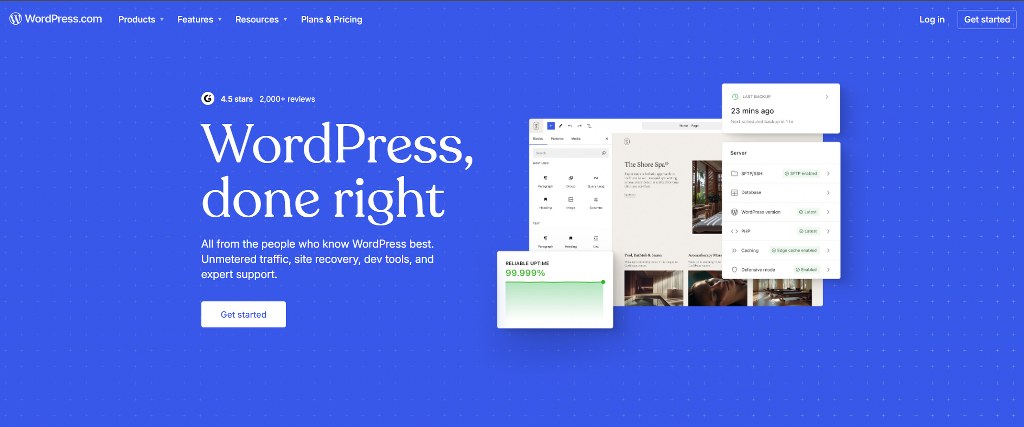

Many website owners and small businesses choose WordPress hosting. It works well when building the best e-commerce stores and business websites. It’s fast and improves site performance.
Select a hosting provider that aligns with your budget and technical expertise. The right hosting option gives growth, safety, and reliable server management.

Namecheap
Shared Hosting vs. Cloud Hosting: A Head-to-Head Comparison
This table breaks down the key differences between each hosting type:
| Feature | Shared Hosting | Cloud Hosting |
| Scalability | Limited; requires big plan upgrades. | High; scales resources during traffic spikes. |
| Performance/Speed | Slower; the performance of other sites can affect speed. | Faster (often twice as fast); consistent speed. |
| Resources | Shared on a single server with fixed limits. | On-demand from a network; scalable and flexible. |
| Security | Basic: A breach at one site can affect others. | Advanced, isolated environment with enterprise-grade security. |
| Reliability/Uptime | Less reliable, as it is dependent on a single server. | Highly reliable (often 99.99% uptime); no single point of failure. |
| Customization | Very limited; restricted to the provider’s tools. | High; full control to change code, apps, and OS. |
| Cost | Low entry price (starting at ~ $2/month); fixed fee. | Higher, but pay-as-you-go; better long-term ROI. |
| Best For | Personal blogs, portfolios, low-traffic sites. | E-commerce, growing businesses, and sites with high traffic. |
Key Factors to Consider When Choosing Your Hosting Solution
Here are the key factors to compare shared hosting and cloud hosting wisely.
1. Scalability: Planning for Future Growth
Scalability shows how your hosting solution handles website growth. Think about your site’s size in six months or a year.
Shared hosting has limited growth options. When you outgrow your shared hosting plans, you must upgrade manually. The process can risk downtime and slower site performance.
Traffic spikes from other websites on the same shared server can affect server resources. It can also cause issues with website performance.
Cloud hosting offers flexible scalability with dedicated resources that adapt to fluctuating traffic. It’s ideal for e-commerce stores, small businesses, and high-traffic sites.
With cloud hosting services, resource allocation happens automatically. You’ll avoid server failure, migration, and downtime issues. Also, your hosting solution stays stable, secure, and fast.
2. Performance and Speed: Don’t Keep Visitors Waiting


Speed plays a huge role in your website’s success. Slow website performance can cost you visitors, sales, and rankings.
Cloud hosting improves speed with multiple servers and enhanced site performance. It connects users to the server nearest them for faster loading.
Most cloud hosting providers ensure quick access and reliable server management. That helps high-traffic sites and e-commerce stores run smoothly and quickly.
Shared web hosting is often slower due to competition for server resources. When other websites get traffic spikes, your site’s performance drops. Additionally, 53% of mobile visitors leave if a site takes too long to load.
You share disk space and processing power on a shared server. During busy periods, sites often lag, and visitors tend to leave.
3. Reliability and Uptime: Your Website’s Availability
Uptime measures how often your site stays online. Every minute of downtime means lost visitors, trust, and sales. Reliable uptime is key to website performance.
Cloud hosting provides a strong uptime with a 99.99% reliability rate. Data spreads across multiple servers to protect your site. That keeps it safe from server failure or traffic spikes. If one server fails, another automatically takes over.
Shared hosting relies on one server. If that same physical server fails, all the sites on it go offline. Shared web hosting can affect resource allocation and website performance.
Dedicated hosting and VPS hosting give you dedicated resources and server settings. These hosting options suit business websites needing control and technical support.
4. Security: Protecting Your Digital Assets


Security threats keep growing fast. Your hosting solution must protect sensitive data and prevent online attacks.
Shared hosting has higher risks. When multiple sites share the same server, one hacked site risks the others. It can expose them to malware and data loss.
Most shared hosting providers add basic protection, but it’s often limited. So understanding shared hosting security helps you recognize these limitations. Shared web hosting may not be secure for business websites with sensitive data.
A cloud hosting solution offers better security. Your virtual private server or dedicated hosting stays secure with firewalls and DDoS protection. You also get 24/7 technical support for extra security.
Always choose a service provider that updates server settings and strengthens website security. Check out the web hosting security guide for your safety.
5. Cost and Budget: The Price of Your Hosting Plan
Budget matters for small businesses and personal sites. Knowing hosting plans helps avoid extra costs and surprises.
Shared hosting is the cheapest hosting option. Shared hosting plans start at $2 to $ 10/month. You pay the same even if traffic rises.
Cloud hosting uses a pay-as-you-go model. Though pricier, it offers better long-term value for growing sites. You pay for server space and computing resources used.
Consider the total cost, not just the monthly fees. Shared and dedicated hosting may need upgrades, which can impact site performance. Select a reliable service provider with technical support and secure server settings.

Who Should Choose Shared Hosting?
Is shared hosting right for you? Let’s find out.
Perfect for Beginners and Low-Traffic Sites


Shared hosting works great for specific needs. If your site matches these needs, it’s your best choice.
Personal blogs and portfolios are perfect for shared hosting. Use it when sharing thoughts, showcasing your work, or building your personal brand. It provides everything you need at a low cost.
Small businesses starting online can also use shared hosting. A simple site with basic details doesn’t need complex systems.
For developers, shared hosting offers a cheap staging environment. Test projects, experiment, and learn without significant costs.
Shared hosting providers handle server management. You focus on content while they take care of server settings and technical support.
When Should You Choose Cloud Hosting Services?
Wondering when to choose cloud hosting services? Let’s find out!
The Go-To for Businesses with High Traffic


Cloud hosting is ideal when website performance, uptime, and growth are key priorities. It keeps your site running even when there are more visitors.
E-commerce stores greatly enjoy cloud hosting. Online shops manage traffic spikes, avoiding downtime and lost sales during promotions. Growing businesses need flexible hosting solutions. Cloud hosting plans offer dedicated resources and scale automatically as your site grows.
Web and mobile apps need strong server resources. Virtual private servers or dedicated hosting help apps run fast without delays.
Users worldwide experience faster load times. That’s because their cloud storage servers deliver content from the nearest location. Serving content from nearby servers cuts lag and makes sites faster.
Choose cloud hosting when reliability matters more than saving a few dollars monthly. The investment pays off through better performance and customer satisfaction.
Conclusion
Choosing between shared hosting vs cloud hosting depends on your site’s needs. Shared hosting suits small websites and personal sites with low traffic. Cloud hosting helps growing businesses handle high traffic.
Evaluate your needs before making a choice. Want to boost your website performance? Learn the differences between shared hosting and cloud hosting before making a decision.

Next Steps: What Now?
Take the next steps to choose the best hosting solution.
- Explore cheap web hosting providers.
- Learn about VPS hosting next.
- Learn about cloud hosting.
- Learn to improve your site performance.
- Learn to create a website.
Further Reading & Useful Resources
Explore these other web hosting topics.
- Learn “what is shared hosting?”
- Learn the benefits of cloud hosting.
- Explore the differences between hosting and server.
- Learn about shared hosting vs. VPS.
- Learn about cloud hosting vs. VPS.
- Explore shared hosting unlimited domains.


