


A web mockup is a pre-built visual design of a website’s layout and design. This is used to plan the structure, functionality, and user experience of a website before actual development. It can save time, minimize revisions, and help you achieve a successful website launch by allowing clients and team members to review and provide feedback before the final design.
Key Highlights
- A web mockup is a visual blueprint of a website’s design used for planning and feedback purposes
- A web mockup improves communication and design speed and saves costs, but it may limit interactivity and cause confusion
- To create a web mockup, you need to gather requirements, sketch ideas, create the mockup, and get feedback from clients or team members
- Knowing what a web mockup is helps designers create better websites by streamlining the design process and facilitating collaboration
What Is a Web Mockup?

A web mockup is a visual layout of a website’s design used to plan and gather feedback before building the actual site. It helps streamline the design process and facilitates collaboration among team members and clients.
Think of a web mockup like a blueprint for a house, showing the placement of rooms, windows, and doors before construction begins. This way, any changes or improvements can be made on paper, saving time and resources during the actual building process.
What Are the Benefits of a Web Mockup?
A web mockup plays a vital role in web design by offering a visual guide for teamwork and improvement before creating the final website. It prevents expensive errors and results in better, user-friendly sites. Here are its benefits:
- Clearer Communication: Web mockups let everyone see the design, improving communication among designers, developers, and clients while minimizing confusion
- Quicker Design Changes: Web mockups help designers quickly test and adjust design elements, speeding up the process and reaching the final design faster
- Reduced Costs: Web mockups detect design issues early, avoiding costly development changes and saving time and money for an efficient, budget-friendly project
- Improved User Experience: Web mockups allow designers to concentrate on making the website engaging and user-friendly, testing layouts and navigation to better suit the target audience
What Are the Drawbacks of a Web Mockup?
A web mockup comes with drawbacks. Keep these challenges in mind when using it in the design process:
- Less Interactivity: Some web mockups don’t fully show a website’s interactive elements, making it harder to understand the final product’s functionality
- Misunderstandings: Even with visuals, web mockups might cause misinterpretations or miscommunications if stakeholders have different expectations about the final design or features
- Focus on Visuals: Concentrating too much on the mockup’s appearance could overshadow essential elements like content, functionality, and user experience, leading to an unbalanced final product
What Are the Types of Web Mockups?
Web mockups come in different types, and understanding them helps you choose the right one for your project. Here, we’ll cover three main types:
Wireframes
Wireframes are simple, low-detail layouts of a web page, using basic shapes and lines to show where content, navigation, and interactive elements go. They help you focus on functionality and user experience without distractions. You can use wireframes in the early stages of a project to brainstorm and share ideas quickly.
Static Mockups
Static mockups are more detailed designs that show the website’s appearance, including colors, fonts, and images. However, they don’t have interactive features, so they can’t demonstrate how users will interact with the site. You can use static mockups to get feedback on the visual design and make sure it meets the client’s or brand’s expectations.
Interactive Prototypes
Interactive prototypes are detailed mockups that let users click buttons, navigate menus, and interact with the site, simulating its functionality. You can use these prototypes to test the website’s usability and overall user experience before starting development, helping you identify and fix potential issues and create a smooth, user-friendly final product.
How to Create a Web Mockup
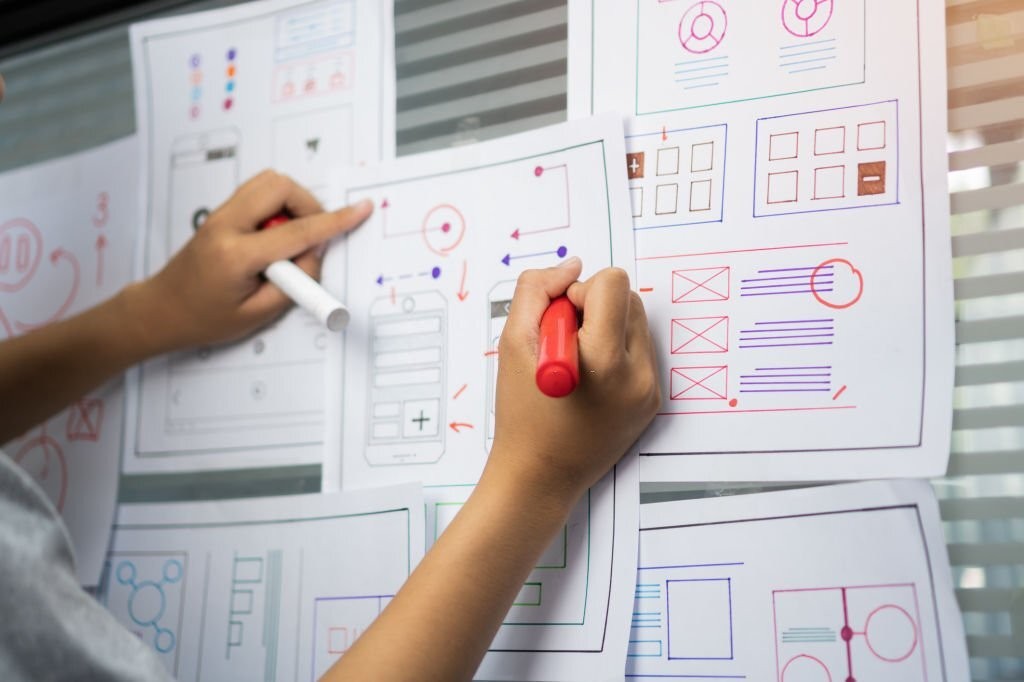

Creating a web mockup involves several steps. Follow this simple process to ensure a successful and efficient mockup creation experience:
Gather Requirements
- Identify the client’s needs, including target audience, website goals, desired features, and branding guidelines
- Understand these requirements to create a mockup that aligns with the client’s vision and meets the project’s objectives
- Document the requirements for easy reference during the design process
Sketch Ideas
- Generate ideas for the web mockup using pen and paper or digital drawing tools
- Experiment with different layout options, navigation structures, and user flows
- Focus on creating a variety of concepts to discuss with the client or team without worrying about details like colors or fonts
Create the Mockup
- Select the appropriate format, such as wireframes, static mockups, or interactive prototypes, based on the project’s needs
- Use design software or online tools to bring your concept to life, incorporating colors, fonts, images, and other visual elements that match the client’s branding and preferences
- Ensure the mockup effectively communicates the intended user experience and design concept
Get Feedback and Make Revisions
- Present the completed web mockup to the client or project stakeholders for feedback
- Listen carefully to their input and make revisions as needed to ensure the design meets their expectations
- Engage in an iterative process to refine the mockup, ultimately leading to a final design that satisfies the project’s requirements and provides an excellent user experience
What Are the Tools and Software for Web Mockups?
When creating a web mockup, there are various tools and software available to help bring your vision to life. Here are some of the top web mockup tools you can use:
Adobe XD
Adobe XD is a vector-based design tool that allows you to create wireframes, prototypes, and interactive designs. It features a user-friendly interface and a range of plugins. It also supports real-time collaboration.
Sketch
Sketch is a popular web design tool that lets you produce high-fidelity mockups, wireframes, and prototypes. It provides a vector editing system, real-time collaboration, and a wide range of plugins to enhance your design experience.
Figma
Figma is a web-based design tool that allows you to make mockups, prototypes, and interactive designs. It promotes real-time collaboration and offers vector editing tools and a wide range of templates and design assets.
InVision
InVision is a web design platform that enables designers to create and share interactive prototypes and mockups. It showcases a user-friendly interface, real-time collaboration, and a range of plugins to improve your design workflow.
Balsamiq
Balsamiq is a user-friendly wireframing tool that lets you easily design low-fidelity mockups and wireframes using drag-and-drop elements. It also enables you to quickly create rough sketches of your design ideas.
What to Look for in a Website Mockup Tool

If you’re looking for a website mockup tool, it’s important to choose one that fits your specific needs. Here are some factors to consider:
Ease of Use
Choose a tool with a user-friendly interface and intuitive features. A complicated or confusing tool can slow down the design process and frustrate both designers and clients.
Features and Functionality
Consider the features and functionality offered by the tool. These include the ability to create interactive prototypes, the availability of templates and design elements, and customization options.
Integration and Collaboration
When choosing a web mockup tool, consider its integration with other software, collaboration and feedback features, pricing, support, and learning curve. Reading reviews and getting feedback from other designers can also be helpful in making a decision.
Cost and Support
Take the cost of the tool into account and whether it fits within your budget. You should also consider the level of customer support and resources provided by the tool’s developers.
What Are the Best Practices for Creating Effective Web Mockups?

When creating a web mockup, following best practices is essential to ensure it’s effective and achieves the desired results. Here are some of the best practices for creating effective web mockups:
Focus on User Experience
Creating an effective web mockup is vital for the success of eCommerce businesses. A study by Amazon Web Services showed that bad user experience causes businesses to lose 35% of their sales, worth around $1.4 trillion.
A good user experience in a web mockup is important because it can increase user engagement, retention, and conversion rates. By considering the user’s needs, preferences, and behavior, you can create a web mockup that’s easy to navigate and provides a positive experience, leading to higher customer satisfaction and business success.
Use Grids
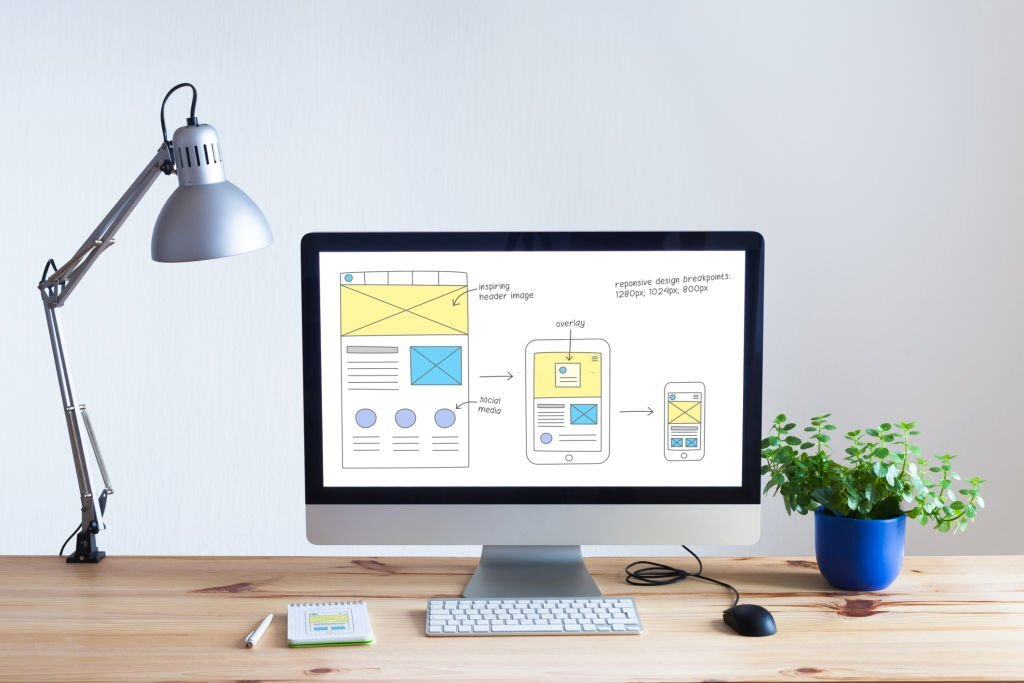
Using grids is a great way to ensure your design is well-aligned and easy to read for users. A grid layout lets you create cohesive designs that are easy for users to scan and use. It’s also an essential component of responsive web design, which adapts to different screen sizes and orientations, ensuring consistency across platforms for your users.
Consider Responsive Design
Make sure to create a responsive web mockup to cater to mobile device users. Research shows that mobile-friendly websites increase the chances of a sale by 67%. By designing your mockup with responsiveness in mind, you can provide a consistent user experience and improve engagement on all devices.
Ensure Consistent Design Elements
Consistent branding is crucial for the visibility of businesses. In fact, those with a strong brand are 3.5 times more visible to customers. To ensure a consistent design for your web mockup, use consistent color schemes, typography, and design elements that reinforce the brand and provide a better user experience.
Encourage Collaboration and Feedback
Involve stakeholders in the design process to make better design decisions and improve the user experience. By soliciting feedback and involving everyone in the design process, you can ensure that the design meets the client’s expectations and provides an excellent user experience.
What Are the Tips for Presenting Web Mockups to Clients?
Presenting web mockups to clients is a critical part of the web design process. Your presentation can influence the feedback you receive, which will impact the direction of your project. To ensure an effective presentation, follow these tips:
Choose the Right Platform
Choosing the right platform to present your mockups is vital. You should use a platform that’s user-friendly and accessible to clients, such as a website or a presentation tool like InVision or Figma. A good platform can significantly impact how clients view your work and provide feedback.
Simplify the Explanation
When presenting your mockups, keep your explanation simple and straightforward. Use non-technical terms and avoid jargon. Explain your design choices and the rationale behind them, but keep it concise. Your clients should be able to understand the purpose of your mockups without getting lost in technical details.
Show Multiple Options
Showing multiple options can help clients choose what they like best and demonstrate your design skills. However, be careful not to overwhelm your clients with too many options. Limit it to three or four variations of your mockups and explain the differences.
Ask for Feedback
Feedback is crucial when presenting web mockups to clients. It helps improve your work and ensures that your design meets their needs. Encourage clients to provide honest feedback and ask follow-up questions if you’re unsure about their feedback to build trust and collaboration.
Conclusion
A web mockup is a tool to help you create a user-friendly website. This guide covers what a web mockup is, its benefits and drawbacks, its types, how to create one, tools and software, best practices, and tips for presenting it to clients.
Web design is always evolving. This means new technologies, design trends, and user behaviors can impact how we approach web mockups. By staying up-to-date, you can ensure your web mockups meet your needs and users’ expectations. Continuous learning can also help you stay competitive and improve your skills and knowledge over time.
Next Steps: What Now?
- Learn how to build an outstanding website
- See the top 5 website builder providers
- Check the top web hosting providers


